Configure the Wafer Reader
20
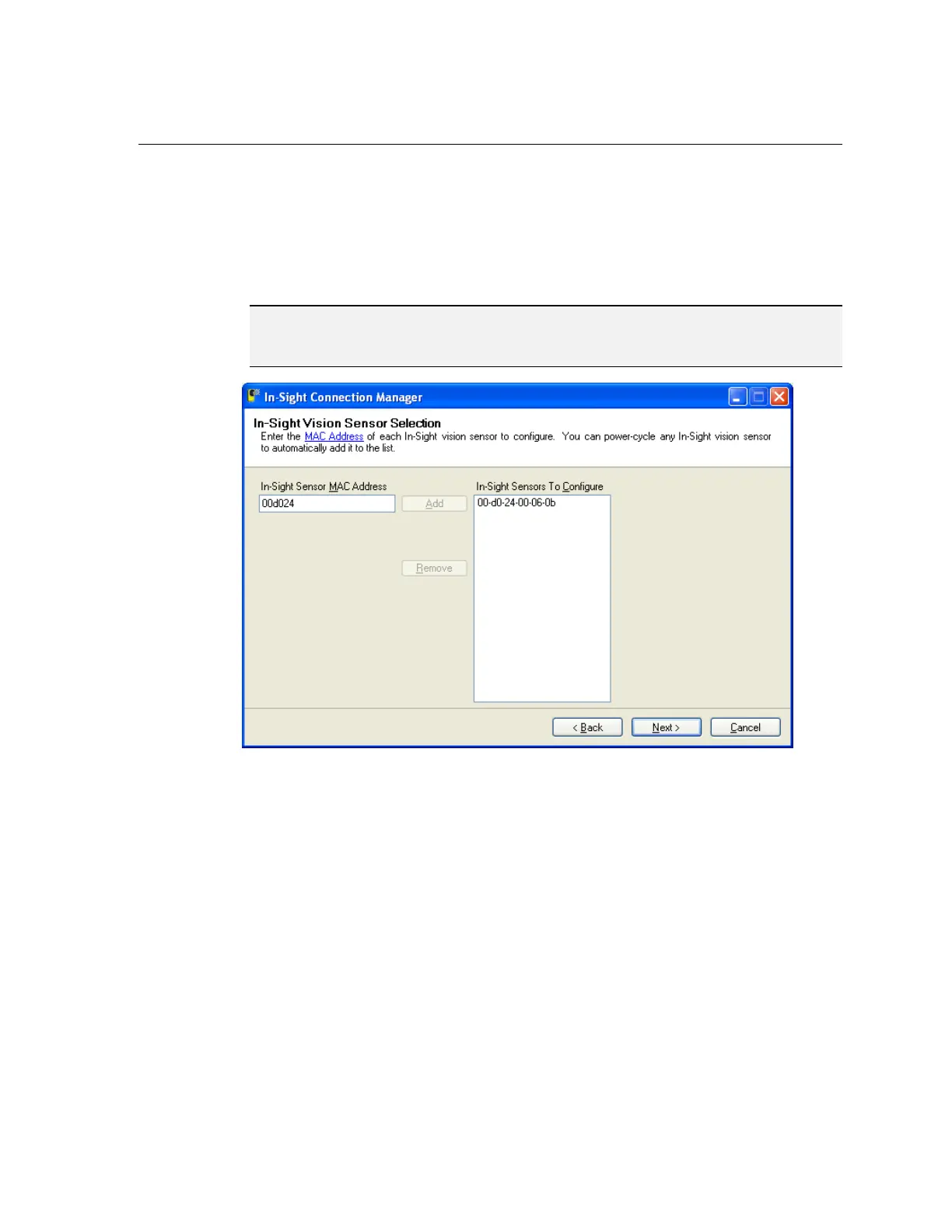
7. In the left-hand text box, enter the MAC Address for the wafer reader you would like
to configure, then click Add (Figure 4-3). Repeat these two steps for any additional
wafer readers you would like to configure. Alternately, you can simply cycle power on
any wafer readers you would like to configure, and the In-Sight Connection Manager
will automatically add the corresponding MAC address to the list after they reboot.
8. Click Next.
NOTE The MAC address is located on the serial number label affixed to the wafer reader. This
identifier is factory-assigned, unique for every wafer reader and cannot be changed or
deleted.
Figure 4-3: MAC Address



 To Next Page