Click to go to Top of Document
This machine has been assembled and tested as one unit prior to shipment. Follow the steps below to
inspect and unpack the machine from the shipping container.
1. Examine the shipping container for any damage that may have occurred during transport.
2. Remove the machine. Recycle boxes and packaging.
3. Examine the machine for any external damage that may have occurred during transport.
Refer to the packing slip for a list of the components shipped with the machine. Contact Cold Jet if any
damage has occurred to the shipping container or the machine or if any components are missing.
Transport, Storage, and Disposal
The following instructions are for proper transport of the machine. Follow all instructions as illustrated
to avoid damaging the machine. It is recommended that only trained and qualified personnel use and
move the machine. Contact Cold Jet Customer Service for proper disposal instructions at the end of the
machine’s life.
Transport Methods
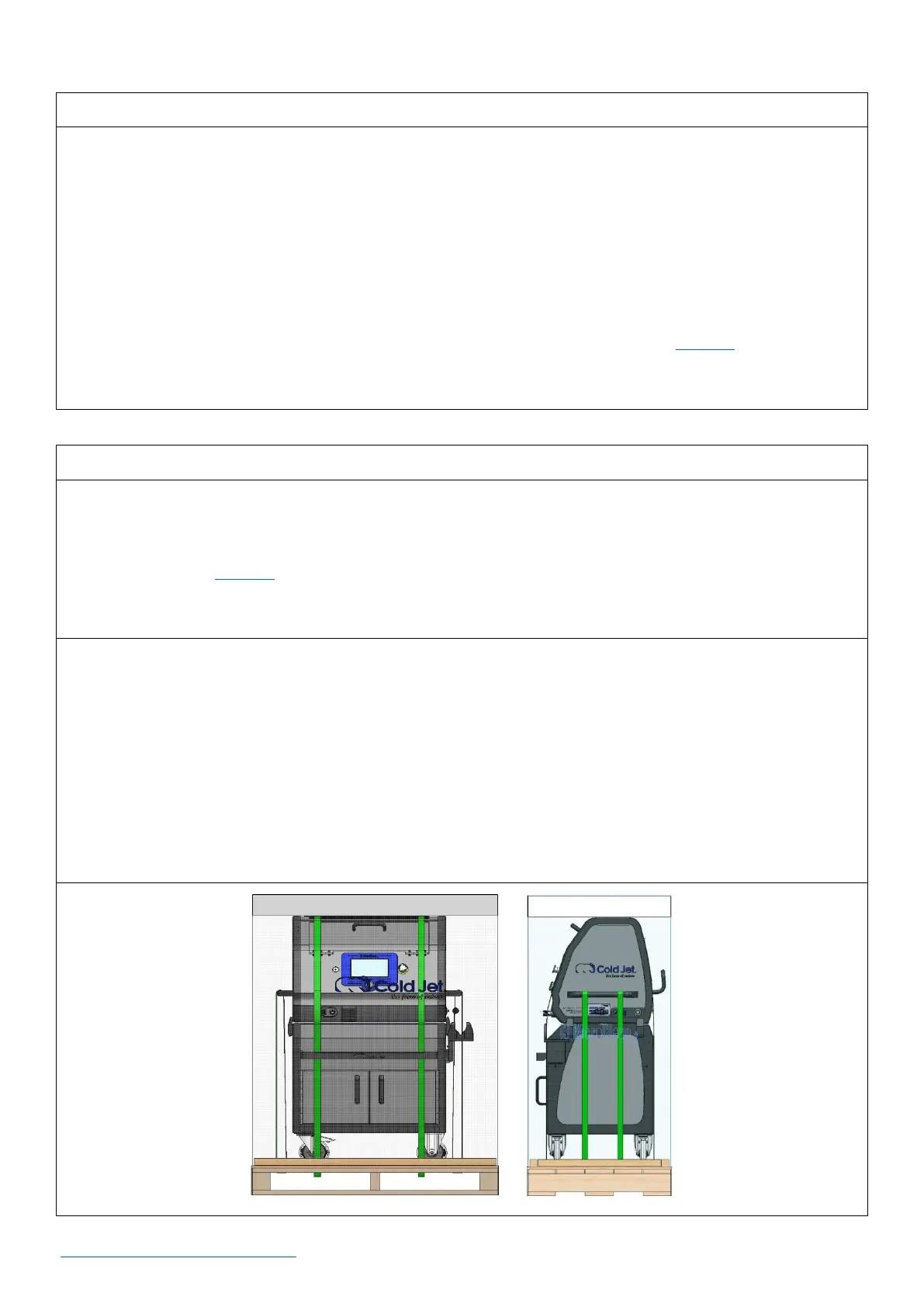
• Do not strap over the screen as this could damage the screen and/or components for operating the
machine.
• Strap the machine as shown below.
• Strapping the machine for long periods of time is not advised.
• Always remove any straps or rigging equipment prior to operating the machine.



 To Next Page