• As part of our commitment to the support of your dry ice blasting machine, it comes with its own
personal support site through coldjetconnect.com.
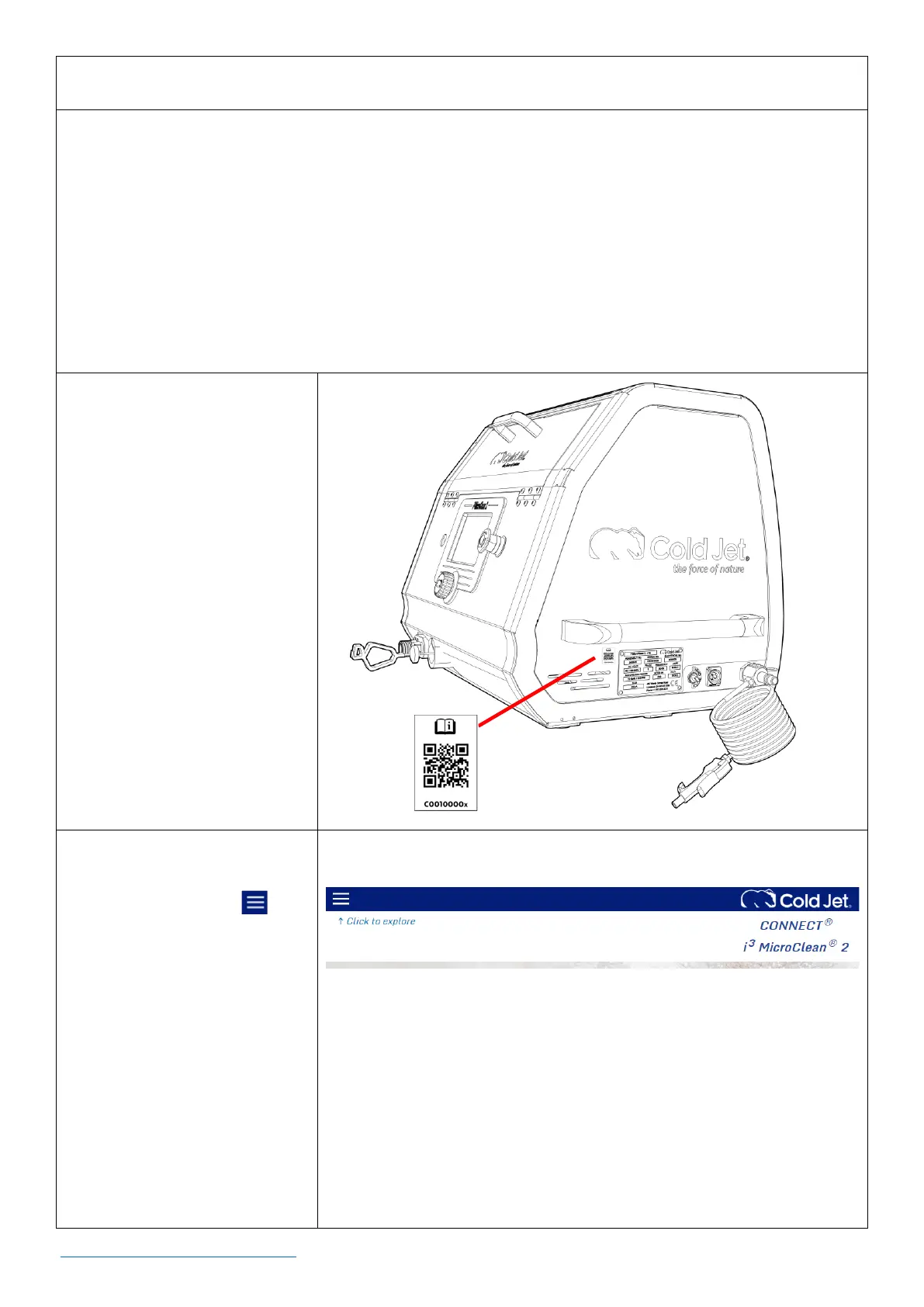
• To access your machine’s personal support page, scan any of the QR code labels on the machine.
This will take you to a support site unique to this machine, providing on-line manual(s), training,
warranty information, technical service contacts, service parts ordering and more.
• Cold Jet offers subscriptions for access to advanced CONNECT features. Please contact your
Technical Support Representative for more information on available subscription plans.
How to Access Cold Jet
CONNECT®
To access your machine’s
unique personal support page,
scan one of the QR codes
located on your machine as
shown.
HOME Page
Clicking the menu icon in
the upper left-hand corner will
allow you to access items such
as:
• On-line manuals
• Warranty information
• Technical service
contacts.



 To Next Page