Click to go to Top of Document
11. Close the inner cover.
12. Close the trough lid.
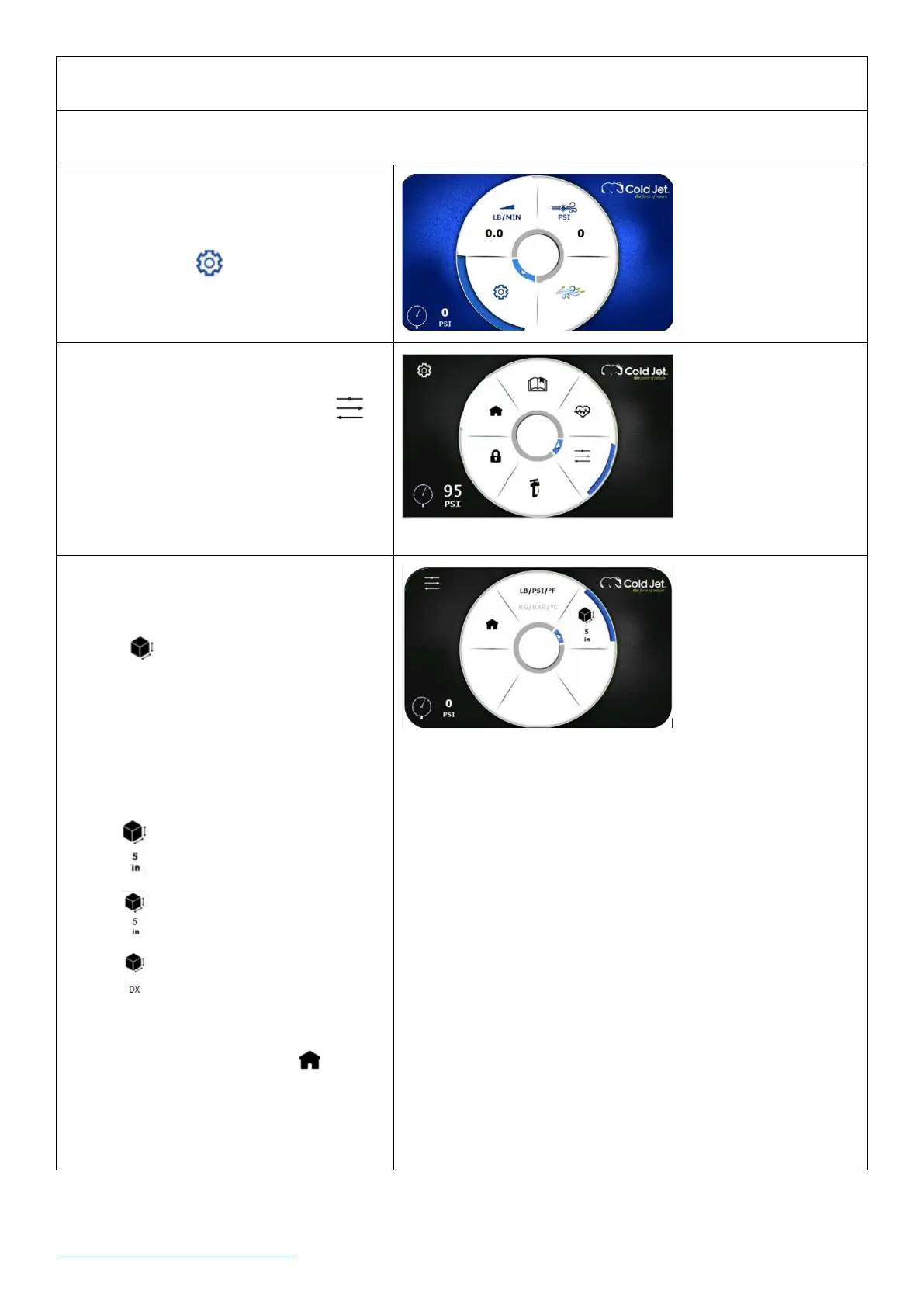
13. On the home screen, use the rotary
encoder dial to navigate to the
settings icon and press the dial
once to go to the settings screen.
14. On the settings screen, use the rotary
encoder dial to navigate to the
advance settings icon and press the
dial once to go to the advanced
settings screen.
15. Use the rotary encoder dial to
navigate to the dry ice media selection
icon
16. Press the rotary encoder dial to
navigate through the options and
select the type of dry ice that was
loaded into the machine.
• - 5-inch block
• - 6-inch block
• - Pellets
17. Use the rotary encoder dial to
navigate to the home icon and
press the dial once to return to the
home screen.



 To Next Page