Click to go to Top of Document
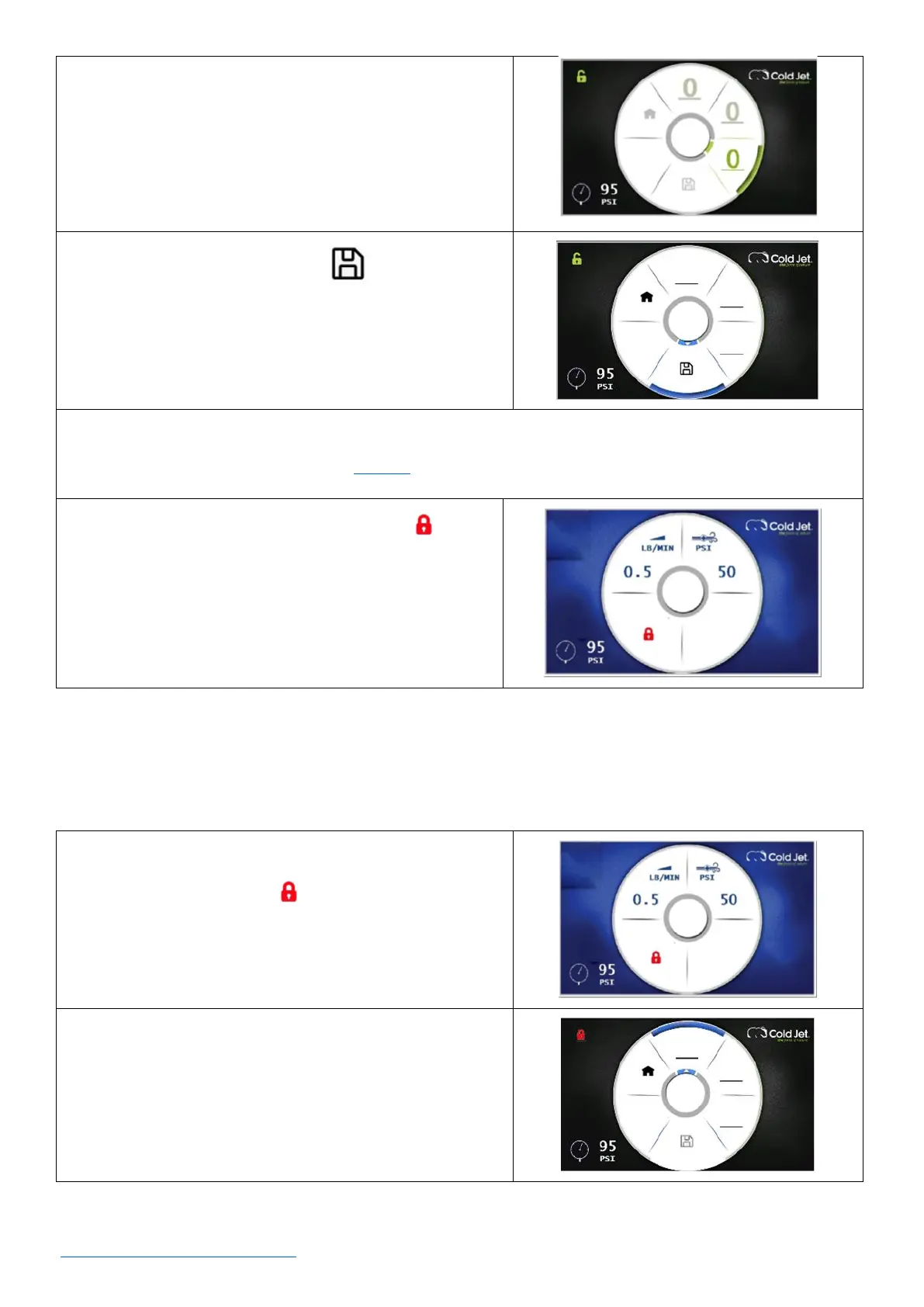
e. Rotate clockwise to the next line and press the
encoder dial. This accesses the third number of the
password.
f. Rotate the dial to select a number and press the
encoder dial to enter it.
4. Rotate the dial to the Save icon and press the
dial once to save. The display will return to the home
screen.
5. Write the password down and keep it in a safe place.
• NOTE: If the password is lost, contact Cold Jet’s customer service department for assistance.
6. When the screen is locked, a red lock icon will be
shown on the home screen.
How to Unlock a Screen Locked with a Password
1. On the home screen, use the rotary encoder dial to
navigate to the lock icon and press the dial once
to go to the password entry screen.
2. On the password entry screen, press the rotary
encoder dial once and turn the dial clockwise to enter
the first number of the password.



 To Next Page