Click to go to Top of Document
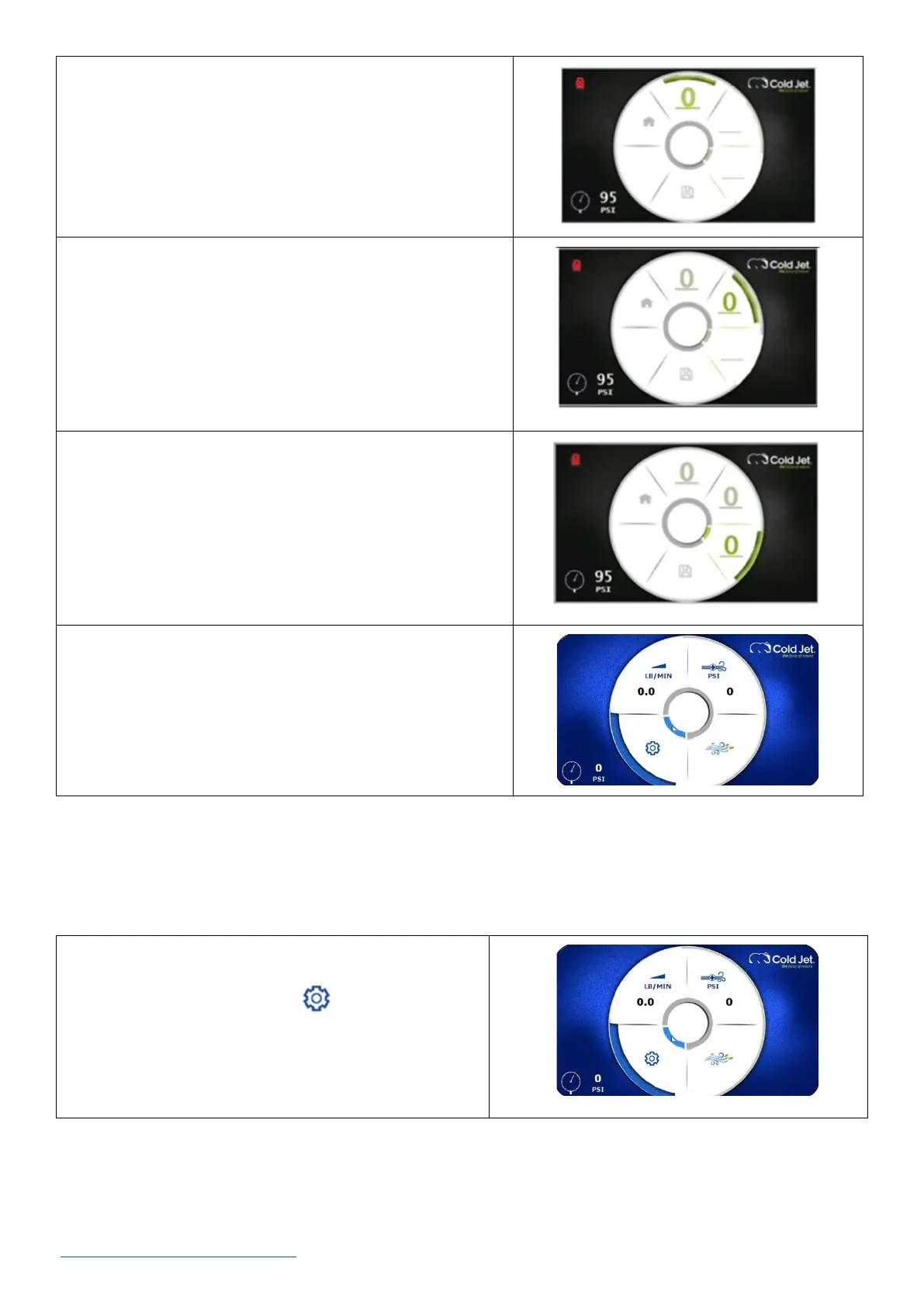
3. Press the dial once. This enables access to the first
number of the password.
4. Rotate the dial to the first digit of the password and
press the encoder dial once to enter it.
5. Rotate clockwise to the next line & press the encoder
dial. This accesses the second number of the
password.
6. Rotate the dial to the second digit of the password and
press the encoder dial to enter it.
7. Rotate clockwise to the next line and press the
encoder dial. This accesses the third number of the
password.
8. Rotate the dial to the third digit of the password and
press the encoder dial to enter it.
9. The screen will be unlocked and will return to the
home screen.
How to Create a Recipe [Optional] - Recipes are useful for saving optimal settings for the machine
for different types of surfaces. This saves time when switching from one type of surface to another.
1. On the home screen, use the rotary encoder dial to
navigate to the settings icon and press the dial
once to go to the settings screen.



 To Next Page