Click to go to Top of Document
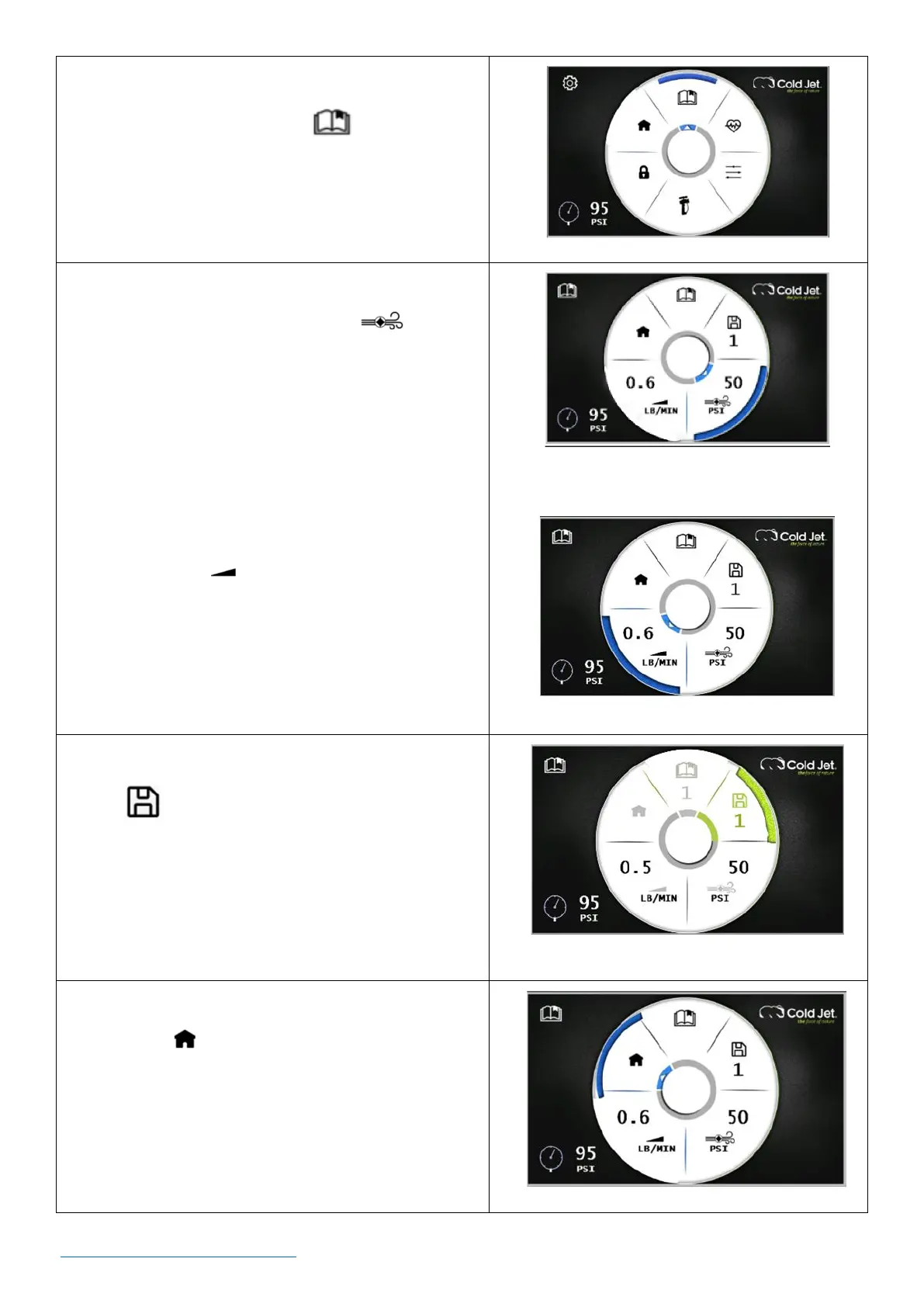
2. On the settings screen, use the rotary encoder dial
to navigate to the recipe icon and press the
dial once to go to the recipes screen.
3. On the recipe screen, use the rotary encoder dial to
navigate to the blast pressure icon and
press the dial once to activate. The button will be
green and active.
4. Rotate the dial left or right as needed to adjust the
blast pressure and press the dial once to select the
desired blast pressure.
5. Use the rotary encoder dial to navigate to the
feed rate icon and press the dial once to
activate. The button will be green and active.
6. Rotate the dial left or right as needed to adjust the
feed rate and press the dial once to select the
desired feed rate.
7. Use the rotary encoder dial to navigate to the save
icon and press the dial once. The button will
be green and active.
8. Rotate the rotary encoder dial to select a desired
recipe number and press the dial once to save the
recipe to that recipe number.
9. Use the rotary encoder dial to navigate to the
home icon and press the dial once to return to
the home screen.



 To Next Page