Click to go to Top of Document
How to Select a Recipe [Optional] - Learn how to select a previously created recipe.
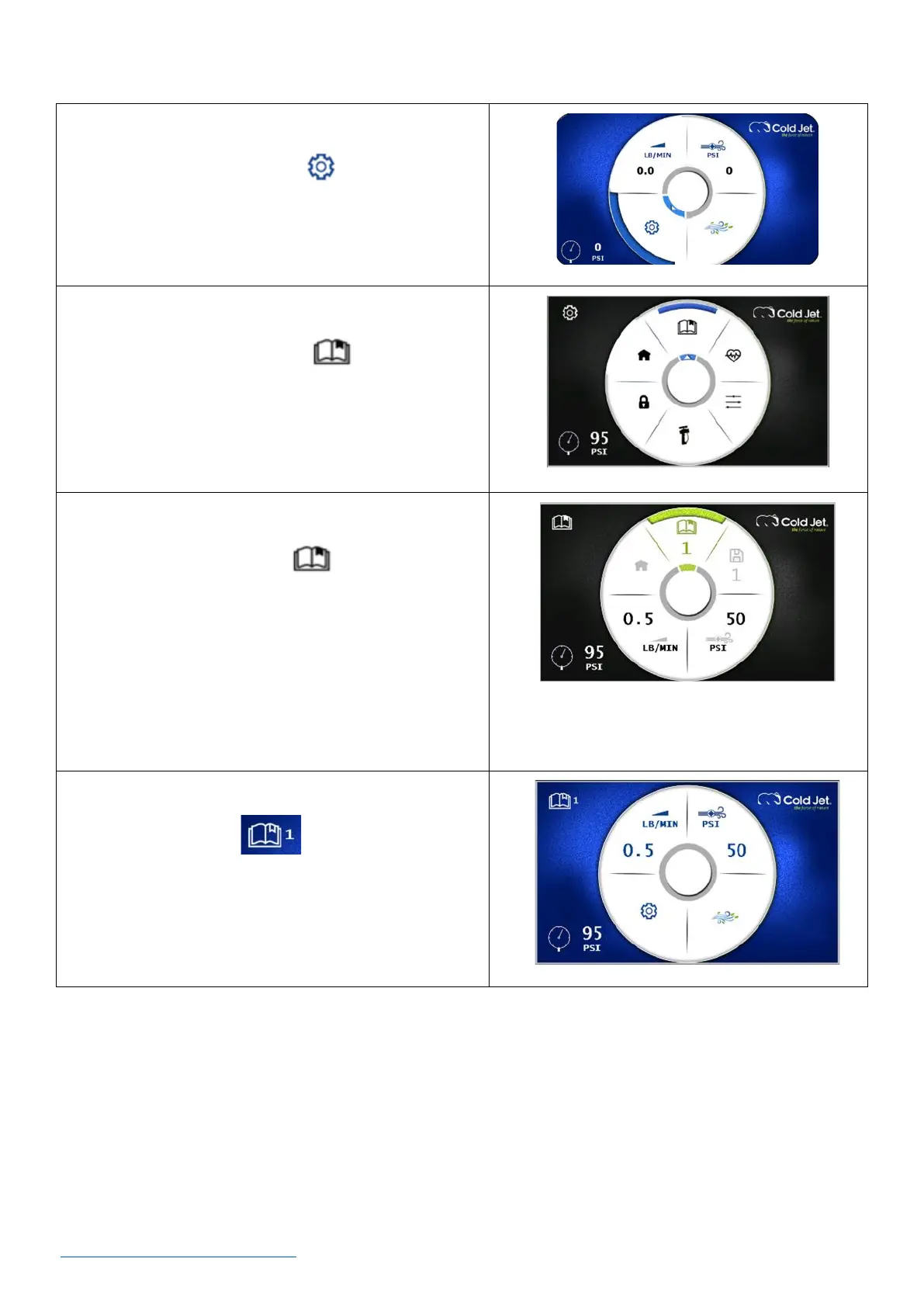
1. On the home screen, use the rotary encoder dial to
navigate to the settings icon and press the dial
once to go to the settings screen.
2. On the settings screen, use the rotary encoder dial
to navigate to the recipe icon and press the
dial once to go to the recipes screen.
3. On the recipe screen, use the rotary encoder dial to
navigate to the recipe icon and press the dial
once. The recipe selection button is now green and
active.
4. Rotate the rotary encoder dial to go to the desired
recipe number and press the dial once to select the
desired recipe.
5. The display will return to the home screen. The
selected recipe icon is displayed at the
upper left corner of the home screen.



 To Next Page