InteliLite
NT
– MRS3,4, AMF8,9, SW version 1.4, ©ComAp – October 2008 49
IL-NT-MRS3,4-AMF8,9-1.4-Reference Guide.pdf
User Interface
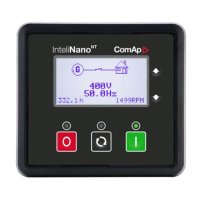
InteliLite NT controller enables to choose the user interface as customer prefers. There are two
choices available: USER or ENGINEER interface.
USER interface is ment for customers, who prefer simple and easy menu and don’t wish to list in
complex menu or change the settings of controller. In USER interface controller displayes measuring,
alarm and init screens.
ENGINEER interface is dedicated for engineers and allow changing the settings of controller,
reviewing the history, measurement, alarms and grant the full access to all controllers screens with are
available. This mode is default.
For details how to change the User Interface, please see the IL-NT Operator Guide.






 To Next Page