20
WORK
CHECKING THE MOTORS
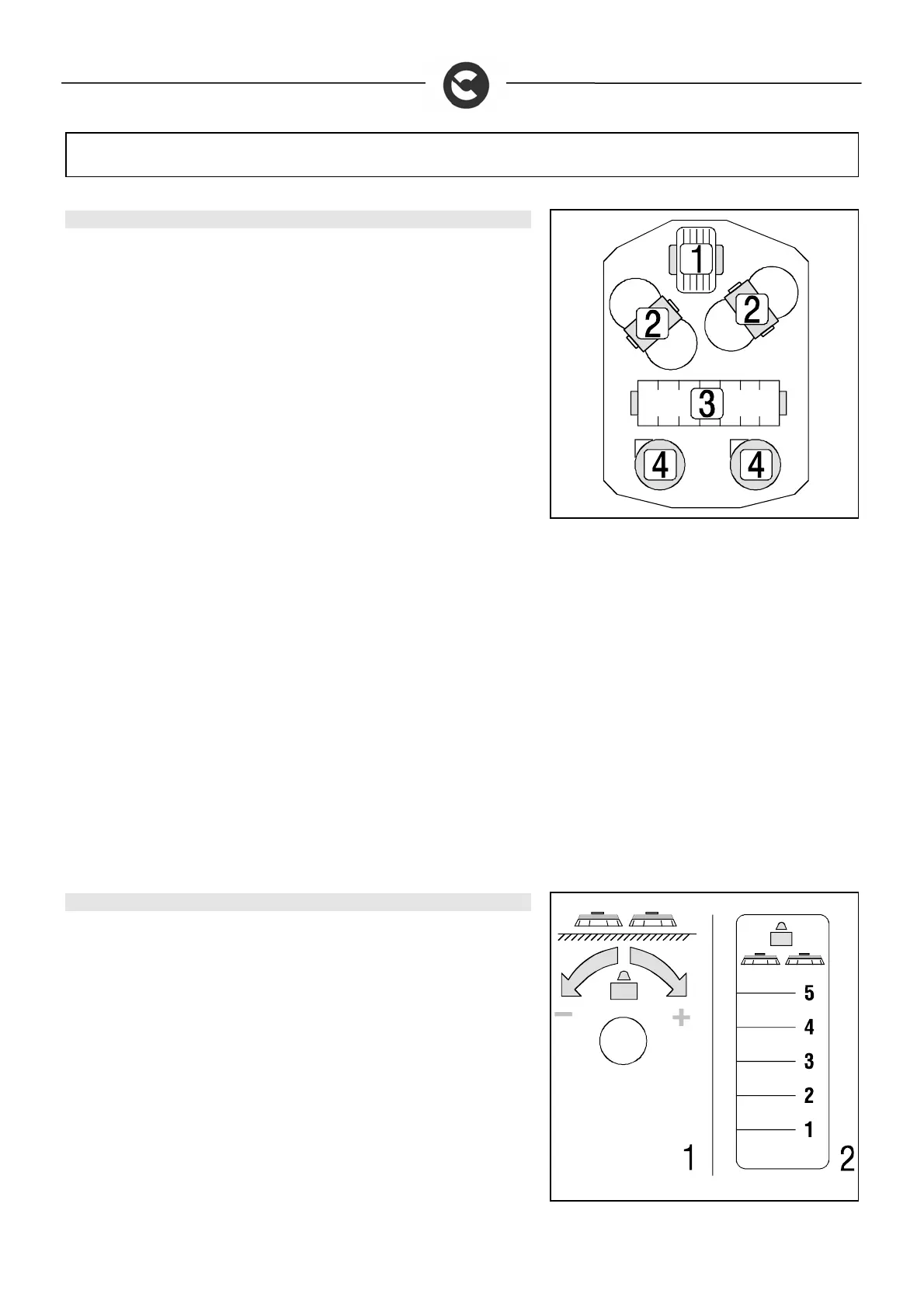
This machine has an ammetric motor control system. The symbol shown in the
figure represents the machine as seen from above, and the flashing of each
single LED indicates a specific problem:
LED 1 indicates the traction motor
LEDs 2 indicate the brush motors
LED 3 indicates the cylindrical brush motor
LED 4 indicates the suction motor
When a motor reaches its pre-established overload limits, the corresponding red
indicator light starts to flash. After a few seconds the motor stops, and the relative
switch indicator light goes off. To restart the motor, disconnect the power supply
then reconnect it again by decelerating the motor then accelerating again after a
few seconds. If the motor stops again, check the reason of the overload in order
to prevent damage to the motor.
For the brush motors, it is usually sufficient to reduce the pressure on them (see
“BRUSH PRESSURE” and “ADJUSTING THE HEIGHT OF THE CYLINDRICAL
BRUSH”). For problems with the other motors, consult a technician from the
Comac Technical Assistance Centre.
BRUSH PRESSURE
You can adjust the pressure on the brushes by means of the handwheel (1)
located to the left of the operator's position. To increase the pressure, turn it
clockwise. The pressure indicator (2) will move upwards as the pressure
increases.
The pressure must be chosen according to the type of floor and the extent of the
dirt. An excessive degree of pressure causes greater wear and tear of the
brushes and higher energy consumption (for further information, read
“CHOOSING AND USING THE BRUSHES”)



 To Next Page