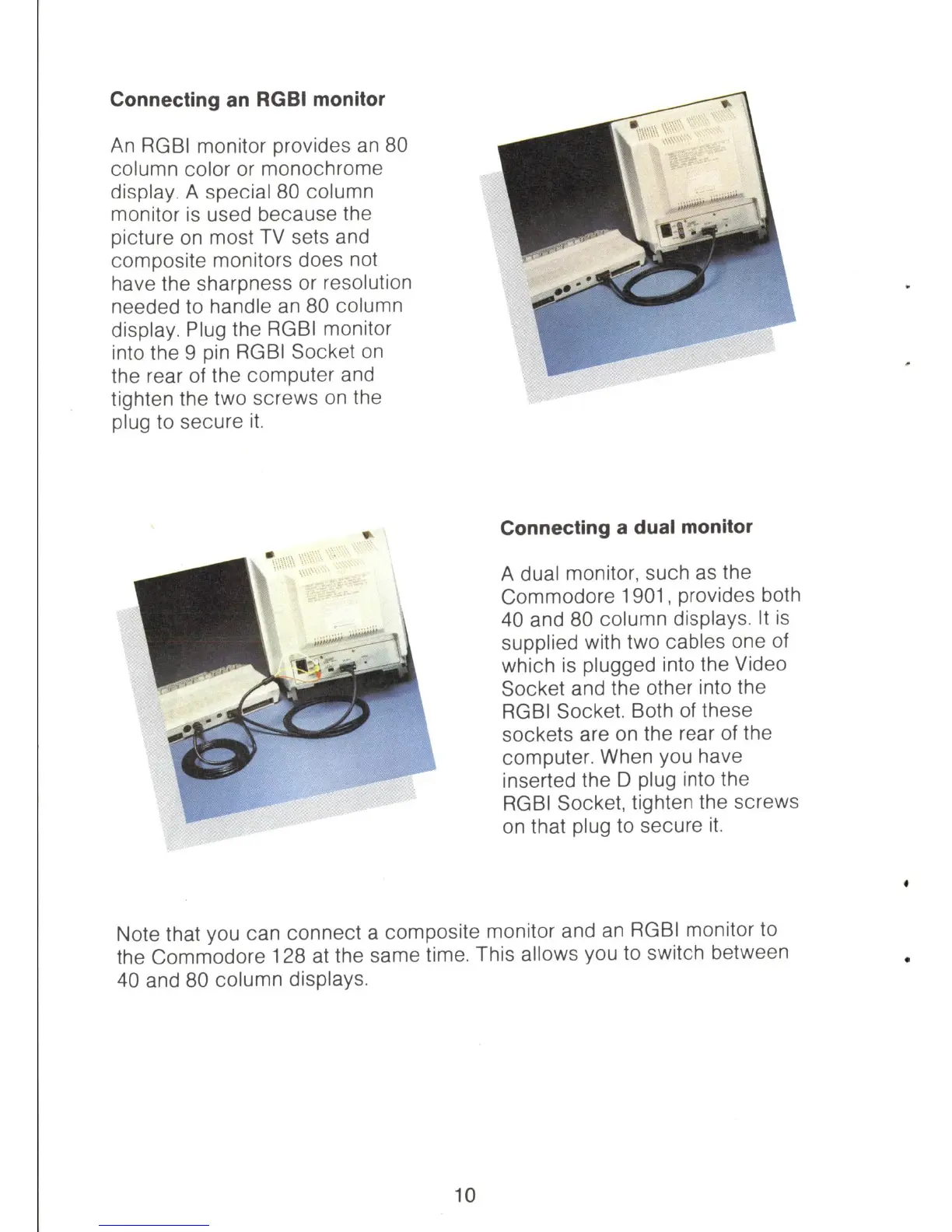
Connecting an RGBI monitor
An
RGBI
monitor provides
an
80
column color or monochrome
display. A special 80 column
monitor
is
used because the
picture
on
most
TV
sets and
composite monitors does not
have the sharpness or resolution
needed to handle
an
80 column
display. Plug the
RGBI
monitor
into the 9 pin RGBI Socket
on
the rear of the computer and
tighten the two screws
on
the
plug
to
secure
it.
Connecting a dual monitor
A dual monitor, such
as
the
Commodore
1901
, provides both
40 and 80 column displays.
It
is
supplied with two cables one of
which
is
plugged into the Video
Socket and the other into the
RGBI
Socket. Both of these
sockets are
on
the rear of the
computer. When you have
inserted the D plug into the
RGBI
Socket, tighten the screws
on that plug
to
secure
it.
Note that you can connect a composite monitor and
an
RGBI
monitor
to
the Commodore 128 at the same time. This allows you
to
switch between
40 and 80 column displays.
10



 To Next Page