Chaining Disk Drives and Printers
You can use the
"c
haining" (or "daisy chaining") technique to connect
several disk drives
or
printers
to
your Commodore 128. Using this technique,
you connect a cable from one serial port of a printer or disk drive to the serial
port of another disk drive. A disk drive must
be
the item
of
equipment directly
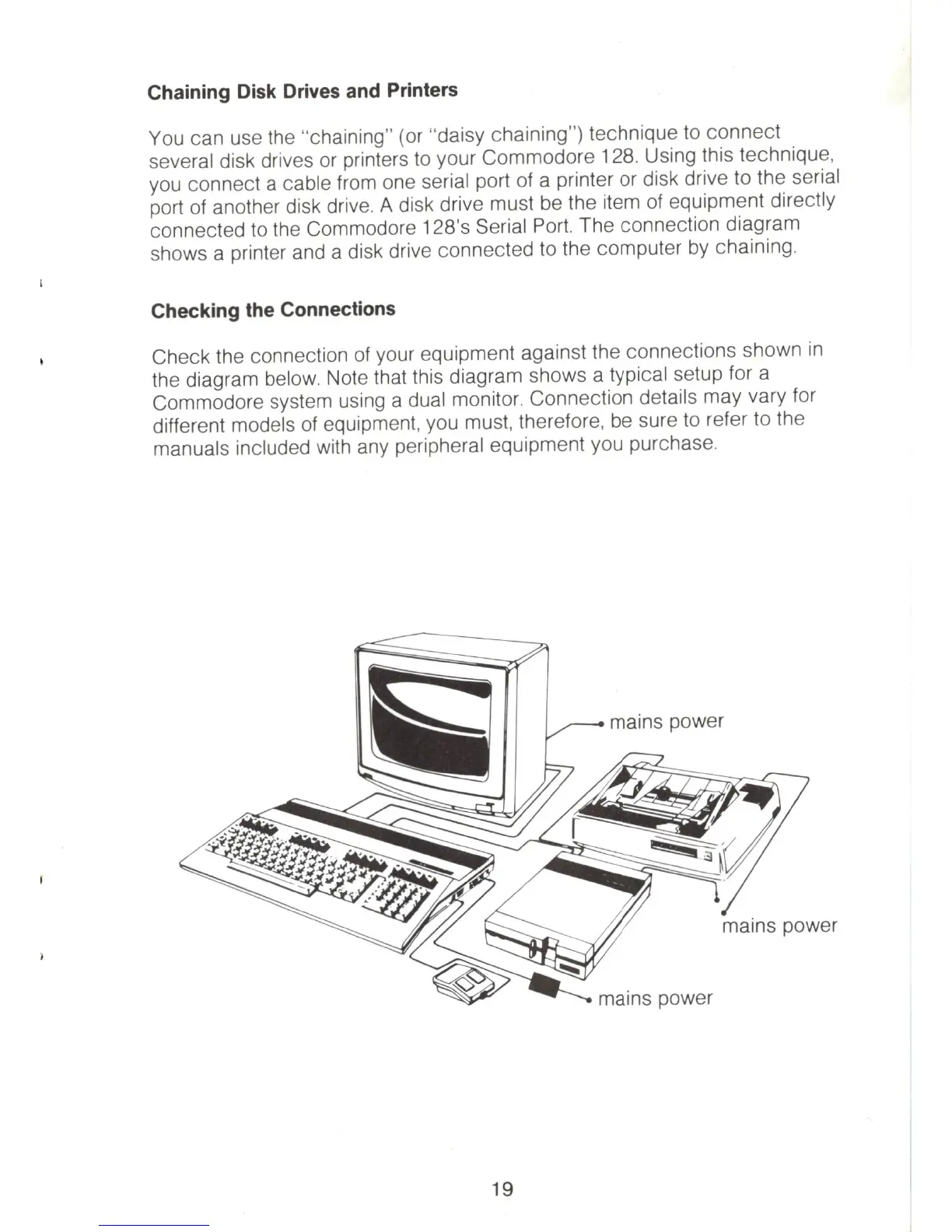
connected to the Commodore 128's Serial Port. The connection diagram
shows a printer and a disk drive connected to the computer by chaining.
Checking the Connections
Check the connection of your equipment against the connections shown
in
the diagram below. Note that this diagram shows a typical setup for a
Commodore system using a dual monitor. Connection details may vary for
different models
of
equipment, you must, therefore, be sure
to
refer to the
manuals included with any peripheral equipment you purchase.
19



 To Next Page