M0203AHA_uc CommScope ERA
®
CAP M2 with Fiber Interface
© August 2022 CommScope, Inc. Page 25
Mount the Fiber CAP M2
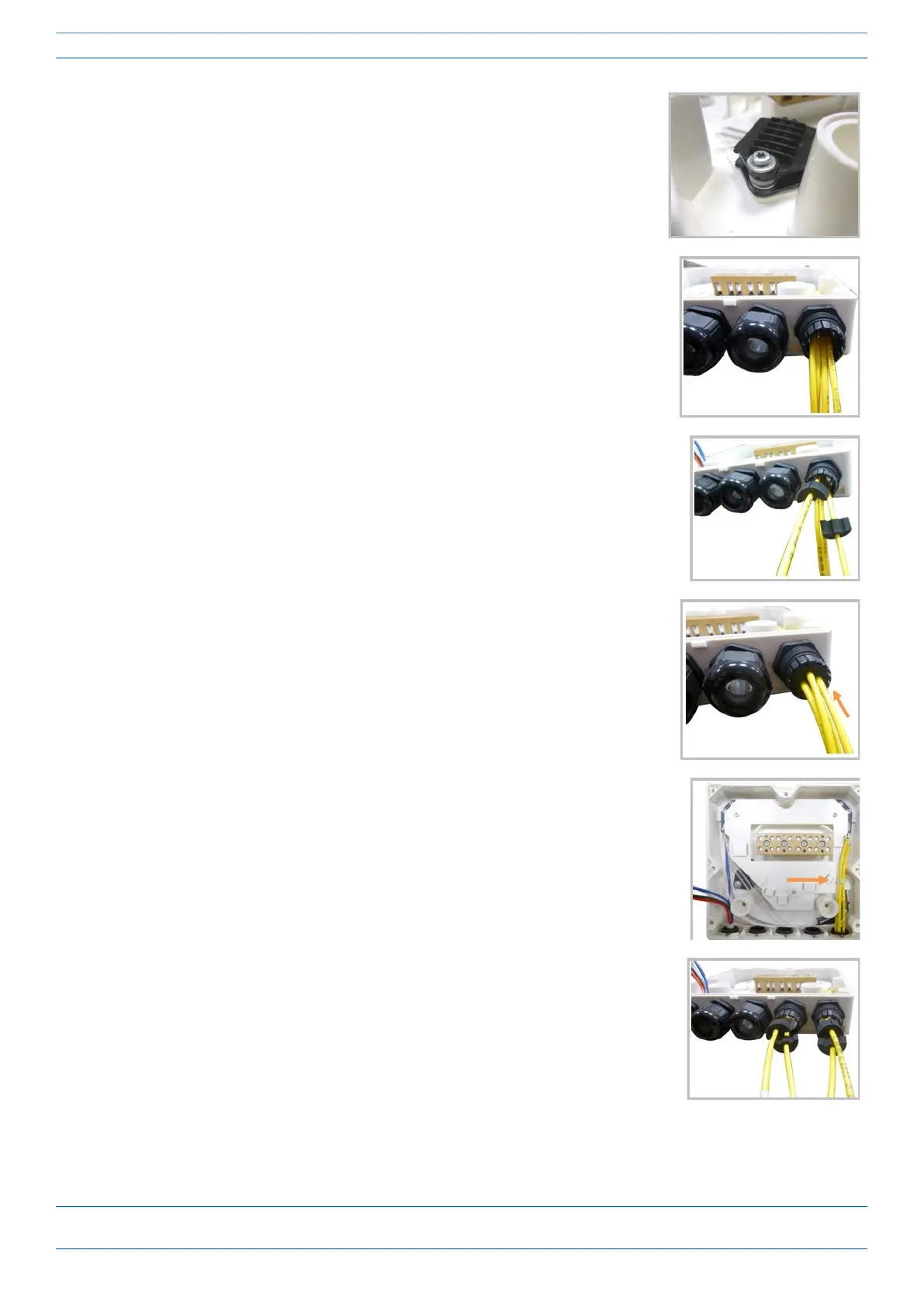
8 If a second splice holder is needed, it can be assembled using the M4
insulating washer and two M4 plain washers, as shown to the right. The
required screw is a PTK30 x 12.
9 Remove the sealing nut and rubber of the cable gland and insert the
optical cables.
10 Place each cable into one of the grooves of the seal insert.
11 Press the seal insert into the clamp ring opening.
12 Fix the optical cables inside the box using one cable tie and tight the
sealing nut.
13 It is possible to separate the optical cables and use two different cable
glands. Remove the sealing nut and rubber on each cable gland.










 To Next Page