CommScope ERA
®
CAP M2 with Fiber Interface M0203AHA_uc
Page 26 © August 2022 CommScope, Inc.
Mount the Fiber CAP M2
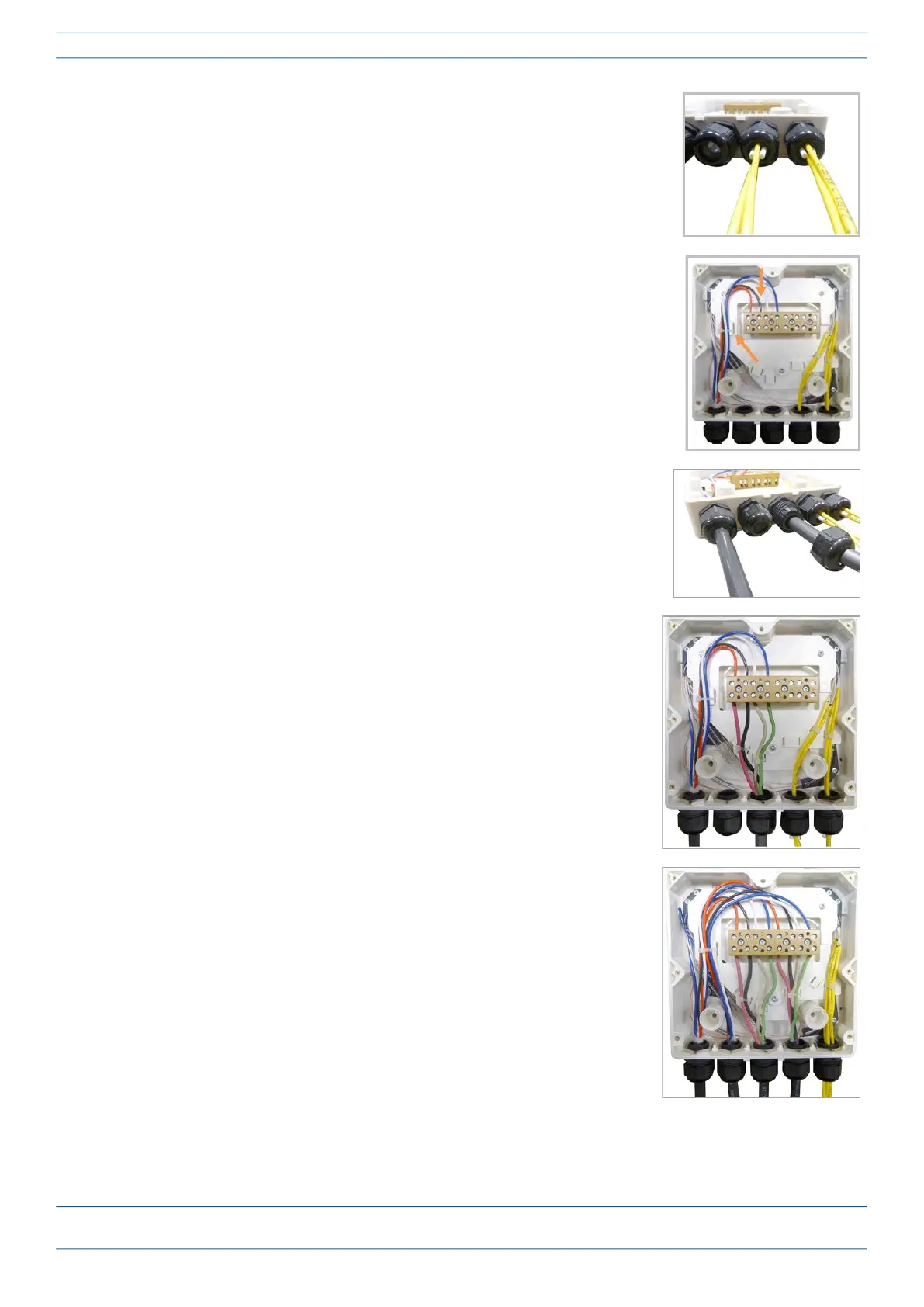
14 Close all unused grooves with the plastic cylinders, no matter if one or
two cable glands are used.
15 Insert the copper wires in the first multiple terminal connectors. See
markings on the internal support. Then fasten the copper cables inside
the box using one cable tie.
16 Remove the sealing nut and insert the CAP M2 supply cable and tighten
the sealing nut.
17 Connect the supply cable to the terminal strip and fix it inside the box
using one cable tie.
It is possible to connect a second supply cable to cascade two CAP M2s,
as shown in the graphic to the right.
18 Complete the steps in "Wall Mount a CAP M2 Using a CAP M2 Hybrid
Fiber Splice Box Kit (optional)” on page 27.










 To Next Page