Chapter 7: Protecting & monitoring your Wi-Fi network
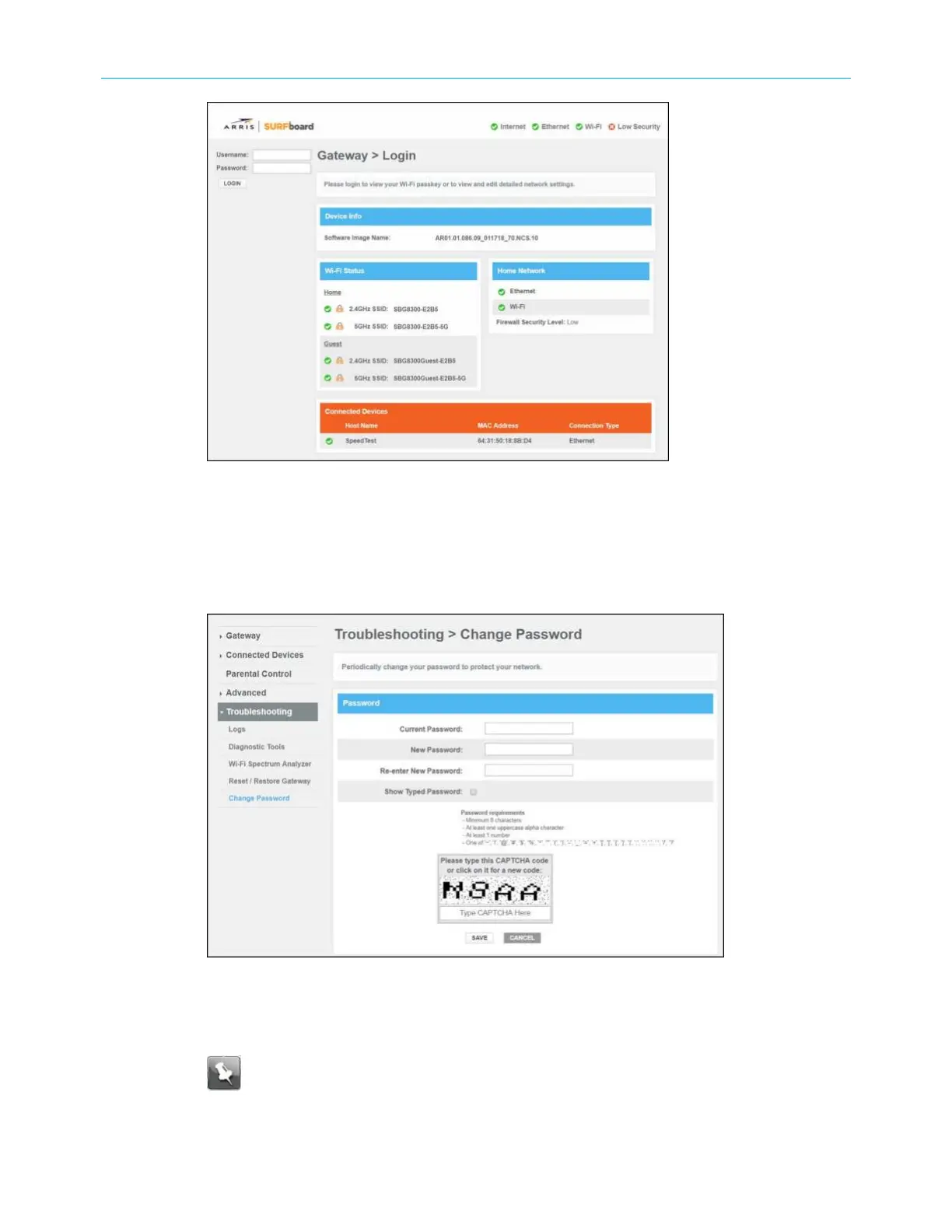
Figure 34: SBG8300 Login screen
3. Type admin for the default user name (case-sensitive) in the Username field.
4. Type password for the default admin password (case-sensitive) in the Password field.
5. Click LOGIN to open the SBG8300 Web Manager.
6. Click the Troubleshooting main menu link and then click Change Password.
Figure 35: SBG8300 Change Password screen
7. Enter the default or current admin password in the Current Password field.
8. Enter your new admin password in the New Password field.
Note: Remember passwords are case-sensitive and that you can use any
combination of the following letters, numbers and special characters:
■
Letters: A through Z (uppercase and lowercase)
SURFboard
®
SBG8300 DOCSIS 3.1 Wi-Fi cable modem User Guide STANDARD Revision x.5 47













 To Next Page