Chapter 6
Configuring your Wi-Fi network
You have the option to either use the default network settings which are unique to your
SBG8300 for security purposes or you can configure different network settings. The SBG8300
supports a secure method for setting up multiple Wi-Fi networks on your SBG8300.
Set up your Wi-Fi network
1. If you are not logged on to the Internet, open a web browser and log on to the SBG8300
to open the SBG8300 Web Manager.
See
Start the SBG8300 Web Manager (first-time login) (page 29) for more information, if
necessary.
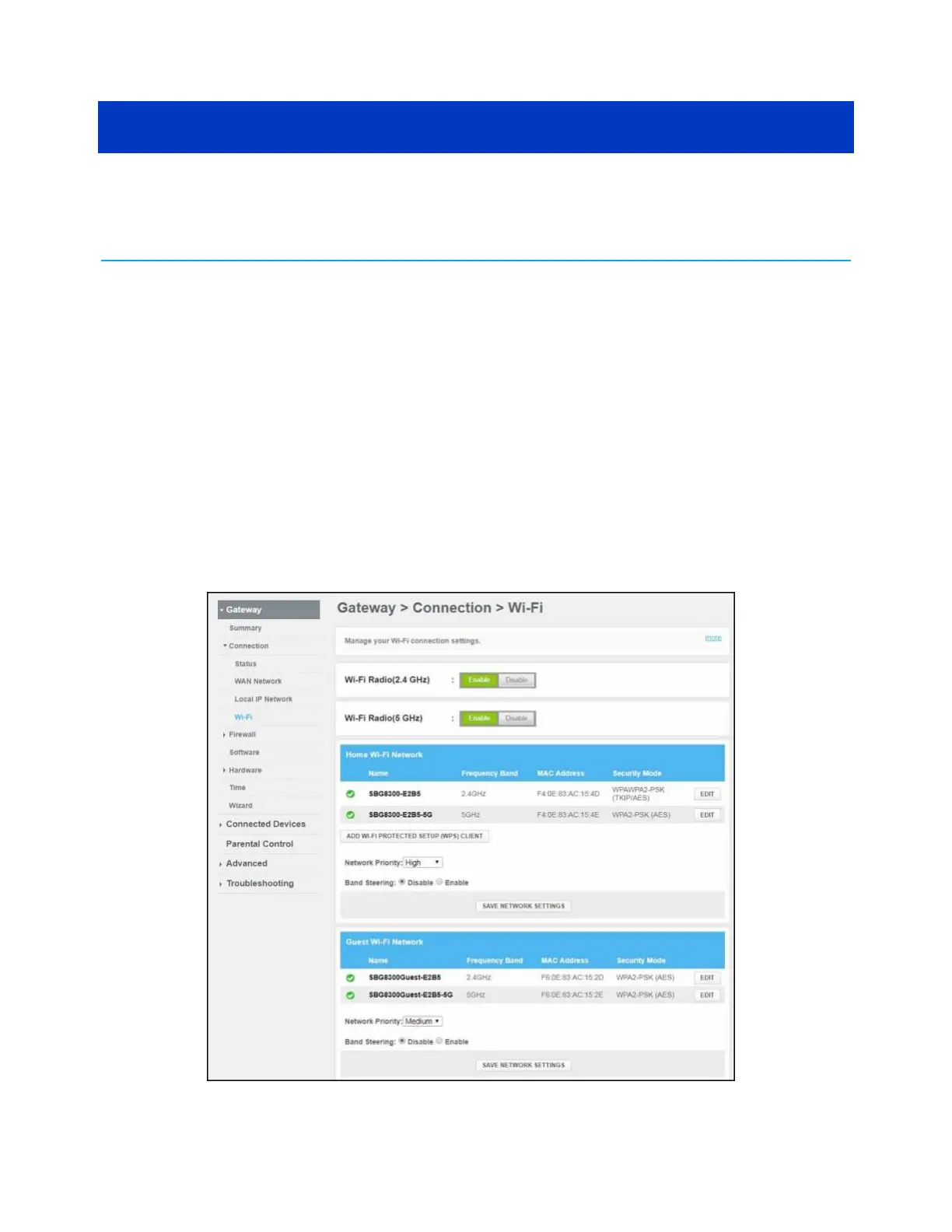
2. Click the Gateway menu link and then click the Connection submenu options link.
3. Click Wi-Fi to open the Gateway Connection Wi-Fi screen.
Figure 26: SBG8300 Wi-Fi connection screen
SURFboard
®
SBG8300 DOCSIS 3.1 Wi-Fi cable modem User Guide STANDARD Revision x.5 37













 To Next Page