10-2 Using Audio Features
COMPAQ CONFIDENTIAL - NEED TO KNOW REQUIRED
Writer: Beth Zanca Saved by: J Abercrombie Saved date: 04/26/00 4:33 PM
Part Number: 170045-002 File name: Ch10
Audio Components Continued
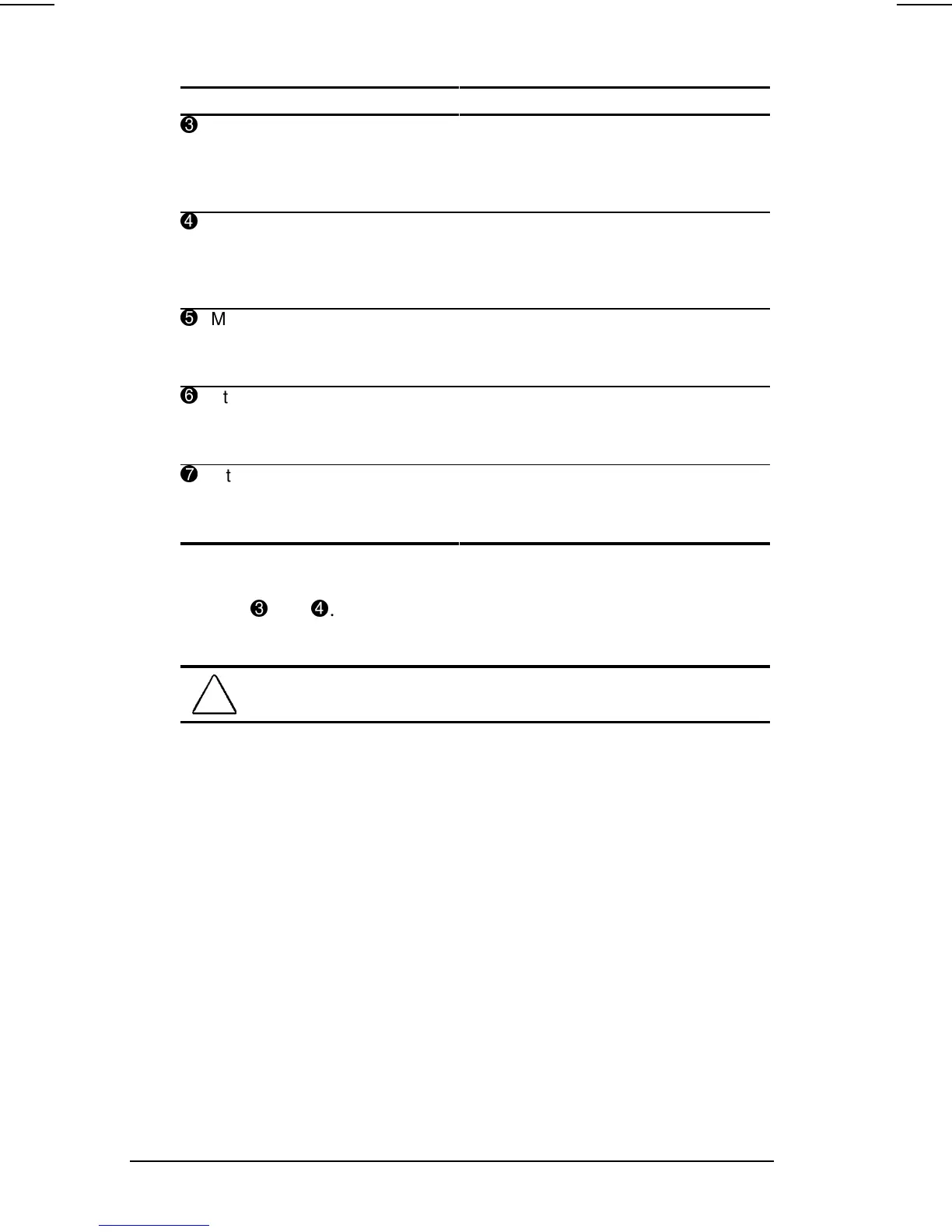
Component Function
3
Volume button (down) Decreases volume to the built-in
speakers, to external speakers, or to
headphones plugged into the stereo
speaker/headphone jack on the
computer.
4
Volume button (up) Increases volume to the built-in
speakers, to external speakers, or to
headphones plugged into the stereo
speaker/headphone jack on the
computer.
5
Microphone jack Connects an external mono
microphone. The jack requires a
3.5-mm, 2-conductor or 3-conductor
plug.
6
Stereo speaker/
headphone jack
Connects headphones, head set, or
external speakers to the computer.
The jack requires a 3.5-mm,
3-conductor plug.
7
Internal microphone Built-in monophonic microphone for
the multimedia sound system. The
internal microphone supports audio
input for spoken comments.
NOTE: To mute sound, simultaneously press the two volume
buttons
3
and
4
. With stereo speakers muted, system beeps are
still audible unless they have been turned off.
!
WARNING: To reduce the risk of personal injury, adjust the volume
control before putting on headphones.
Using Internal and External Microphones
The internal microphone is disabled when an electret condenser
microphone with a 3.5-mm plug is plugged into the microphone
line-in jack.
IMPORTANT: A stereo electret condenser microphone in the mono
microphone jack is acceptable, but the left channel will be
recorded on both the left and right channels. A dynamic
microphone will not achieve the recommended sensitivity.












 To Next Page