Taking a Look at the Computer 1-7
COMPAQ CONFIDENTIAL - NEED TO KNOW REQUIRED
Writer: Beth Zanca Saved by: J Abercrombie Saved date: 04/26/00 3:59 PM
Part Number: 140075-002 File name: Ch01
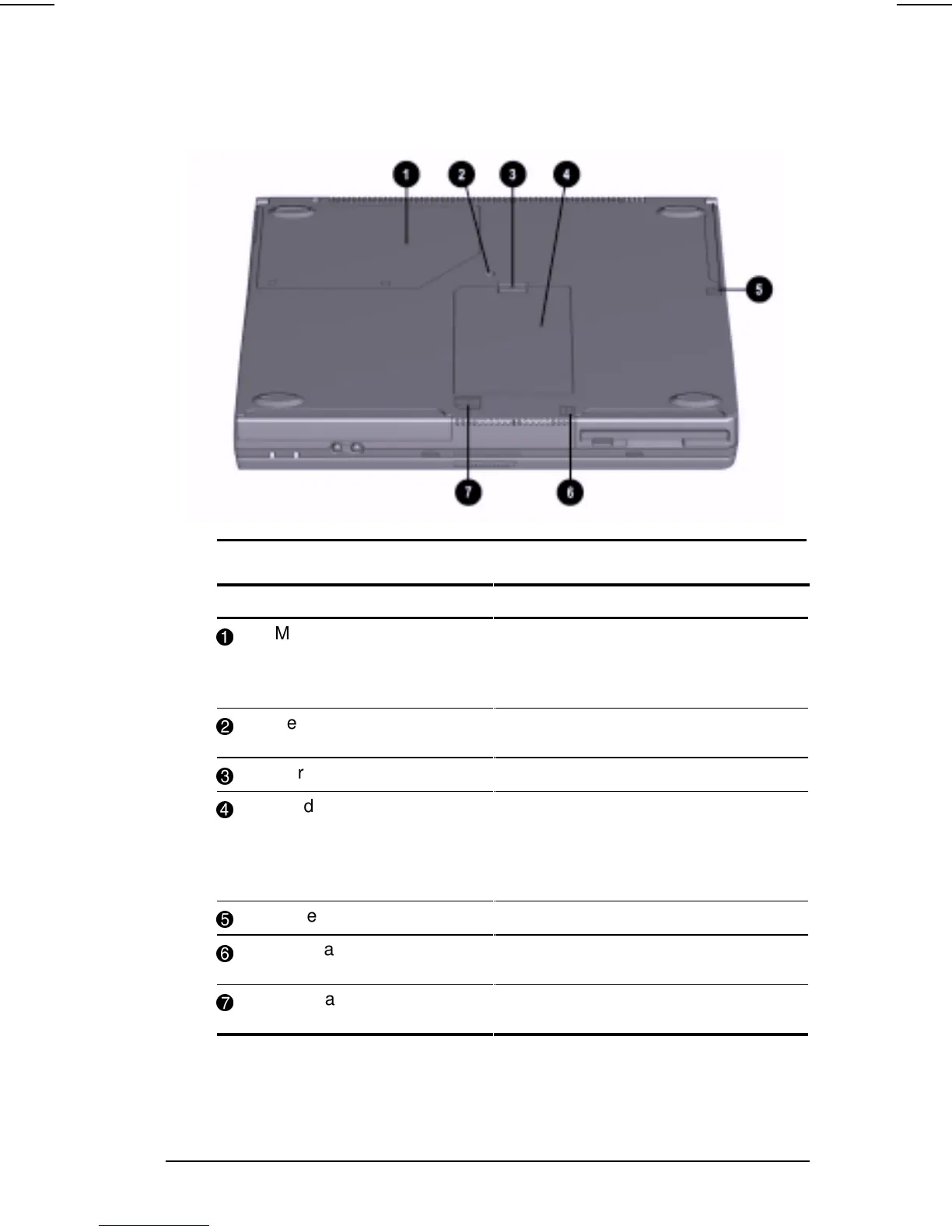
Bottom Components
Bottom Components
Component Function
1
Modem compartment Provides access to the internal
modem. The modem is available on
select models and as an option for
other models.
2
Keyboard security screw Keeps the keyboard secured to the
computer.
3
Hard drive release latch Releases the hard drive.
4
Hard drive compartment Provides access to the primary hard
drive. A security screw prevents
unauthorized access to the hard
drive. Use a standard screwdriver to
remove the screw.
5
Battery release latch Releases the primary battery pack.
6
DualBay release latch Releases the second battery pack or
diskette drive from the DualBay.
7
MultiBay release latch Releases the MultiBay device from
the MultiBay.












 To Next Page