Product Description
Memotec 4-9
4.5 Power Supply
The power supply is located on the right side when the SDM-8400 unit is viewed from the
rear (see
Figure 4-1).
Depending on which option was ordered, the SDM-8400 can be powered either by a DC
power supply or AC power.
Powering with DC
The SDM-8400 DC has a -48VDC power input, with an operating range from -36VDC to
-60VDC. Service personnel need to assemble and connect the power connector to a power
source and plug the connector into the SDM-8400 unit, securing it with the connector
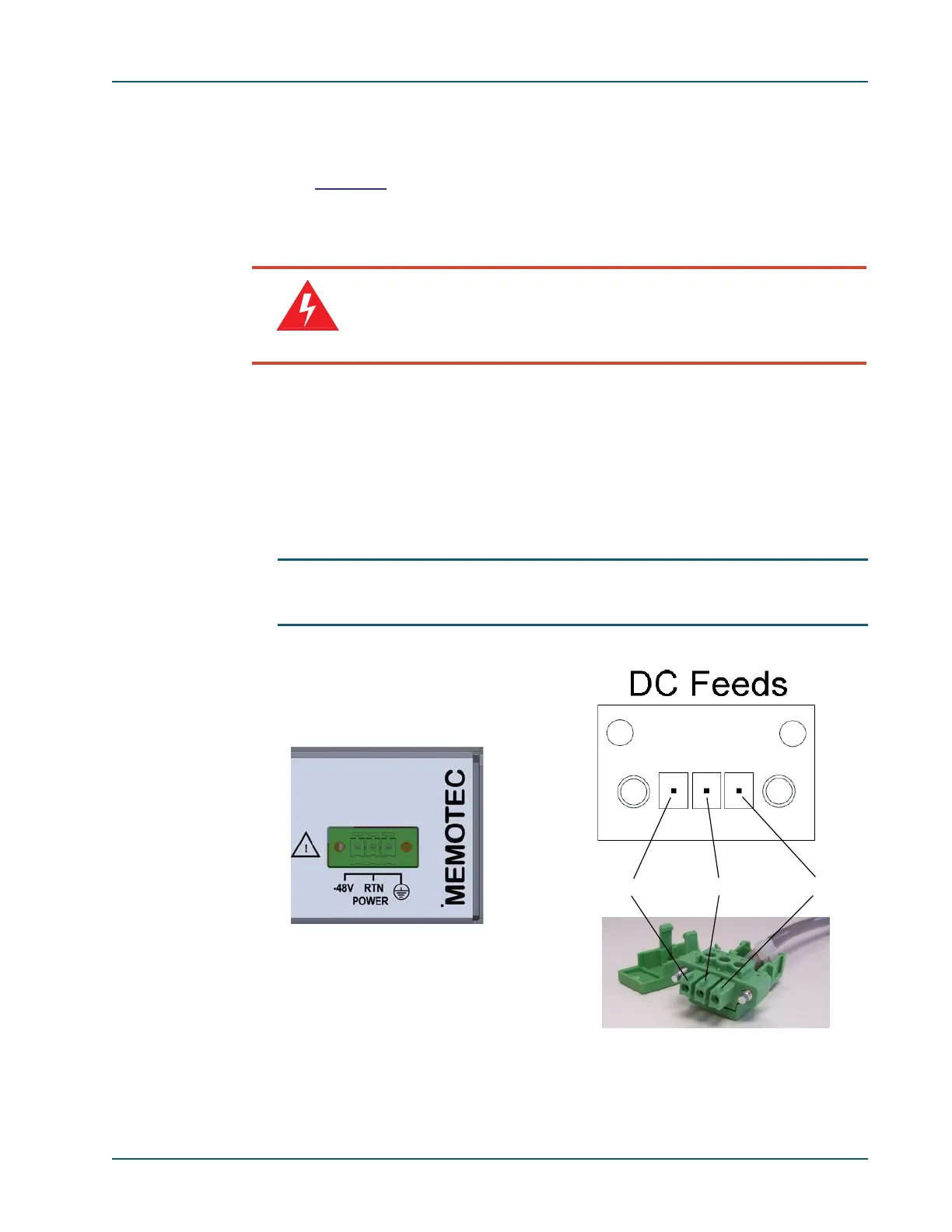
screws. The DC connector uses a Trident power plug with guide rails to ensure that it is
inserted correctly.
NOTE: One pole of the DC source must be connected to the building earthing
terminal.
Warning
Connecting the power cables to the chassis is a critical stage. If
anything is inserted incorrectly when the unit is powered-up, it can
damage the unit. Proceed with extreme caution.
Figure 4-3: DC Power Connectors
-48 VDC-0 VDCGround wire



 To Next Page