1-6 l Introduction
How to Use the Lockout Device
CAUTION: Before performing maintenance or repairs on this product, you
should disconnect and lockout electrical power sources to prevent injury
from unexpected energization or start-up. A lockable device has been
provided to isolate this product from potentially hazardous electricity.
Lockout is the preferred method of isolating machines or equipment from energy
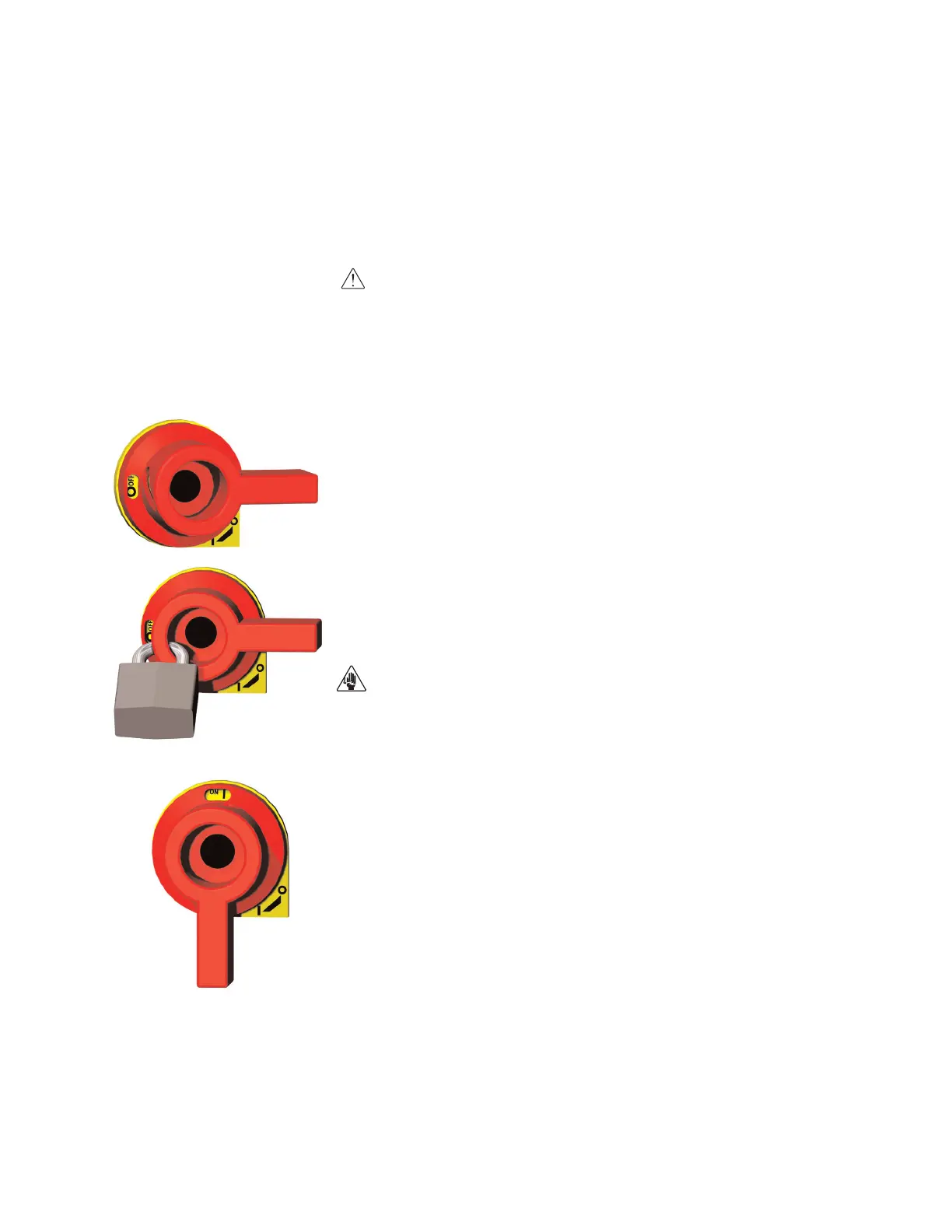
sources. Your Conair product is equipped with the lockout device pictured below.
To use the lockout device:
11
Stop or turn off the equipment.
22
Isolate the equipment from the electric power. Turn the rotary
disconnect switch to the OFF, or “O” position.
33
Secure the device with an assigned lock or tag. Insert a lock or tag
in the holes to prevent movement.
44
The equipment is now locked out.
WARNING: Before removing lockout devices and returning switches to the
ON position, make sure that all personnel are clear of the machine, tools
have been removed, and all safety guards reinstalled.
To restore power to the dryer, turn the rotary disconnect back to the ON position:
11
Remove the lock or tag.
22
Turn the rotary disconnect switch to the ON or “I” position.








 To Next Page