20
3.3.5 Units
The fourth line indicates in which unit the gas concentration is
displayed.
The displayed unit is factory-set and cannot be changed.
3.3.6 LOW alarm
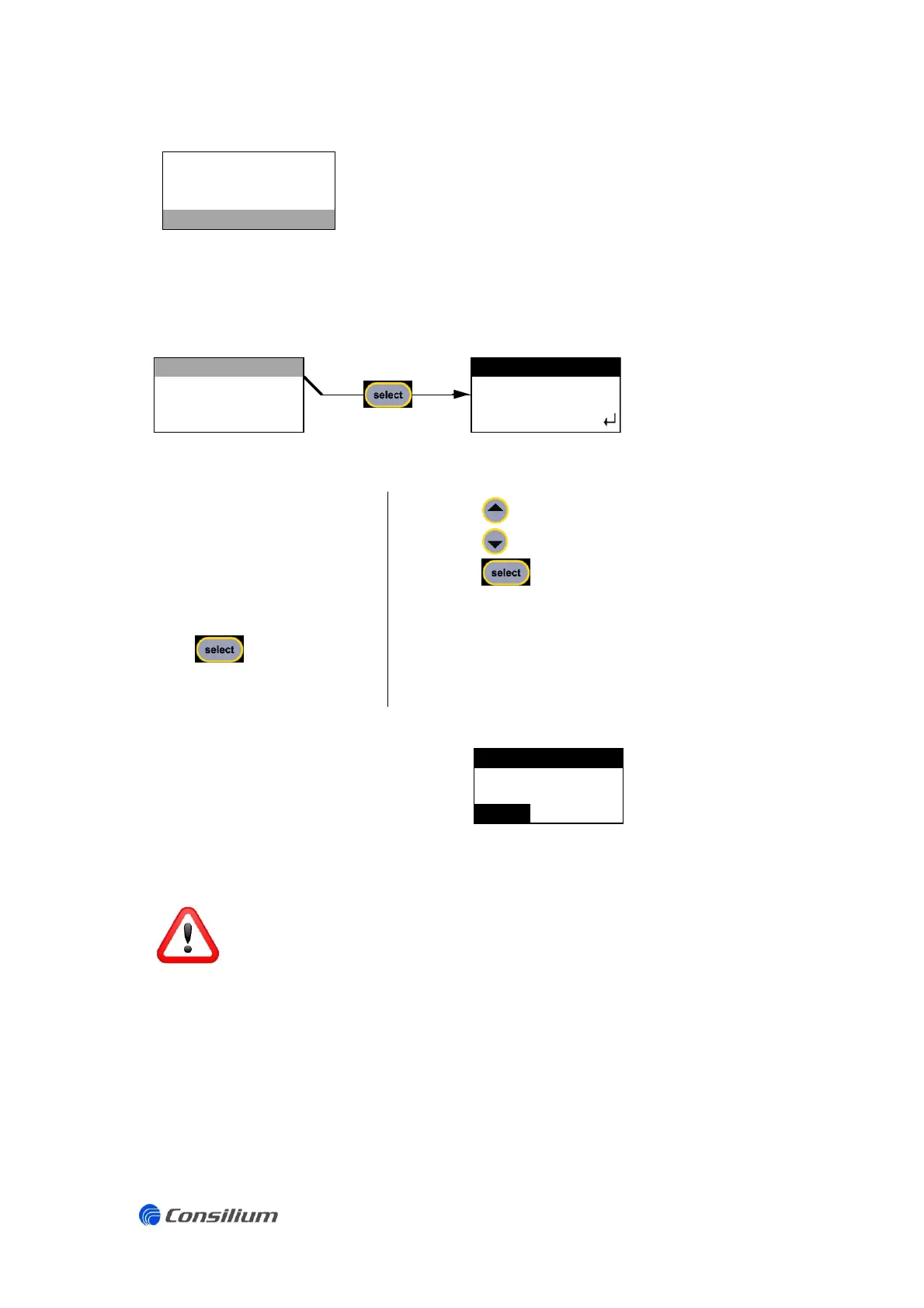
The option LOW in the
setting menu displays the
current set point of the
LOW alarm. The set point
can be changed in the
menu ALARM LOW.
Press to enter the
menu ALARM LOW.
Press to increase the set point.
Press to decrease the set point.
Press to save the new set point and go back
to the setting menu.
The message shown on the right will
appear on the LCD when a LOW
alarm is active during normal operation.
A LOW alarm is always non-latching.
A LOW alarm can be recognized by a red LED on the front panel and the message that is
shown on the LCD of the gas detector. However, a LOW alarm does not trigger an
external control unit unless the control unit itself has a programmed set point based on
the mA output.


 To Next Page