EasyManua.ls Logo

Consilium ST450EC - Zero Suppression; Software Info

Consilium ST450EC
44 pages
Print Icon
To Next Page IconTo Next Page
To Previous Page IconTo Previous Page
Loading...
22
ST450EC
v1.11
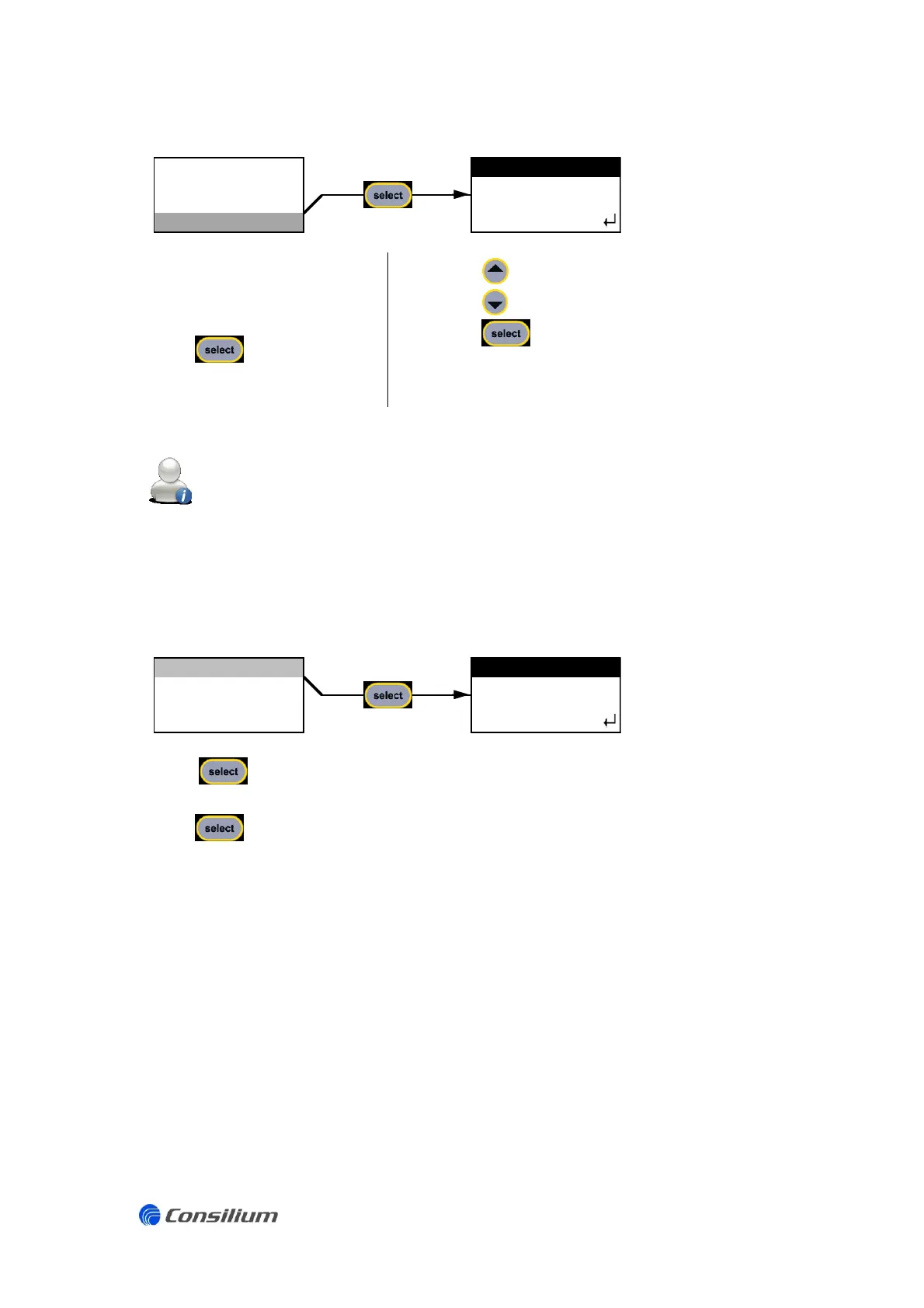
3.3.9 Zero suppression
The option ZLOCK in the
setting menu displays the
current set point of the
ZERO suppression level.
Press to enter the
menu ZLOCK.
Press to increase the set point.
Press to decrease the set point.
Press to save the new set point and go back
to the setting menu.
TOXIC sensors: “ZLOCK 0.5” means that the value between -0.5 and + 0.5 will be shown as “0”.
OXYGEN sensors: ZLOCK 0.5” means that the value between 20.4 and 21.4 will be shown as
20.9”.
3.3.10 Software info
Press to enter the sub menu SOFTWARE INFO. This menu display the gas detector type
(behind HW) and the SW version.
Press again to leave the menu and go back to the setting menu.
LOW:
HIGH:
SPAN:
ZLOCK:
ZERO LOCK
0.5
Vol.%
19.0
18.0
20.9
ADJUST
0.5
OUTPUT
HW:
SENS OUTPUT
SW:
BACK
BACK
2.00
SOFTWARE INFO
SOFTWARE INFO
ST450EC

Related product manuals