4-16
Part replacement
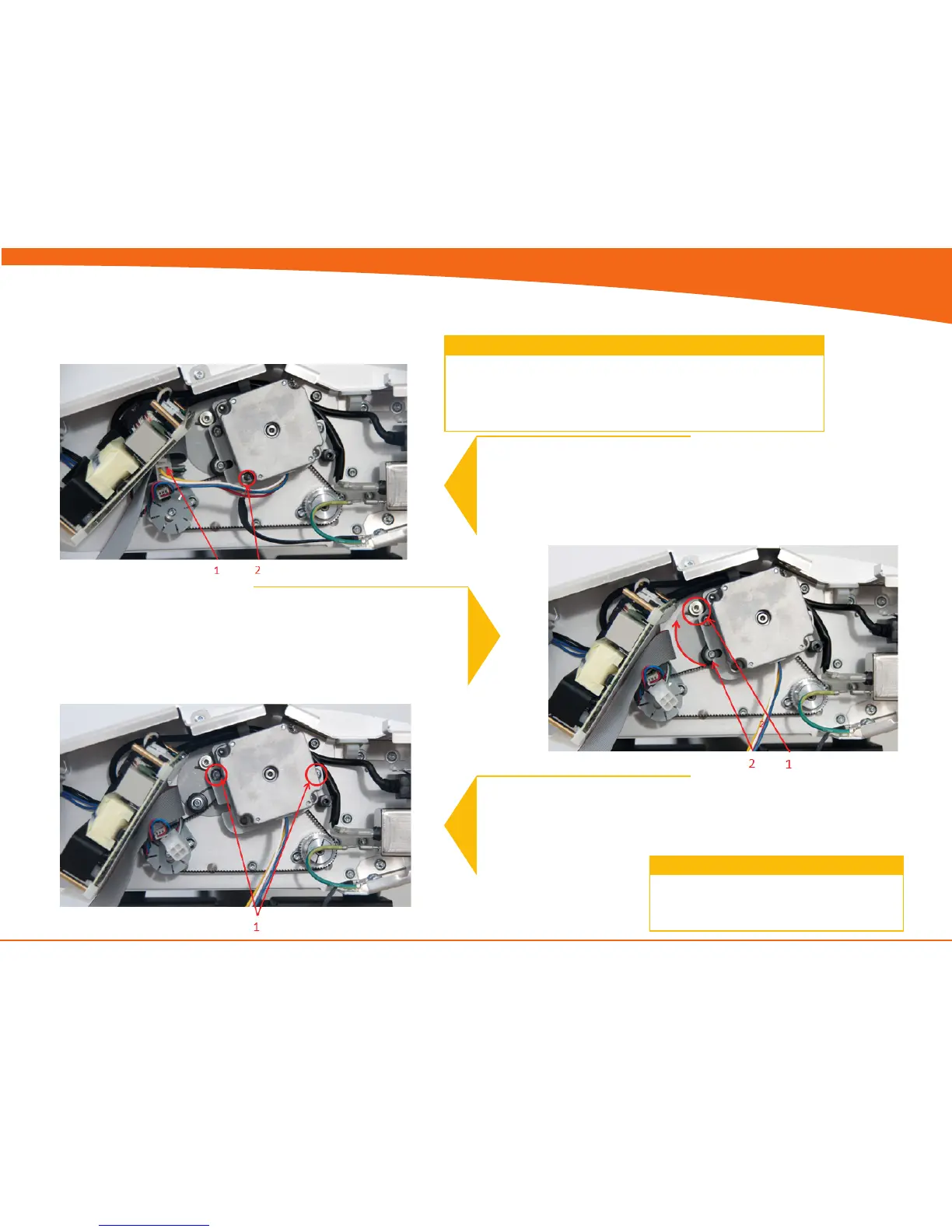
5. Remove screws
6. Remove motor mount
Stepper Motor Assy.
Turn the off scanner and disconnect the power cord and tilt open
the CIS bridge.
Lift out Power Supply (do not remove completely)
see page 4-8
Prerequisites
1
1. Disconnect Motor cable
2. Remove Screw and ground cable
2
Release Belt tension
1. Loosen screw (don’t remove)
2. Push tension wheel upwards and
tighten screw again
3
1. Remove screws and motor
Replace the Motor and reverse the steps.
4


 To Next Page