4-21
Part replacement
USB Cable
Turn the off scanner and disconnect the power cord
Open CIS Bridge Board, see page 4-10
Lift out Power Supply, see page 4-8
Prerequisites
1
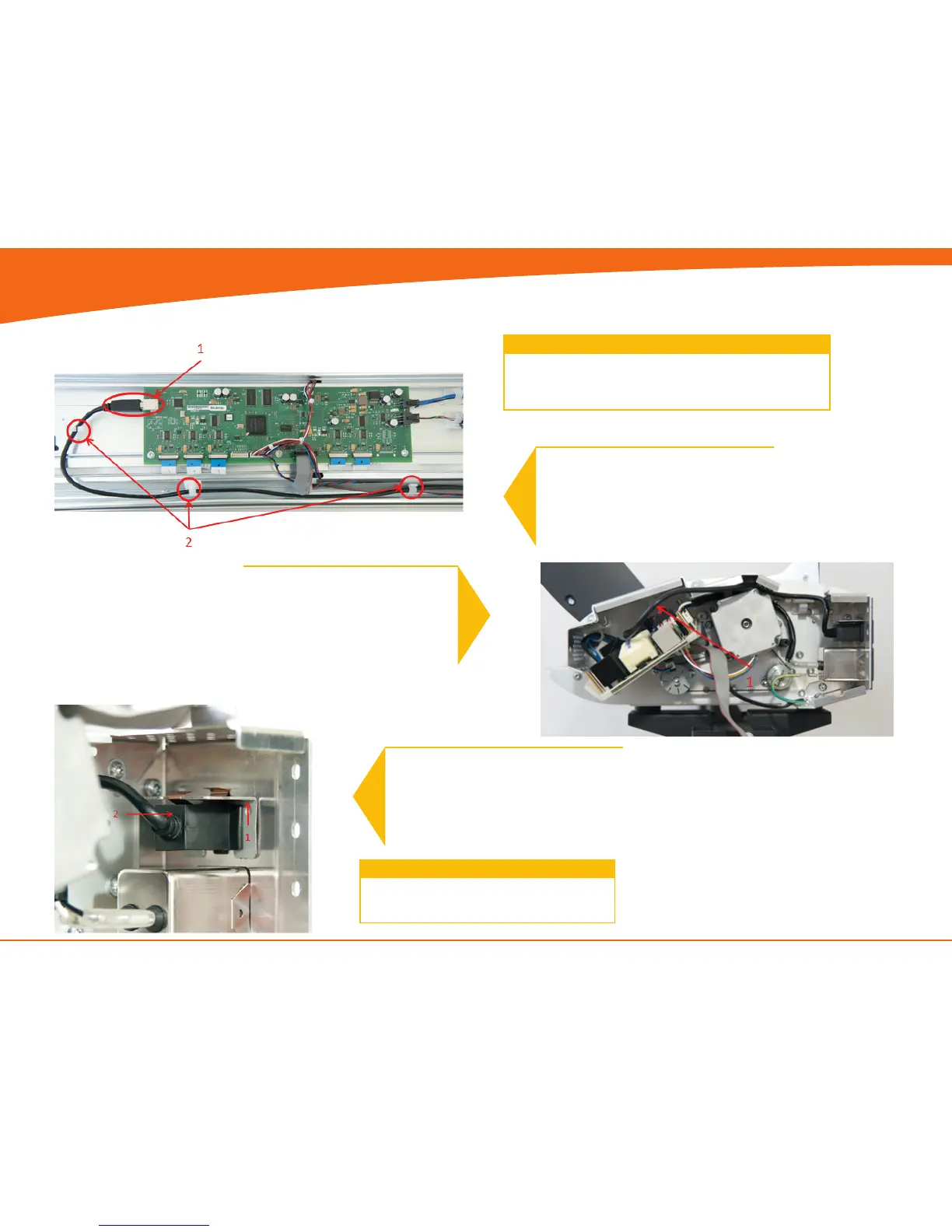
1. Disconnect USB cable
2. Un-clip cable throughout the CIS unit.
3
1. Remove clip by sliding it upward
2. Push USB connector and cable out
though the back
2
1. Un-clip the USB Cable and pull it
gently out of the CIS bridge.
Replace the USB Cable and reverse the steps.
4


 To Next Page