4-18
Part replacement
Paper and Lid Sensors.
Turn the off scanner and disconnect the power cord
and tilt open the CIS bridge.
Prerequisites
1
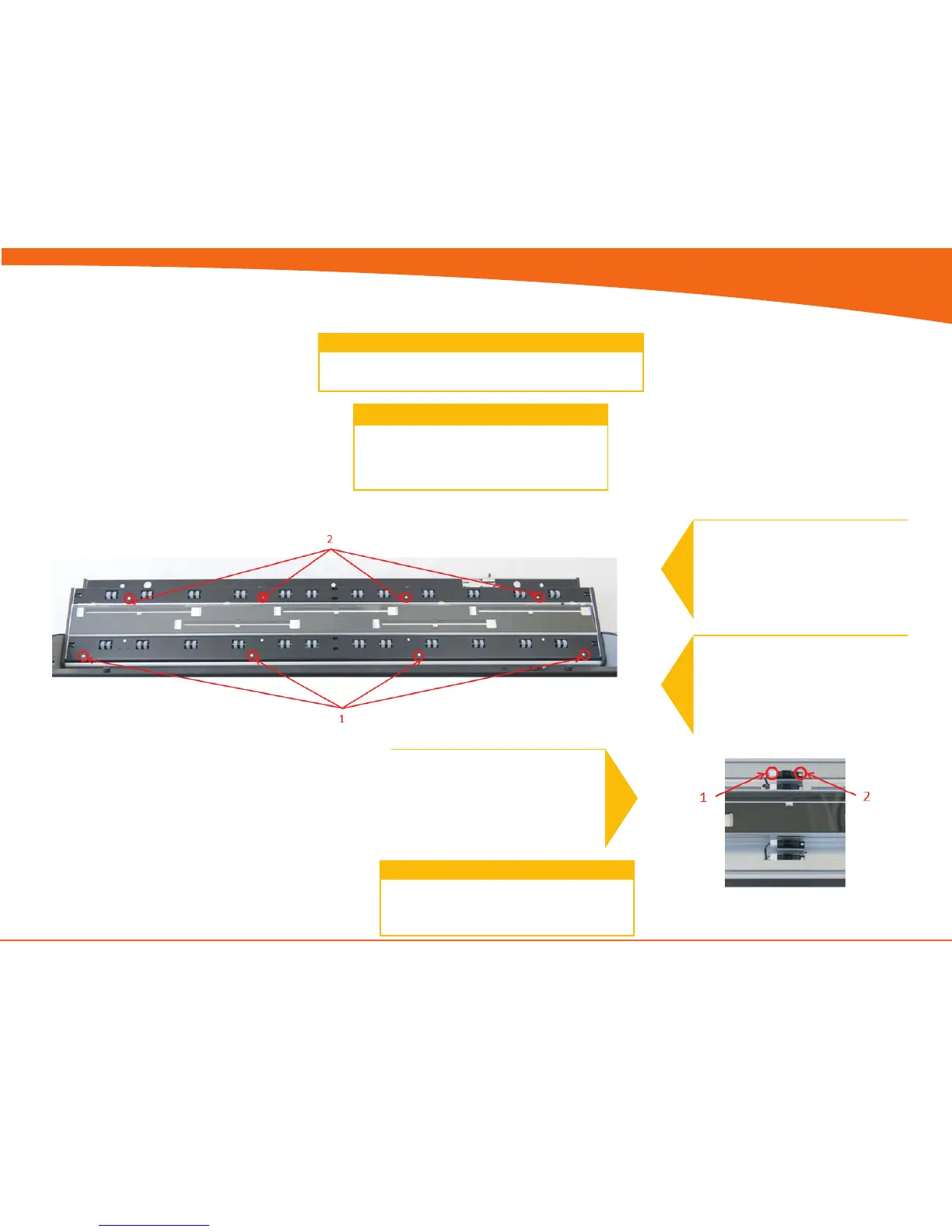
For Load and Paper sensor
1. Remove screws and roller cover
If replacing the Exit sensor or the Lid Sensor,
you will need to open the CIS unit.
See page 4-10
2
For Lid and Exit sensor
1. Open CIS unit see page 4-10
2. Remove screws and roller cover
3
1. Disconnect the Sensor cable
2. Remove the screw and Sensor
Replace the Sensor and reverse the steps.
4


 To Next Page