4-22
Part replacement
1
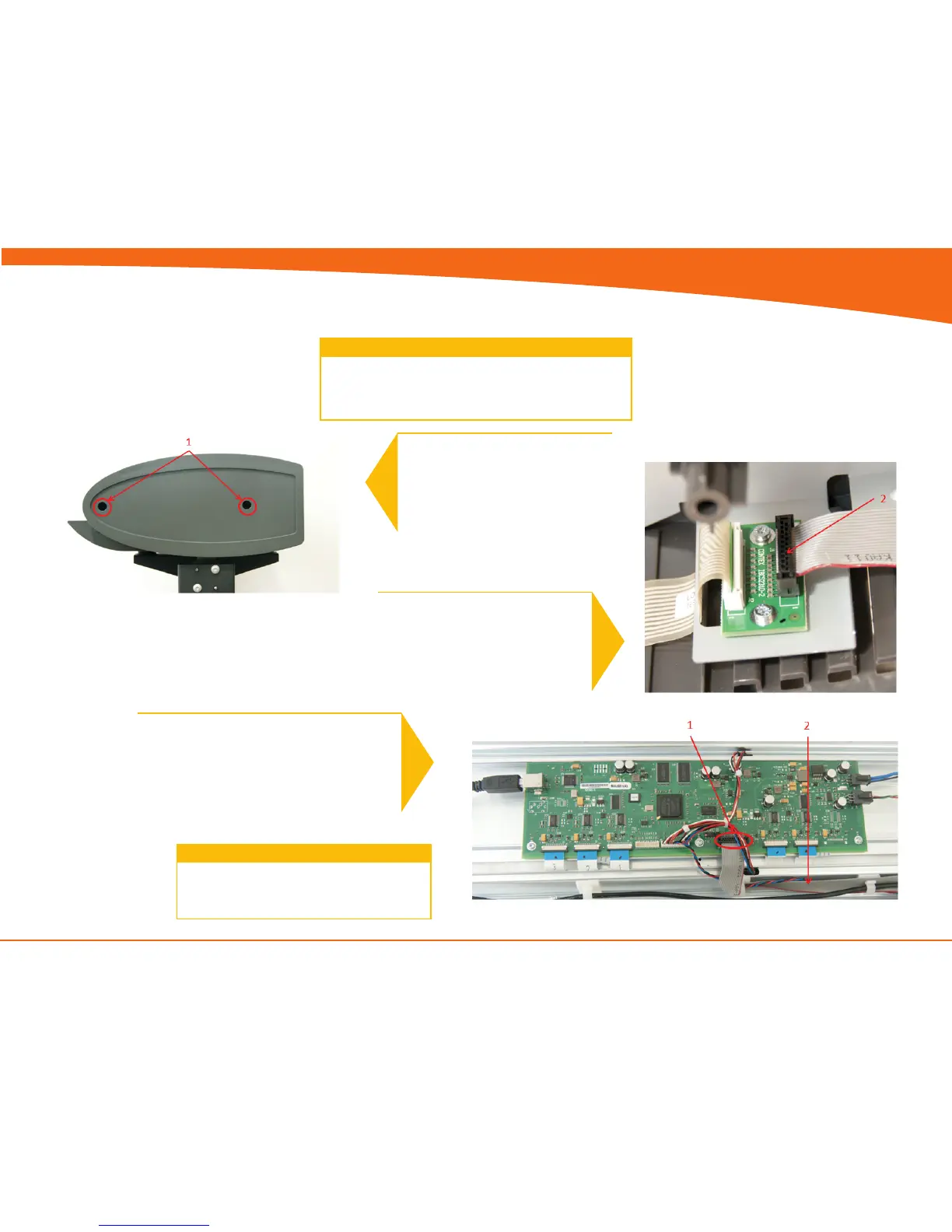
1. Remove Screws (Torx 20)
2. Gently remove cover
Turn the off scanner and disconnect the power cord
Open CIS Unit, see page 4-10
Lift out the Power supply, see page 4-8
Prerequisites
RHS Cover & Keypad
3
1. Unplug the Ribbon cable for the keypad
2. Pull the cable out though the side cover
2
2. Disconnect ribbon cable for
keypad
Replace the Replace the RHS cover, keypad
and ribbon cable and reverse the steps.
4


 To Next Page