4-19
Part replacement
Complete CIS Unit
Turn the off scanner and disconnect the power cord and
Remove Scanner Controller Board, see page 4-10
Lift out Power Supply, see page 4-8
Prerequisites
1
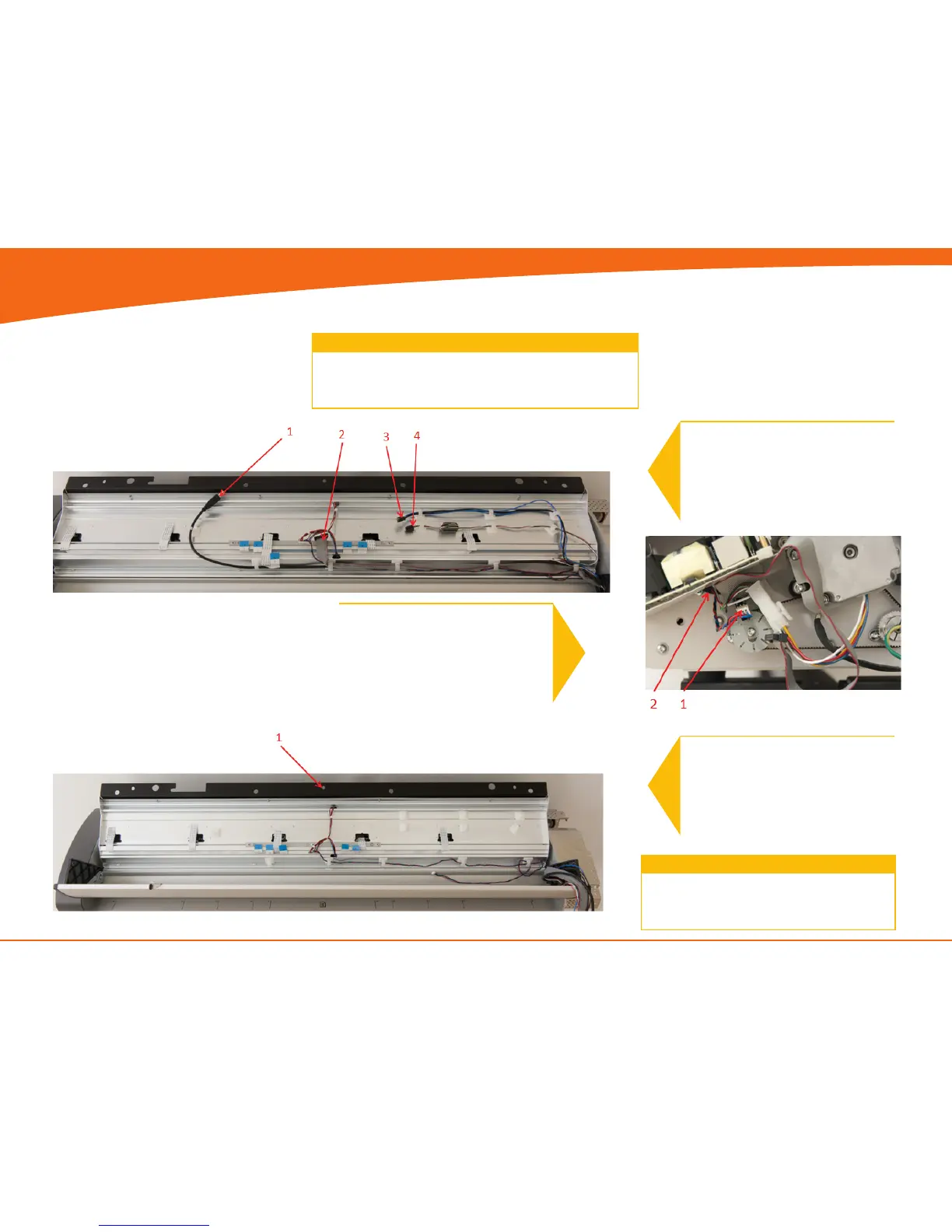
1. Un-clip the USB cable
2. Un-clip the Keypad cable
3. Un-clip the Power cable
4. Un-clip the Motor cable
4
1. Lift out CIS unit
3
1. Disconnect the Sensor cable
2. Guide the cable back into the
CIS unit
Replace the CIS unit and reverse the steps.
Remember to Run a full Calibration on the
scanner
4


 To Next Page