4-24
Part replacement
Pressure Rollers
Turn the off scanner and disconnect the power cord
and tilt open CIS bridge.
Prerequisites
1
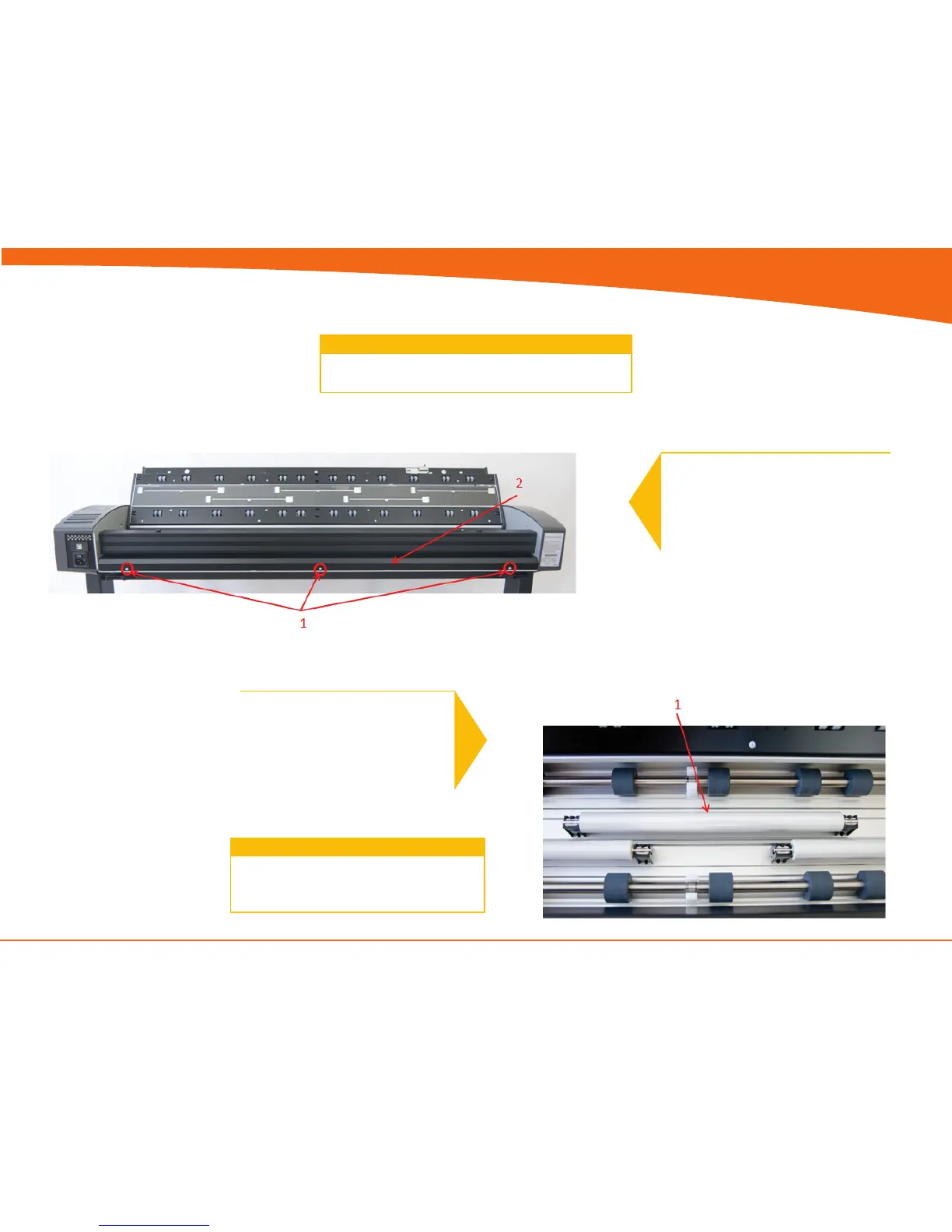
1. Remove Screws. (Torx 10)
2. Pull Roller Cover sheet out through
the back
2
1. Gently pull the Pressure Roller out
(repeat for all 5)
Replace the Pressure Rollers and reverse the
steps.
Don’t forget to calibrate the scanner !
3


 To Next Page