B-4
Appendix B
Erase Parameter block
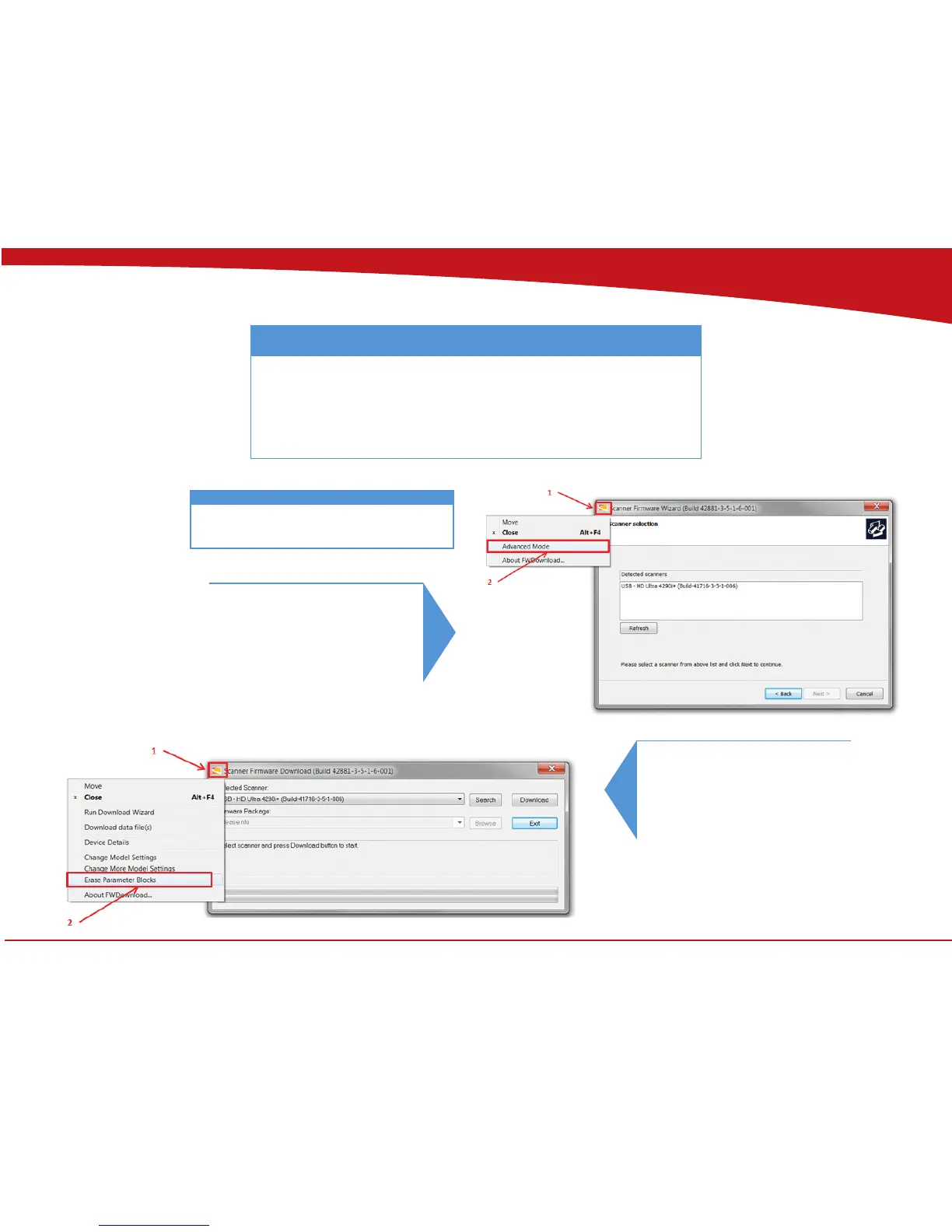
The Parameter block in the scanner can be erased through the Firmware program.
Download the latest Firmware from www.contex.com. Identify the scanner model
and download.
The computer used for the rmware download needs to have
WIDEsystem installed!
4
1. Click on the Contex icon.
2. Select Advance Mode
5.
1. Click on the Contex icon.
2. Select Erase Parameter Blocks
Follow step 1 through 3 in upgrading rmware.


 To Next Page