E-4
Appendix E, Scanner License
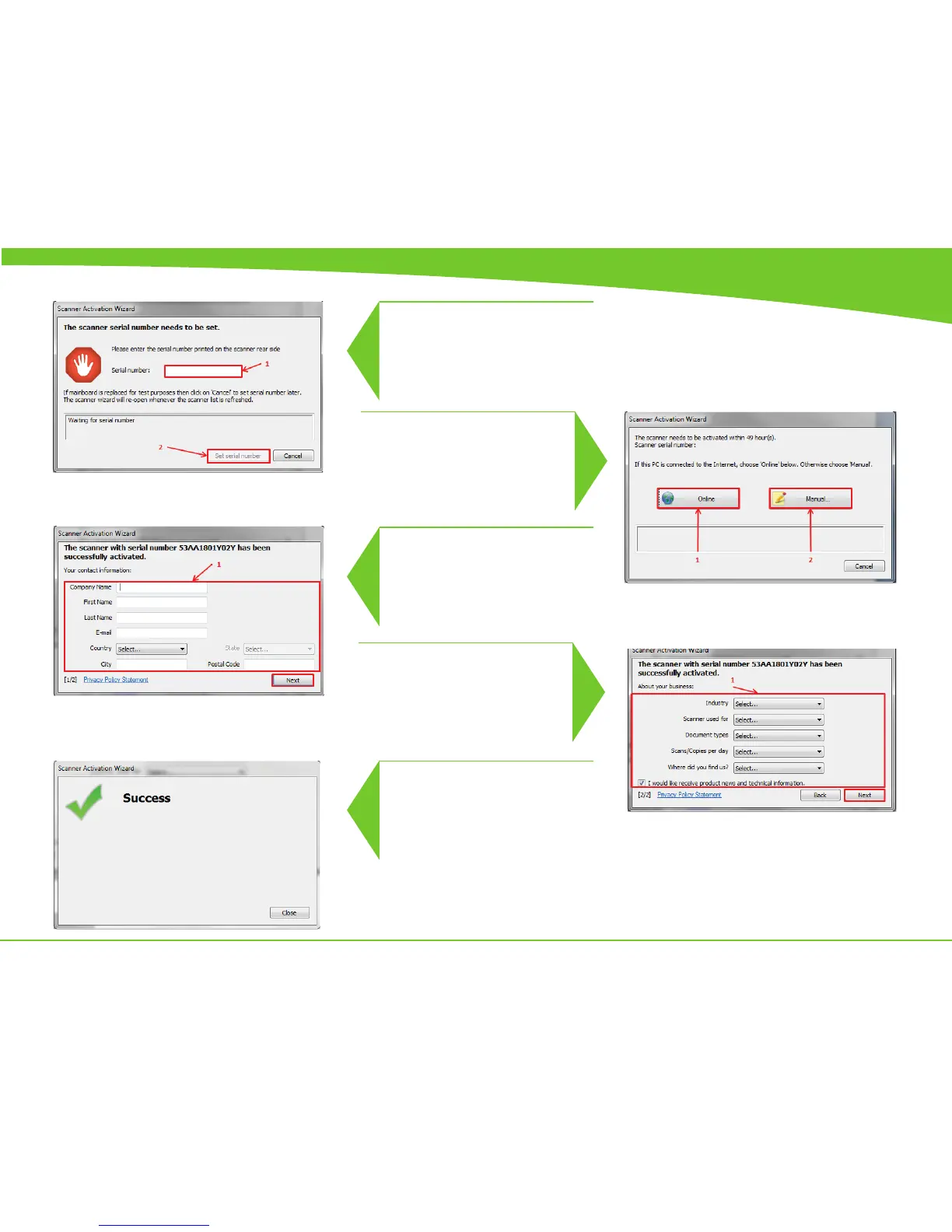
In order to activate the scanner you
must rst type in the Serial no. from the
back of the scanner.
1. If the PC is connected to the in-
ternet through, it’s recommend to do
the online Activation for ease and to
eliminate unnecessary complication
due to typo’s
2. See page E-4
Type in the customers contact
information
Please make the proper selections.
Once the Next button is clicked, the
wizard will activate the scanner ac-
cording to the stored registered on the
server
The scanner is now ready to be cali-
brated.
5
6
7
8
9



 To Next Page