67
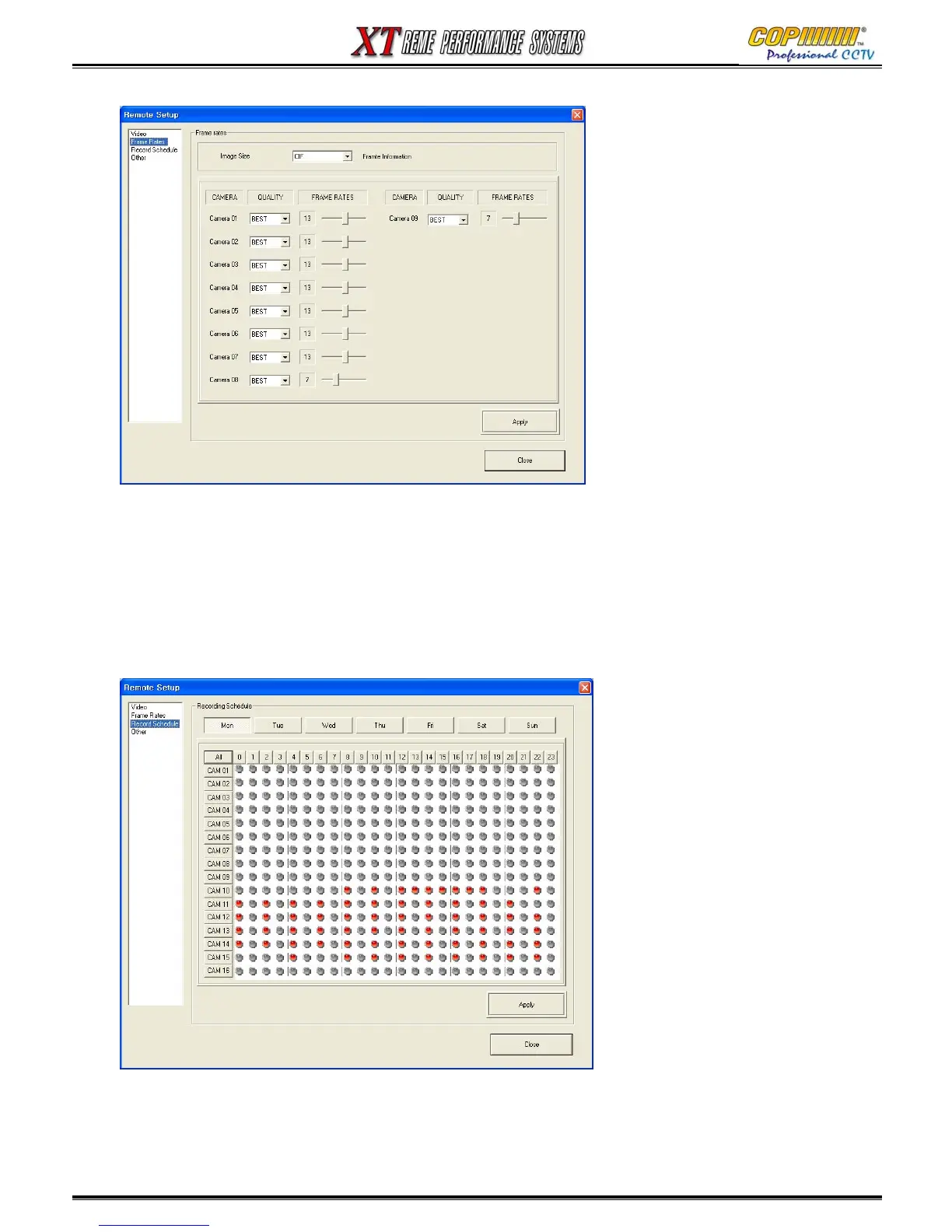
16-3-2 FRAME RATE
The Recording set-up can be adjusted from this screen.
1) Image size (Resolution) : The Resolution for the whole DVR can be adjusted (This applies to ALL
cameras, and if changed all of the frame rates will change). Note: CIF=360 x 288.
2) Individual Camera recording setup: The image quality and frame rate can be selected for each
camera. (For additional information please refer to section 3.3 on Page 20.)
16-3-3 RECORD SCHEDULE
1) Recording schedule : The Schedule can be defined for each day of a week, and recording can be
setup in hour-long segments. Each hour selected for recording will be shown in red mark. Click ‘All’
to apply the same setup for all the cameras.
16. CMS



 To Next Page