22
[SETUP-REC-PROPERTY]
REC RESOLUTION : <-360 X 288>
CH QUALITY RATE
01 - NORMAL - 25
02 - NORMAL - 25
03 - NORMAL - 25
04 - NORMAL - 25
3-3. SETUP-REC
3-3-1. SETUP-REC-REC PROPERTY
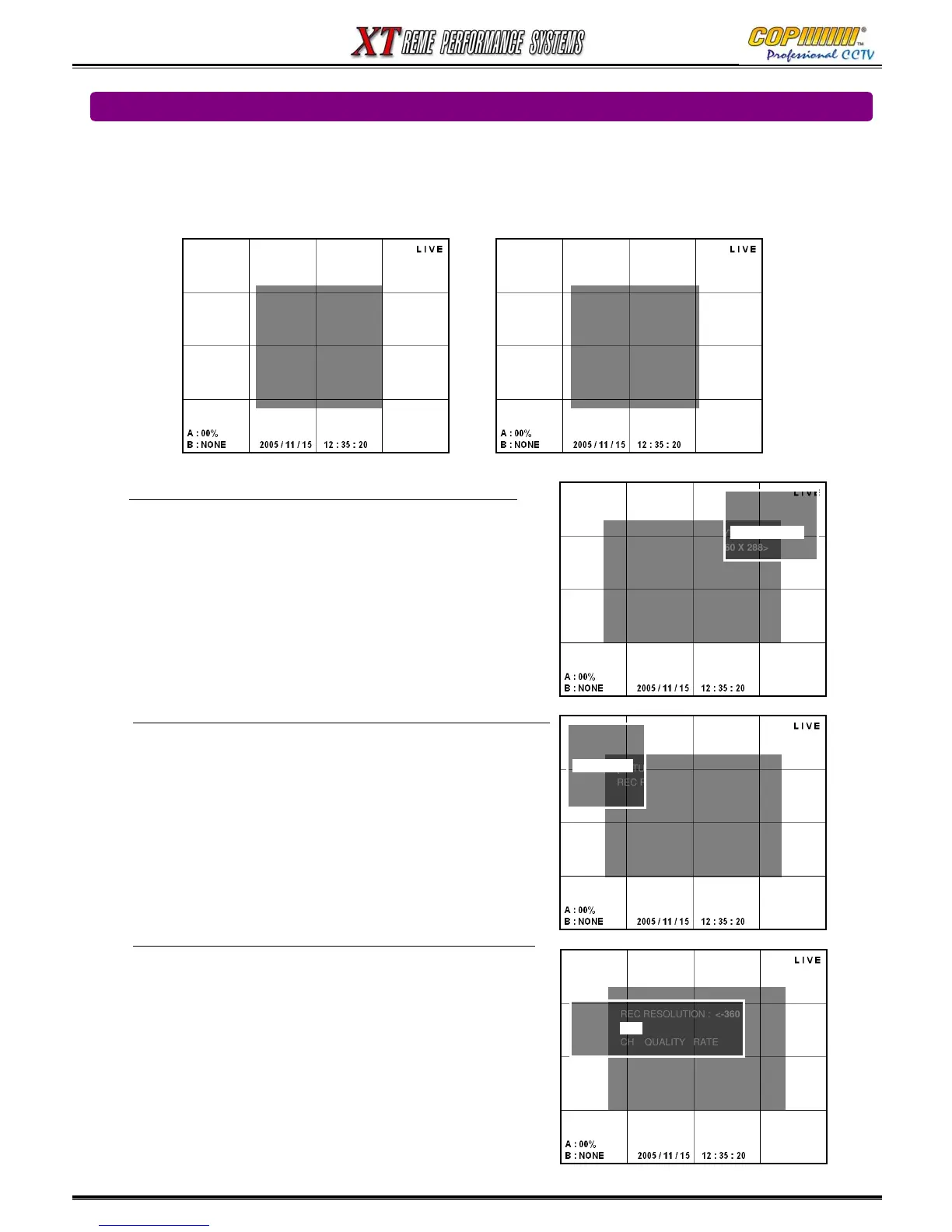
From this Sub-Menu the resolution, quality & frame rate can be set.
1) Select [REC PROPERTY] by using (▲)(▼) and press the [ENTER] button to enter the Sub-Menu.
Note: The Resolution setting applies to all cameras.
1) Press the [ENTER] button on [REC RESOLUTION], and
the resolution setup window will shown.
2) Highlight the desired resolution by using the (▲)(▼)
buttons and press the [ENTER] button to select.
Note: The Image quality setting applies to each camera.
1) Use the Cursor (▲)(▼)(◀)(▶) buttons to highlight the
quality setting for the camera to adjust.
2) Press the [ENTER] button on [QUALITY], and the image
quality setup window will be shown.
3) Highlight the desired recording quality by using (▲)(▼)
buttons, and press the [ENTER] button to select.
4) Repeat 1) to 3) for all cameras to be adjusted.
Note: The Frame Rate setting applies to each camera.
1) Use the Cursor (▲)(▼)(◀)(▶) buttons to highlight the
frame rate setting for the camera to adjust.
2) Press the [ENTER] button on [RATE], and then frame rate
setup window will be shown.
3) Highlight the desired rate by using (◀)(▶) buttons, and
press the [ENTER] button to select.
4) Repeat 1) to 3) for all cameras to be adjusted.
Press the [MENU] button to exit the [REC PROPERTY] setup.
[SETUP-REC]
-<REC PROPERTY>
- REC OPTION
- EVENT REC
- SCHEDULE REC
- DELETE REC
- LOCK / UNLOCK REC
- DELETE ALL REC
[SETUP-REC-PROPERTY]
REC RESOLUTION : <-360 X 288>
CH QUALITY RATE
01 - NORMAL - 25
02 - NORMAL - 25
03 - NORMAL - 25
04 - NORMAL - 25
RESOLUTION
- 720 X 576
- 720 X 288
- 360 X 288
-720 X 288
[FRAME RATE]
0 1 2 3 6 12 25
3
3. SETUP
[SETUP-REC-PROPERTY]
REC RESOLUTION : <-360 X 288>
CH QUALITY RATE
01 - NORMAL - 25
02 - NORMAL - 25
03 - NORMAL - 25
04 - NORMAL - 25
QUALTY
- BEST
-
-NORMAL
-BASIC
- HIGH
[SETUP]
-<SYSTEM>
-LIVE
-REC
-STORAGE
-NETWORK
- SENSOR/ALARM
- AUDIO



 To Next Page