69
To perform a Multi-Screen Remote Playback:
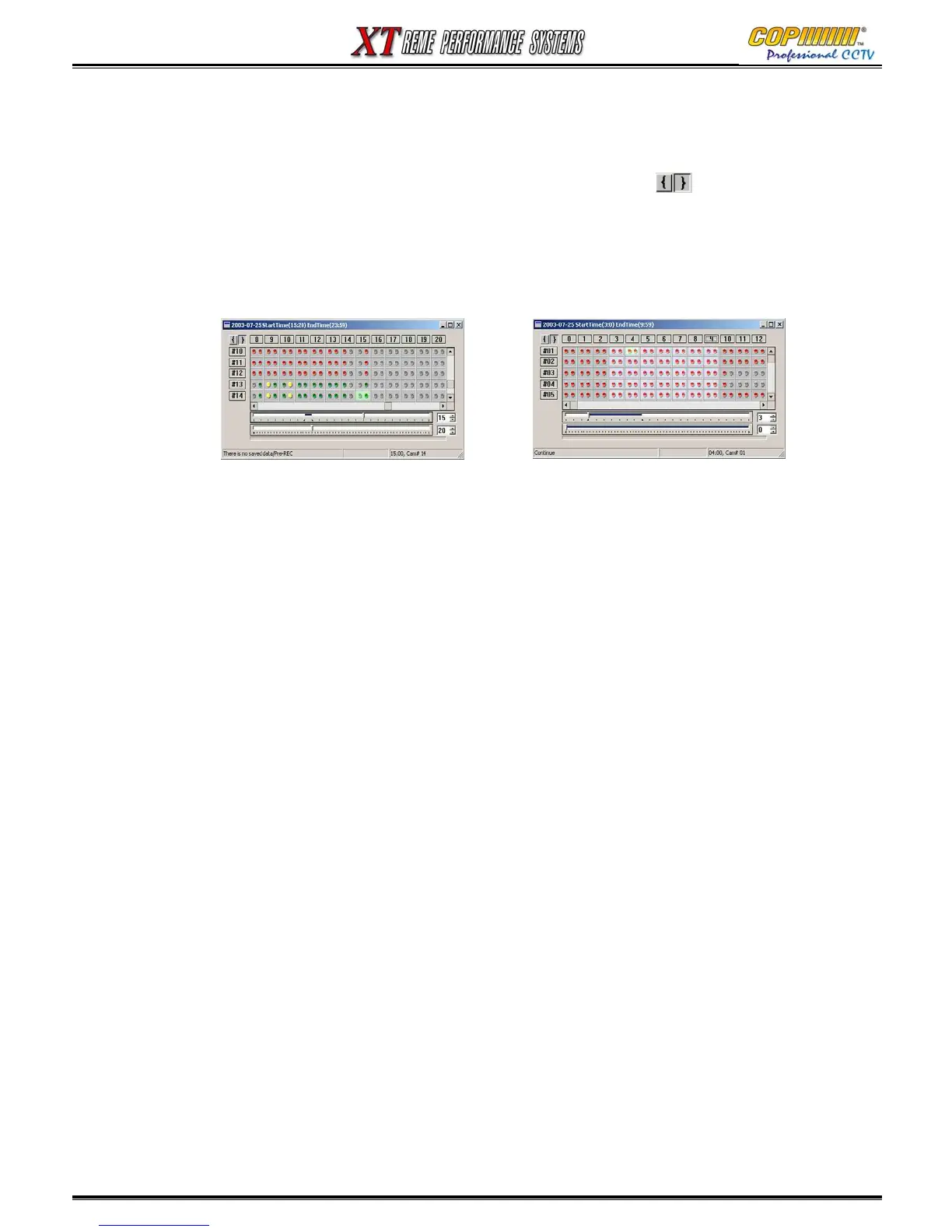
1) Click on the Time table Button: The time table window will be displayed. The periods when there are
recordings stored on the DVR are shown by coloured “balls” displaying ½ hour periods for each
camera (row) and each hour (column).
2) Select a Start Time to play back from by first clicking on the Left Bracket in the Top Left
Corner of the window. Then “Click” on the appropriate Hour (Column Header).
3) To refine the search, “Right Click” on the appropriate Hour (Column Header). The columns will then
be displayed in minutes. Then “Click” on the appropriate Minute (Column Header).
4) The desired Search Start Time should now be displayed in the bottom right corner of the Time
Table Window. Minimise the Time Table Window.
5) Click on the Play Button at the bottom of the Main Screen. The recordings will now be playing.
(Please allow a few seconds for the Network to start the download of the playback images.)
Control During Playback:
Play, Stop & screen division buttons can be used to adjust the images played back from the DVR over
the Network.
Remark: Additional features to those described above will be enabled in the future for this DVR.
This will Include Other Special search functions.
16. CMS



 To Next Page