4.0 OUTBOARD INSTALLATION
4.0 OUTBOARD INSTALLATION
32
CXO300 OWNER’S MANUAL
ON/OFF
START
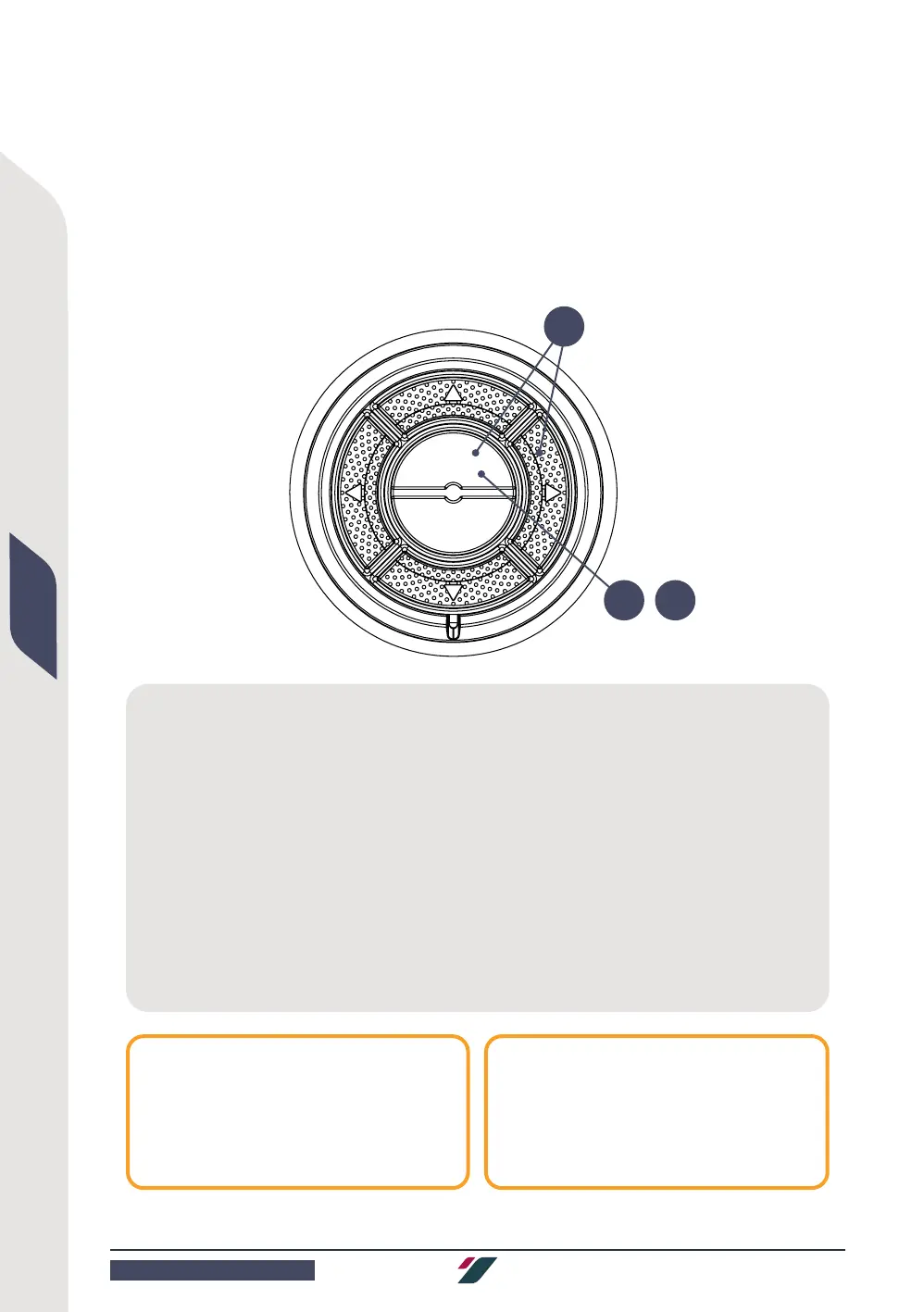
4.4.1 CHANGING PIN
The factory default PIN for the fob system is 1234. Cox Powertrain recommends a personalized PIN is
created. Follow the process below to change the PIN on your control panel.
Figure: Figure: PIN change steps
1 Enter the factory PIN (1234) or current
PIN into the control panel. The control panel
LED will flash green when the PIN is entered
correctly, or otherwise will flash red if the
entered PIN is incorrect.
2 Within 60 seconds of entering the correct
PIN, press and hold the Start button together
with the right arrow button on the Control
Panel for about 5 seconds (2).
Release once the LED starts flashing yellow
quickly.
3 Enter your desired new PIN by pressing and
releasing the corresponding number buttons.
The PIN can be composed of 4 to 6 digits.
4 Press and release the Start button (4). The
LED on the control panel will start flashing green
quickly.
5 Enter your new PIN one more time.
6 Press and release the Start button one more
time (6). The LED will light up green to confirm
that the new PIN has been saved.
NOTE
To cancel the PIN change procedure, press
and release the ON/OFF button.
NOTE
After changing the PIN, all master fobs
must be re-paired by following the procedure
in section 4.4.2.
2
4 6



 To Next Page