EasyManua.ls Logo

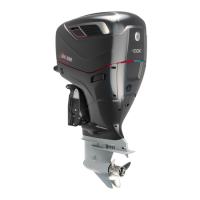
COX CXO300 - User Manual

COX CXO300
92 pages
Print Icon
To Next Page IconTo Next Page
Loading...
OWNER’S
MANUAL
–––
CXO300 – the power of diesel
when you need it most
coxmarine.com

Table of Contents

Other manuals for COX CXO300

Questions and Answers

  • A
    Angela SchroederAug 14, 2025
    What to do if the COX Boating Equipment powerhead doesn't crank?
    • A
      Anthony Johnston DVMAug 14, 2025
      If the COX Boating Equipment powerhead doesn't crank, several issues could be the cause. First, ensure the kill switch clip is installed. Check that the electronic key fob is in range and replace the fob battery if it's low. Make sure control levers and the transmission gear are in the neutral position. Confirm the outboard is within the trim range (vertical). Check the voltage of the communications umbilical and replace it if necessary, and also check the battery. Finally, tighten battery cables and clean battery terminals if the battery voltage is low.
  • S
    Sarah BrennanAug 17, 2025
    Why does my COX Boating Equipment powerhead operate erratically?
    • S
      samuelrobersonAug 18, 2025
      If the COX Boating Equipment powerhead operates erratically, several factors could be responsible. Check the voltage and battery due to poor electrical connections and vessel wiring or low battery voltage. Inspect the propeller for damage or if it's poorly matched – in that case, contact your Cox Powertrain official dealer for propeller matching advice. Also, inspect the transmission, propeller, and hull for biofouling and clean as necessary. Finally, inspect the water inlets for blockages and ensure the mounting height of the outboard keeps the inlets underwater at speed if the powerhead is overheating.
  • M
    Mr. William Sanchez PhDAug 21, 2025
    How to improve low performance of COX CXO300?
    • A
      Amber BlackAug 21, 2025
      If your COX Boating Equipment experiences low or degraded performance, consider these potential causes: Inspect air filters and upper cowling air passages for any air inlet blockage. Check fuel lines, clamps, and the operation of the lift pump, and inspect fuel filters for fuel system low pressure or flow. If the fuel is of poor quality or degraded, drain the fuel tank and refill it with fresh fuel to the correct specification.
  • Z
    zoewheelerAug 25, 2025
    Why does COX CXO300 Boating Equipment vibrate excessively in neutral?
    • M
      Megan GordonAug 25, 2025
      If your COX Boating Equipment outboard vibrates excessively in neutral, several factors could be the cause. If the fuel tank is nearing empty, fill it with fresh fuel to the correct specification. Check the fuel tank vent for any obstructions and clear them. Drain the water separator if it's full. Inspect air filters and upper cowling air passages for any air inlet blockage.
  • E
    Erica SmithAug 28, 2025
    What to do if COX Boating Equipment powerhead is overheating?
    • E
      Elizabeth BrownAug 28, 2025
      If the COX Boating Equipment powerhead is overheating, inspect the water inlets for blockages. Also, check that the mounting height of the outboard(s) keeps the inlets underwater at speed.
  • R
    Rose HowardAug 31, 2025
    Why does COX CXO300 Boating Equipment vibrate excessively in forward or reverse?
    • B
      bortegaAug 31, 2025
      If your COX Boating Equipment outboard vibrates excessively in forward or reverse, inspect the propeller for damage or tangled foreign material, and replace it if necessary. Also, inspect the mounting bolts at the transom and tighten them if necessary.
  • S
    Stephen MontgomerySep 3, 2025
    What to do if COX Boating Equipment has poor fuel quality?
    • T
      Tracy JimenezSep 3, 2025
      If you suspect poor quality or degraded fuel in your COX Boating Equipment, drain the fuel tank and then fill it with fresh fuel to the correct specification.
  • K
    Kelly OsbornSep 7, 2025
    What to do if COX CXO300 water separator is full?
    • N
      Nicholas BowmanSep 7, 2025
      If the water separator is full in your COX Boating Equipment, drain it.
  • J
    Jamie ButlerSep 10, 2025
    What does it mean if alarm is displayed on COX Boating Equipment?
    • R
      Robert TerrySep 12, 2025
      If an alarm is displayed on your COX Boating Equipment, the electronic control system has detected an abnormal condition. Consult the table of warning alarms in this manual.

Summary

Outboard Safety

General Safety Recommendations

Lists critical safety precautions for operating the outboard, including cowling, hot parts, and electrical safety.

Specific Hazard Warnings

Highlights specific hazards such as moving propellers, hot surfaces, electrical shock risks, and general safety.

General Boating Safety

Covers alcohol/drugs, PFDs, emergency equipment, loading, and navigation laws for safe boating.

Propeller Safety Warning

Warns that the propeller can turn even when idling in neutral, posing a physical hazard.

Man Overboard Procedures

Details the operation of the wireless fob for MOB protection and how to restart the outboard.

Technical Specification

Display Home Screen Information

Details the information presented on the display home screen, including outboard IDs, RPM, speed, and fuel levels.

Outboard Installation

Initial Oil Fill Caution

Warns that outboards are shipped without oil and must be filled to prevent severe damage.

Fuel Contamination Warning

Warns that water or contamination in fuel can clog the system and damage the outboard.

Propeller Selection Guidance

Explains the importance of correct propeller selection for performance and fuel consumption, advising dealer consultation.

Propeller Handling and Safety Warnings

Emphasizes safety when working near propellers and warns about sharp edges and rotation.

Operation

Pre-Start Checks Overview

Emphasizes performing pre-start checks before operation and contacting a dealer if any faults are found.

Operating with Damage Warning

Warns that operating with visible damage or malfunction warnings is hazardous.

Mounting Bolt Integrity

Warns against operating with loose or corroded mounting bolts, advising seeking assistance.

Man Overboard Fob Safety

Warns that operating without the MOB fob attached may result in serious injury or death.

Outboard Starting Procedure

Outlines the procedure for starting the outboard(s), including pre-start checks and tilting.

Outboard Start Safety Warnings

Warns against simultaneous starting and exceeding start limits to prevent damage.

Post-Start Checks and Cooling

Details post-start checks including fuel leaks and visible cooling water tell-tale streams.

Engine Shutdown and Flushing

Provides shutdown procedures and details post-use flushing to prevent corrosion.

Controlling Outboard Trim

Explains trim adjustment for stability and performance, and the effects of bow attitudes.

Defensive Boating Practice

Emphasizes defensive operation at safe speeds to avoid collisions, falling overboard, or loss of control.

Post-Use Flushing Procedure

Details the procedure for flushing the outboard with fresh water to remove salt and contaminants after use.

Outboard Tilting and Alarm Systems

Provides tilting instructions and explains how the helm display issues alarms for malfunctions.

Maintenance

Maintenance Schedule Overview

Presents a comprehensive maintenance schedule for the CXO300, detailing items and service intervals.

Powerhead Oil Level Check

Provides step-by-step instructions for checking powerhead oil level using the dipstick.

Oil Handling and Changing Cautions

Cautions about oil level accuracy, running without dipstick, and hot engine oil.

Powerhead Oil Change (Extraction)

Details the procedure for changing powerhead oil via vacuum extraction.

Powerhead Oil Change (Draining)

Provides instructions for changing powerhead oil by draining the outboard when out of water.

Powerhead Oil Filter Change

Details the procedure for changing the powerhead oil filter.

Transmission Oil Change Procedures

Explains transmission oil change, notes on drain/fill and working out of water.

Battery Inspection and Safety

Details battery checks for terminals, corrosion, leaks, voltage, and warns about battery handling.

Anode Importance and Propeller Safety

Stresses anode importance, propeller safety, and warns against working on running propellers.

Troubleshooting

Troubleshooting Guide Reference

Guides users to consult the troubleshooting table for solutions to common issues.

COX CXO300 Specifications

General IconGeneral
Power300 hp
Weight1.1 lb (0.5 kg)
GPS ReceiverYes
Waterproof RatingIPX7
Power Supply12 VDC
DisplayLCD
ChartsPreloaded

Related product manuals