4.0 OUTBOARD INSTALLATION 33CXO300 OWNER’S MANUAL
4.4.2 PAIRING FOBS
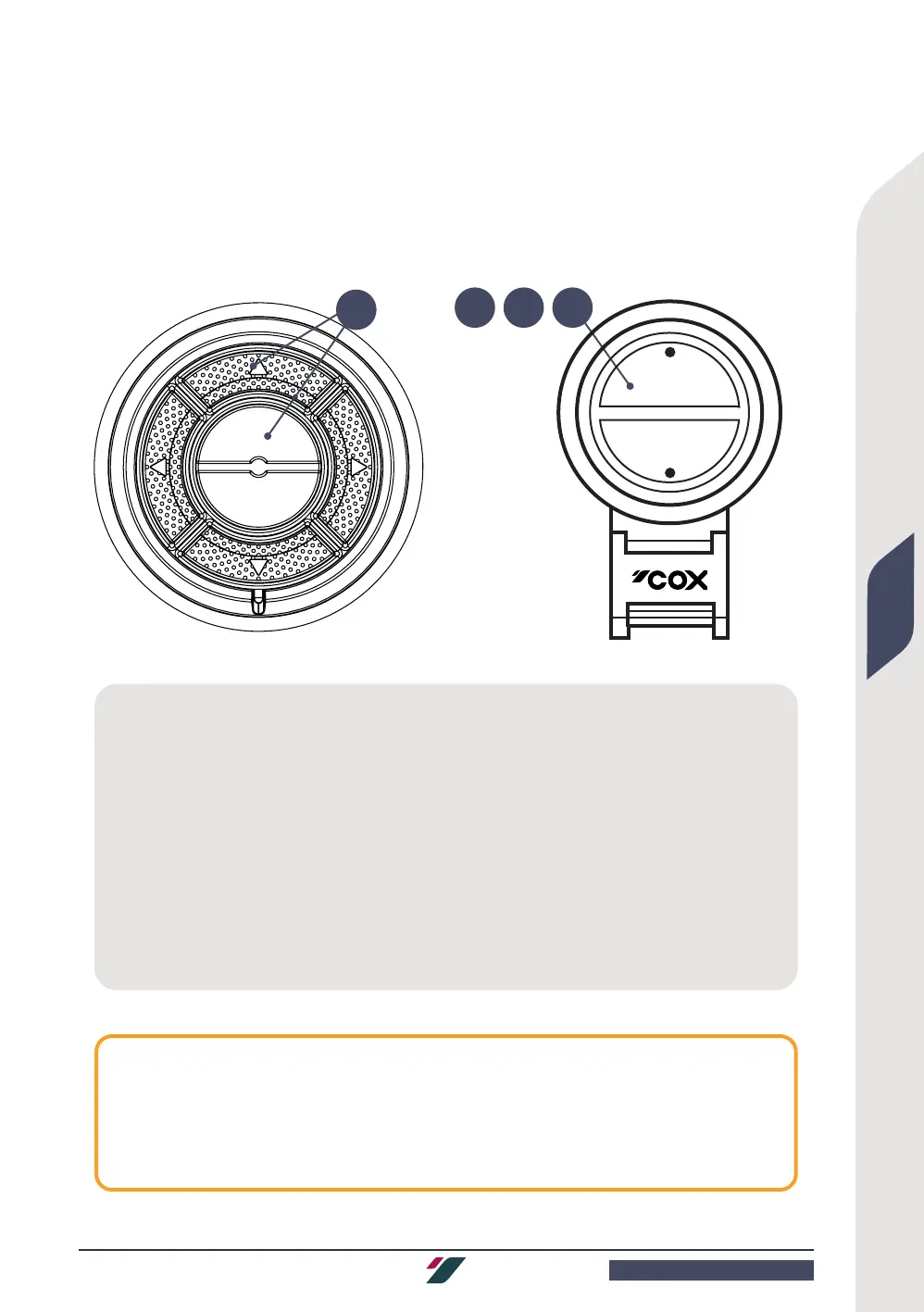
Follow the procedure below to pair a fob with your control panel.
Figure: Fob pairing steps
1 Enter the PIN on the control panel. The LED
will flash green when the PIN has been entered
correctly.
2 Within 60 seconds, press and hold the Start
button together with the up arrow button on the
Control Panel for about 5 seconds (2). Release
once the LED starts flashing yellow quickly.
3 Press and hold the central Start button on the
fob to be paired (3).
4 Release the central Start button on the fob
once the LED on the start panel stops flashing
yellow (4).
5 Test the system by pressing the central Start
button on the fob. The control panel will unlock
in response (5).
NOTE
Repeat this process to pair all master fobs.
The control panel can be paired with up to 10 master fobs.
3 4
ON/OFF
START
5
2
START
ON/OFF



 To Next Page