5.0 OPERATION
5.0 OPERATION
50
CXO300 OWNER’S MANUAL
5.10 FLUSHING POST-USE
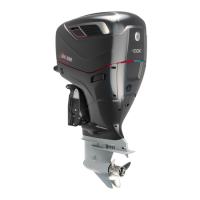
CXO300 collects and pumps raw water through the powerhead and associated systems to keep them
cool during operation. Although the water intakes include mesh screens to deflect large foreign objects,
flushing thoroughly with clean and fresh water is necessary at the end of each day of operation to
wash out any salt or other contamination. Build-up of salt or other contaminants over time can lead to
corrosion or clogging of cooling passages and reduced performance.
The exterior surfaces of the outboard(s) should also be rinsed regularly to wash away contaminants
and protect against corrosion.
Flushing via flush points
1 Shut down the outboard(s) and identify the preferred flushing point (fore or aft).
2 Remove the corresponding flush plug by turning it counterclockwise and fit a flushing attachment to the
flush point.
3 Connect one end of your flush hose securely to the flushing attachment and the other end to the fresh
water supply.
4 With the outboard(s) off, turn on the water supply and allow the fresh water to run for 10-15 minutes.
Check that water is flowing out from the tell-tales; if the water streams are not visible, check that the
flush connectors are correctly attached and the supply hoses are not kinked or leaking. If the issue
persists, there may be an internal blockage within the cooling circuit. Contact your Cox Powertrain official
dealer for further support.
5 Turn off the water supply and disconnect the flush hose from the flushing attachment.
6 Remove the flushing attachment, then check that the flush plug seal is in place and intact.
7 Reinstall the flush plug by turning it clockwise and hand tighten until secure.



 To Next Page