5.0 OPERATION
5.0 OPERATION
40
CXO300 OWNER’S MANUAL
WARNING
Using the start button on a master fob with
multiple outboards sends a simultaneous start
command to all outboards which risks
overloading the battery circuits and damaging
your outboards or vessel.
WARNING
Do not attempt to start multiple outboards
simultaneously. In an installation of 5 or more
outboards, do not attempt to start more than
one pair of outboards simultaneously.
ON/OFF
START
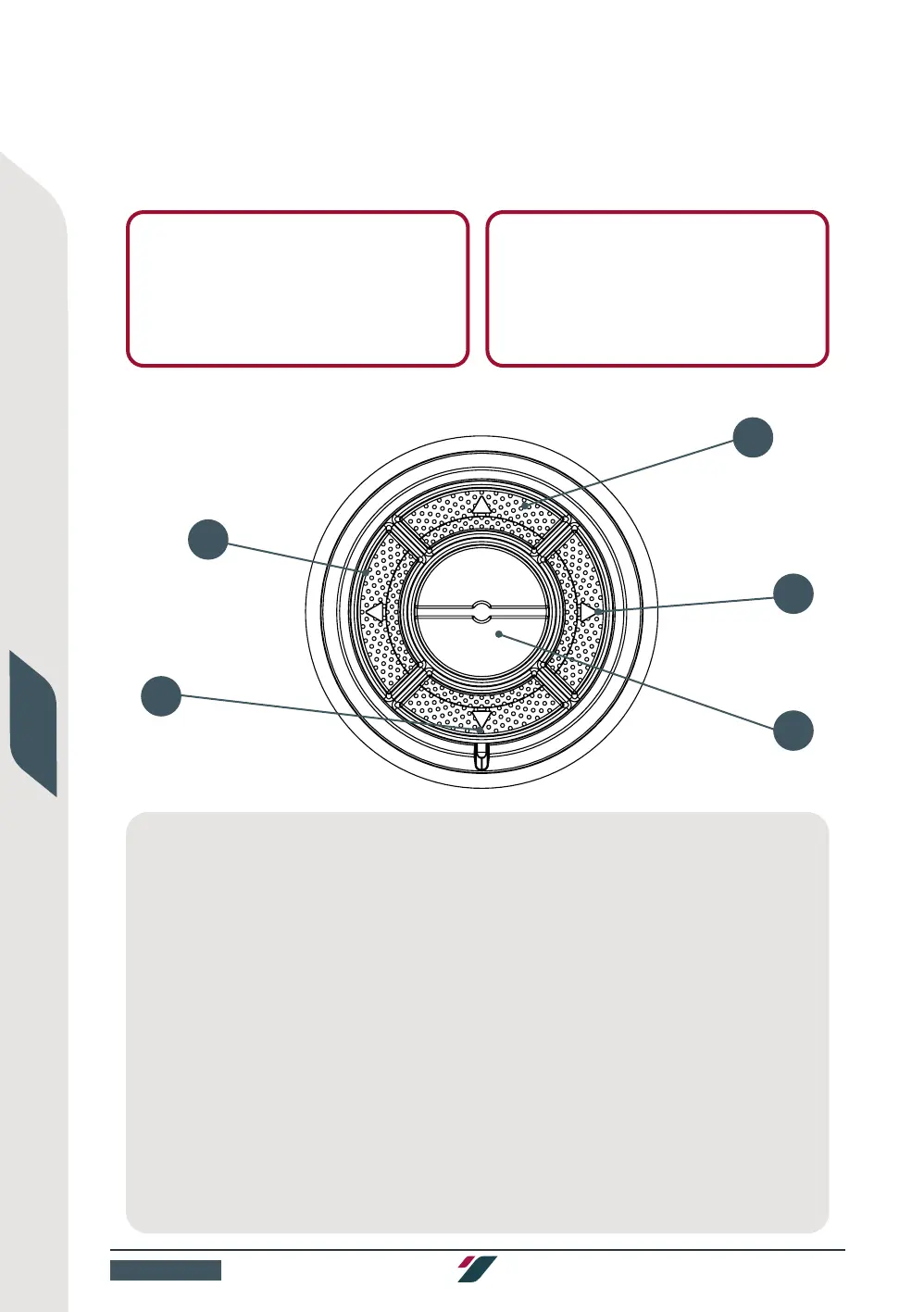
To start your multiple outboards individually using the control panel:
Figure: Starting a multiple outboards individually using a master fob
1 Carry out all pre-start checks in section 5.2.
2 Turn your battery switch to the ON position.
3 Place the throttle lever(s) into the neutral position.
4 Check your vessel and surroundings for any
hazards, clear any personnel in the vicinity of
your outboard, then tilt your outboard(s) into
the water until nominally at zero trim.
5 Enter your PIN into the control panel. The LED
will flash green to indicate the correct PIN has
been entered.
6 Within 60 seconds, press and release the
ON/OFF button (6) to turn on the ignition
on all installed outboards. The LED will light
yellow to indicate the ignition is on.
7 Check for any warning alarms or notifications
on the helm screen and action accordingly.
8 Ensure the fuel system is primed by running
the fuel lift pump(s) for at least 10 seconds
prior to starting your outboard, or longer if one
or more fuel filters or lines have been
changed or connected since the last start.
9 Press and hold each arrow key (9a-9d) on
the control panel for 2 seconds in turn
to send a start signal to the corresponding
outboard. Release when the corresponding
outboard starts.
9A
6
9D
9C
9B



 To Next Page