66
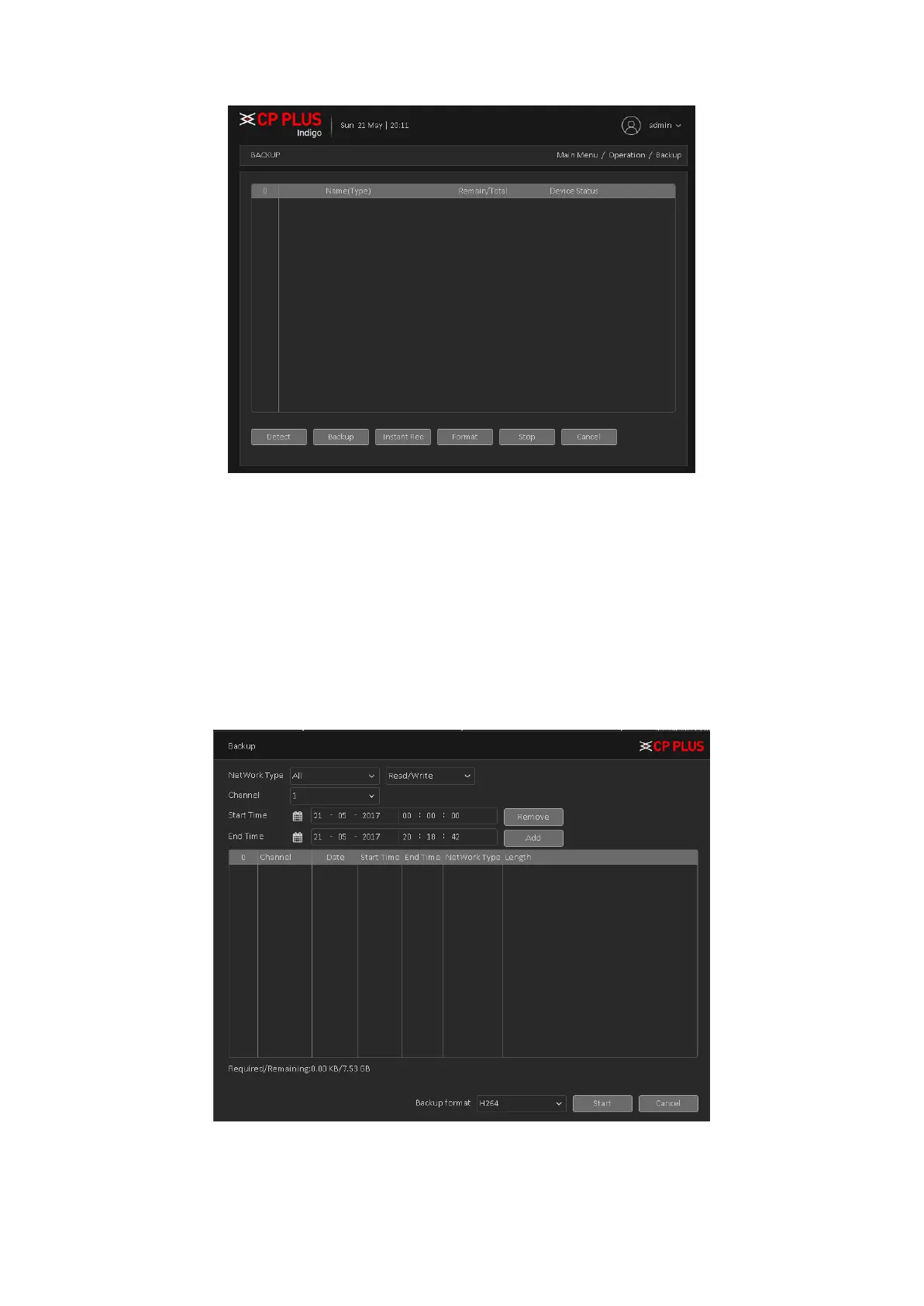
Figure 4.50
➢ [Detection] Detecting storage devices connected to the device, which can be U disk, hard
disk and other equipment.
➢ [Backup] Click Backup, Backup dialog box pops up, you can select the backup video files
based on type, channel, time and other attributes.
Select backup device and then set channel, file start time and end time. Click add button, system
begins search. All matched files are listed below. System automatically calculates the capacity
needed and remained. See Figure 4.51.
Figure 4.51
Systems only take backup of selected files. Click Start button, system begins copy. At the same time,
the backup button becomes stop button. You can view the remaining time and process bar at the
left bottom. See Figure 4.52.



 To Next Page