Measurement Depth
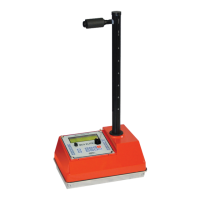
The Elite gauge is designed and is equipped with an automatic
non-contact magnetic depth indicator. The depth is
automatically read as you lower the source into measure
position and the appropriate constants are selected for
calculation of density.
The gauge can be placed into manual depth mode by
disabling the Automatic depth mode from the MENU functions
Taking a Daily Standard Count
It is important that a minimum of one daily standard count is
taken at each job site. The moisture standard count should be
within 2% and density standard count should be within 1% of the
average of the previous four standard counts. If the average of
the previous four standard counts is taken more than three
months from the current standard count, take four new
standard counts and generate a new average for comparison.
Check the density standard count and ensure it is within the
range of the expected standard count provided with the
calibration paperwork.
The standard count is used to correct for decay in the
radioactive source, especially for the Cs-137 density source.
Keeping a log of the daily standard counts is a good indicator
of gauge operation from day to day. Elite will store the last 30
standard counts in its memory. They can be recalled and
reviewed from the MENU functions. To obtain the most
representative standard count in the field, allow the gauge to
stabilize to the field environment for a minimum of 15 minutes.
Remember the following steps, when taking standard counts:
1. Find a level location close to the test site and
setup your polyethylene reference standard
block.


 To Next Page