Snack / Refreshment Center Setup and Operator's Guide
Page 26April, 1999 1670001
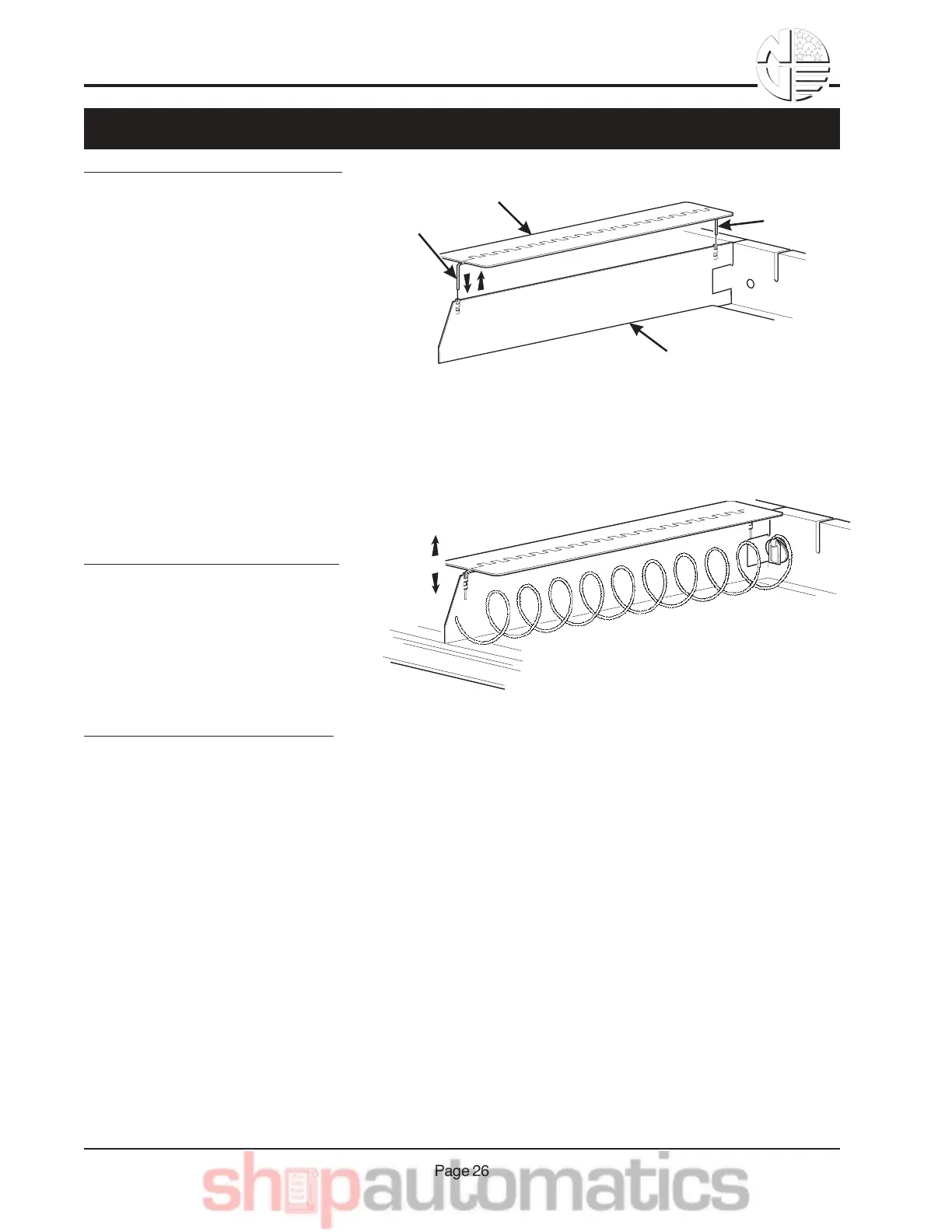
INSTALLING A PRODUCT SPACER:
Insert the product spacer mounting
pins into the column divider as
shown.
PRODUCT
SPACER
COLUMN
DIVIDER
MOUNTING
PINS
MOUNTING
PINS
REMOVING A PRODUCT SPACER:
Pull the product spacer mounting pins from the column divider.
ADJUSTING A PRODUCT SPACER:
With product loaded in the tray, ro-
tate the product spacer up or down
to keep the product upright as
shown.
9,.-177*,D& 1,8& '$+"C*,D& 1& !%"8)2-& L012$%



 To Next Page