Snack / Refreshment Center Setup and Operator's Guide
Page 44April, 1999 1670001
The Service Keypad
Programming
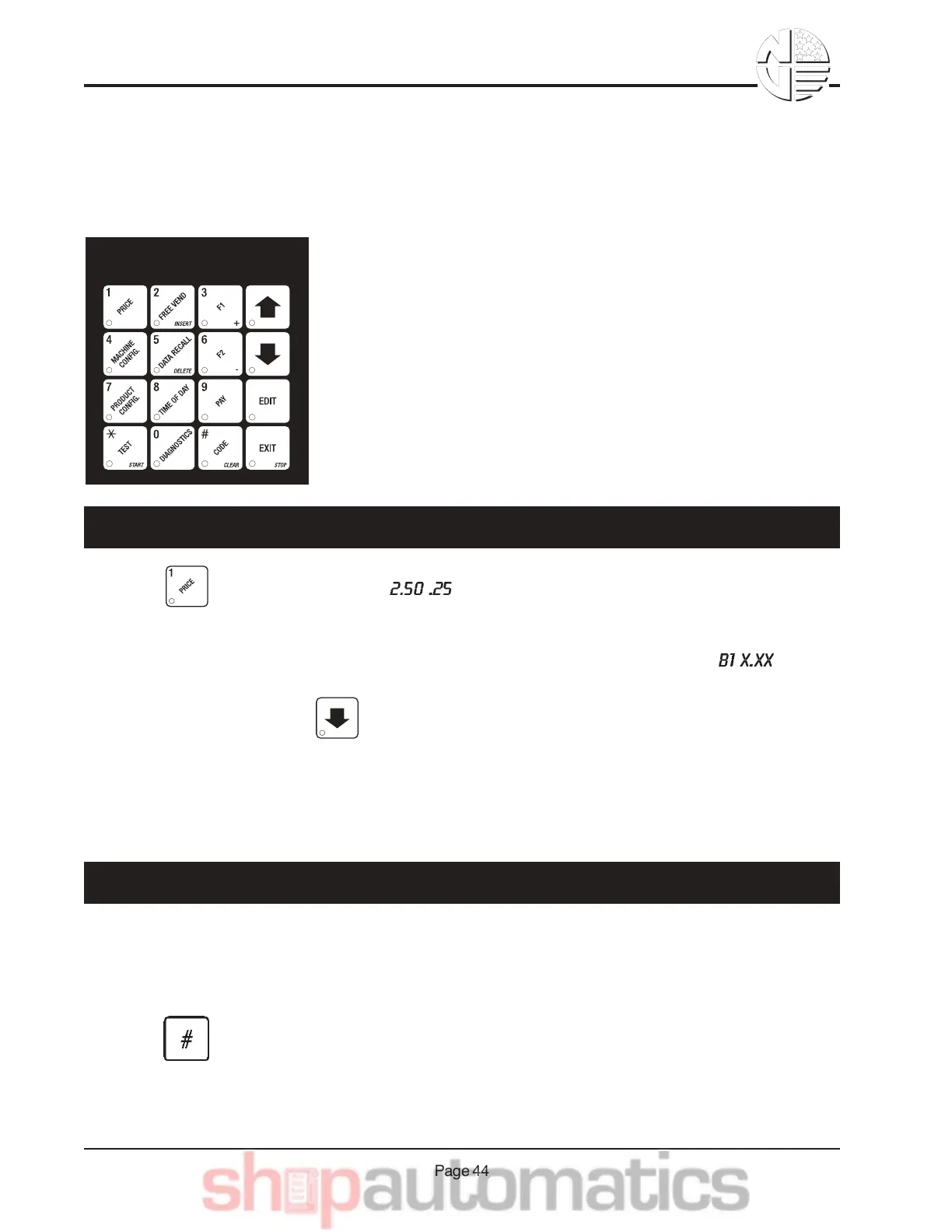
The service keypad (shown on the left) is your major tool to program
your merchandiser. If you just need to get your merchandiser up and
running, you only have to set prices. That procedure is given below.
For a thorough explanation of how to do all the custom programming
features available to you, consult your Programming Guide. It will tell
you how to:
•Set up custom time-of-day vending periods;
•Look at sales and vending data;
•Test various machine functions;
•Customize trays for vending unique products;
•Enter custom display messages;
•And much more!
1. Press . The display shows ** . This display shows the maximum and minimum
prices set in the machine.
2. Press the number of the selection to be priced. (Example: B1.) The display shows . Enter
a price using the number keys. The selection is now priced.
3. Press another letter key, or to price another selection.
NOTE
Refer to your Programming Guide for other pricing options.
After your merchandiser has been running for a while, you may want to see if the chiller or can unit (op-
tional) is getting cold. The following procedure can be performed whether the main door is open or
closed:
1. Press on the selection switch panel. The temperature is displayed.
2. If desired, you can change the temperature by following the procedure given in your Programming
Guide.
AB&&L$-&!%*2$.
GB&&M*$ #&-4$&64*77$%&"%&61,&/,*-&=$+0$%1-)%$



 To Next Page