Snack / Refreshment Center Setup and Operator's Guide
Page 271670001 April, 1999
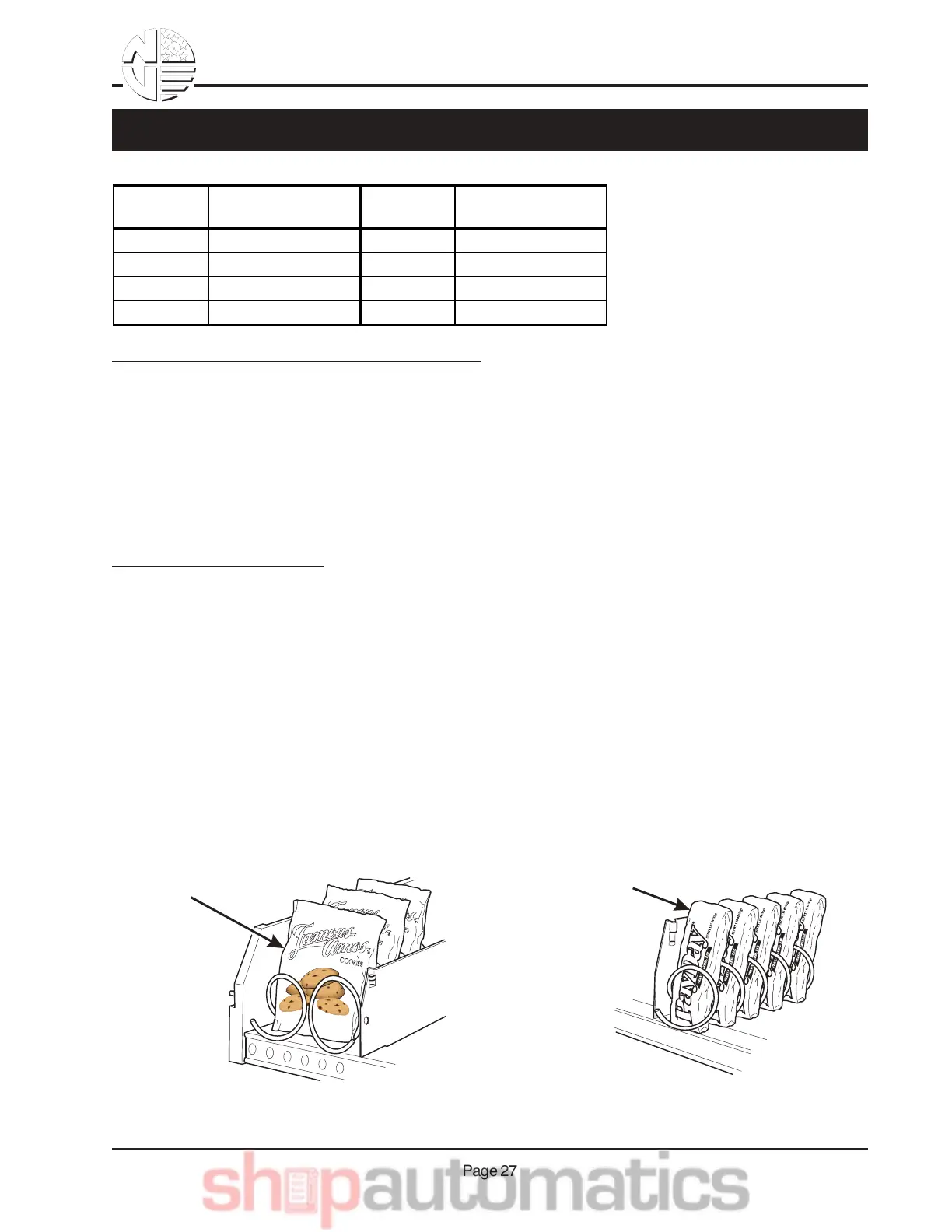
SNACK
PRODUCT
CANDY
PRODUCT
CORRECT LOADING
OF SNACKS
CORRECT LOADING
OF CANDY
The color of the spiral coupler
(the little plastic tab attached to
the rear of the spiral will tell you
how many products will fit in
the spiral. See table at left.
NOTE
Another way to determine spiral
capacity is to count the spaces in
the spiral !
SPIRAL CAPACITY COLOR CODES
SPIRAL
CAPACITY
SPIRAL COUPLER
COLOR
SPIRAL
CAPACITY
SPIRAL COUPLER
COLOR
6 Purple 20 White
11 Blue 25 Green
13 Yellow 30 Black
15 Red 38 Orange
LOADING A TRAY WITH PRODUCTS IN GENERAL:
•See PRODUCT PUSHER USAGE for spirals with capacity of 11, 13, or 15.
•See SPIRAL WALL RETAINER USAGE for spirals with capacity of 20, 25, 30, or 38.
•Begin loading products at the front of the tray and work toward the back. Position the product so
the package rests on the tray. DO NOT force a product into a spiral.
•If the fit is too tight or too loose, change the spiral size. See REMOVING AND INSTALLING A SPI-
RAL.
•Be sure there are no empty positions between products in each spiral.
SPECIAL CONSIDERATIONS:
Bagged Products - Position package upright, then push the tops slightly toward the rear of the tray.
Also, see PRODUCT PUSHER USAGE.
Thin Packages - Position the package upright. Also, see SPIRAL WALL RETAINER USAGE.
KitKat - The two right-most columns of the candy tray are designed to accept the KitKat
candy bar.
Chilled Candy - Use the lowest trays for candy that is to be chilled.
WARNING
This merchandiser does not have a health control circuit. It is not
approved for the vending of perishable food items.
QB&& K"18&=%1F.&N*-4& !%"8)2-



 To Next Page