BevMax_Media_Programming_10_6_10 Page 40 of 106
08/15/2013
B. Selecting NO will apply the discount to only the last item in the
Combo.
5. Press the 5 Key to Edit Group1 will bring up a tray list.
A. Choosing a tray will bring up a screen listing all the selections on that
tray. The list has more than one screen.
B. The checked selections are the selections that are currently included in
the group.
C. Use the numeric Keys to check or un-check selections as needed.
6. Press the 6 Key to Edit Group 2 will bring up a tray list
A. The editing of Group 2 is the same as for Group1.
7. Press the 7 Key to Edit Group 3 (if Number of Groups in was set to 3) will bring up a tray list.
A. This option will only appear if the three group setting has been chosen
previously with the two Key.
B. The editing for Group 3 is the same as for Group1.
8. Press the # Key for “Enable Custom Message” will toggle the setting
in the live window between Yes and No. When Yes is selected, an additional
line will appear at the bottom of the screen titled “Message”.
9. Press the # Key for “Message” will open a live window allowing you
to enter a custom message using the numeric keypad.
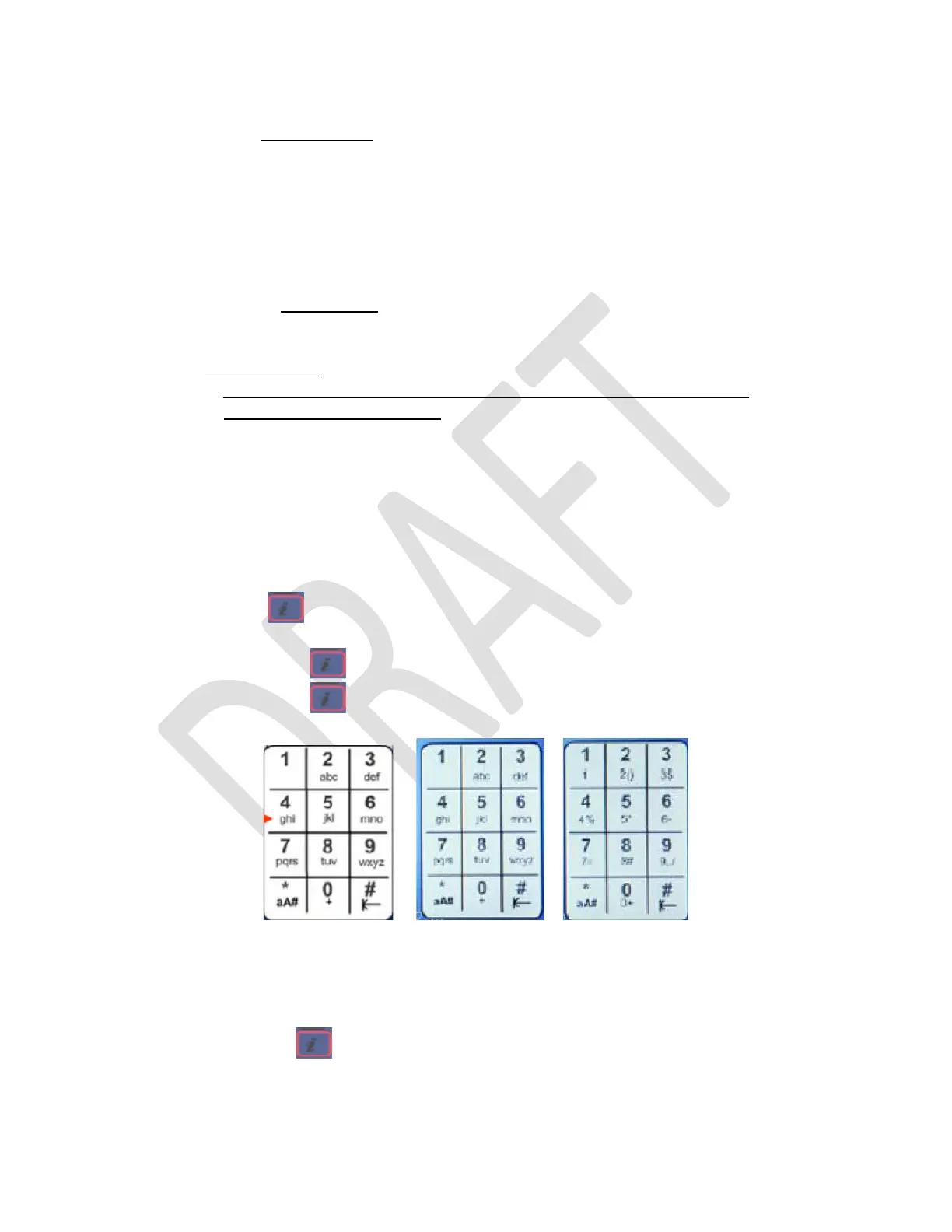
a. Press on the Keypad to cycle between alpha and numeric characters.
I. The Keypad will default to lowercase alpha.
II. Press once to go to uppercase alpha.
III. Press once to go to numeric characters.
Lowercase alpha Uppercase Alpha Numeric
The Machine ID Keypad will be similar to a text type phone that does not have a full keyboard.
Example machine id entries (p = pause for .5 seconds):
• Machine ID 34585
o Press twice. Press 3p4p5p8p5 then OK Key on the Keypad.
• Machine ID ABC123



 To Next Page