User Manual
C O PYRIG HT ©2016 C reatComm Technology
Fig ure 7-9 Router Interface – W AN S ettings
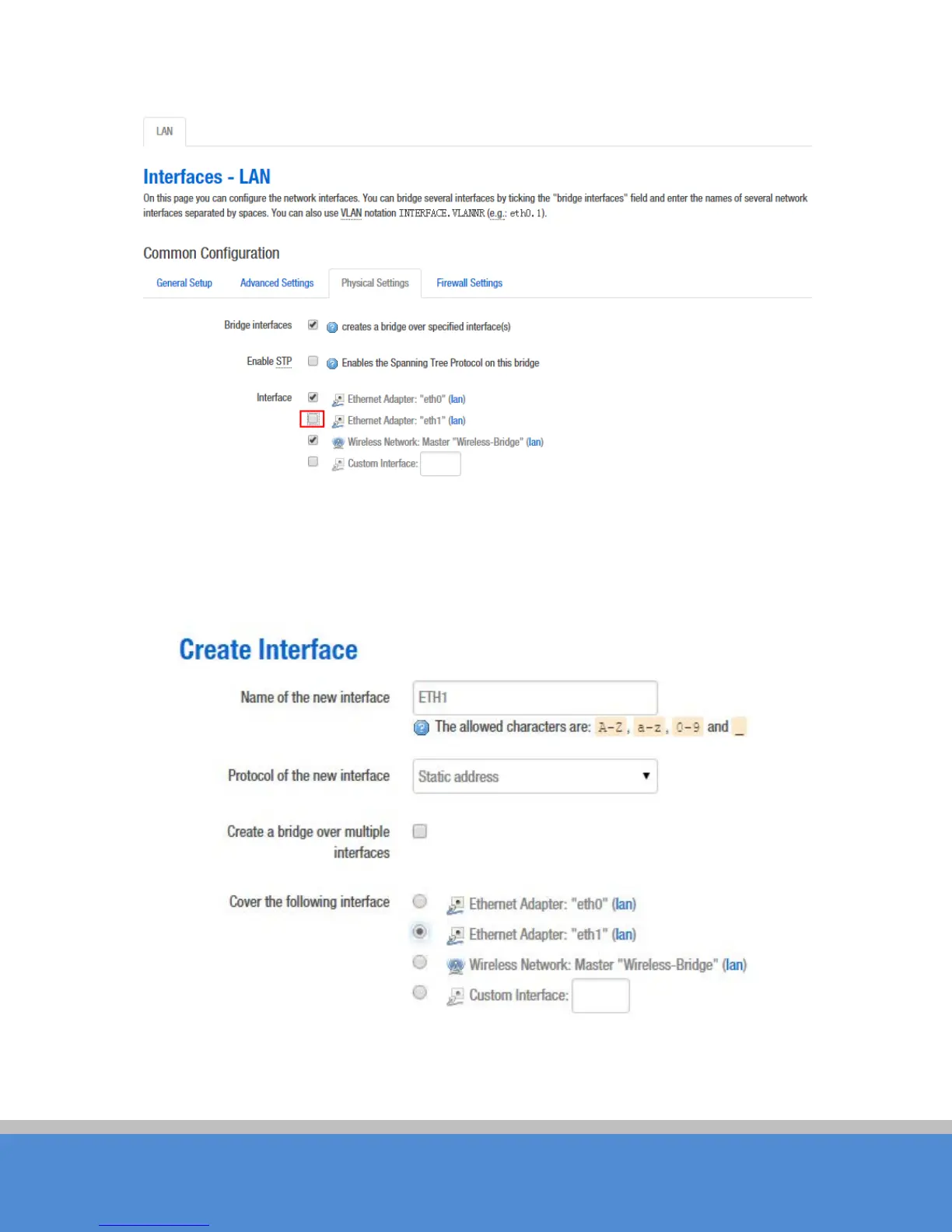
Click the "Add new interface" of the Interfaces page, and fill in the name of the new
interface, such as ETH1, you can choose a static address for the new interface protocol,
all of the current page configuration can be modified in the subsequent page.
Fig ure 7-10 R outer-Inte rfac e
Click "submit". Into the newly created interface c o nfiguratio n p age , fill in the IP v4 ad d re ss
which should be different with LAN segments, such as 192.168.2.35.



 To Next Page