User Manual
C O PYRIG HT ©2016 C reatComm Technology
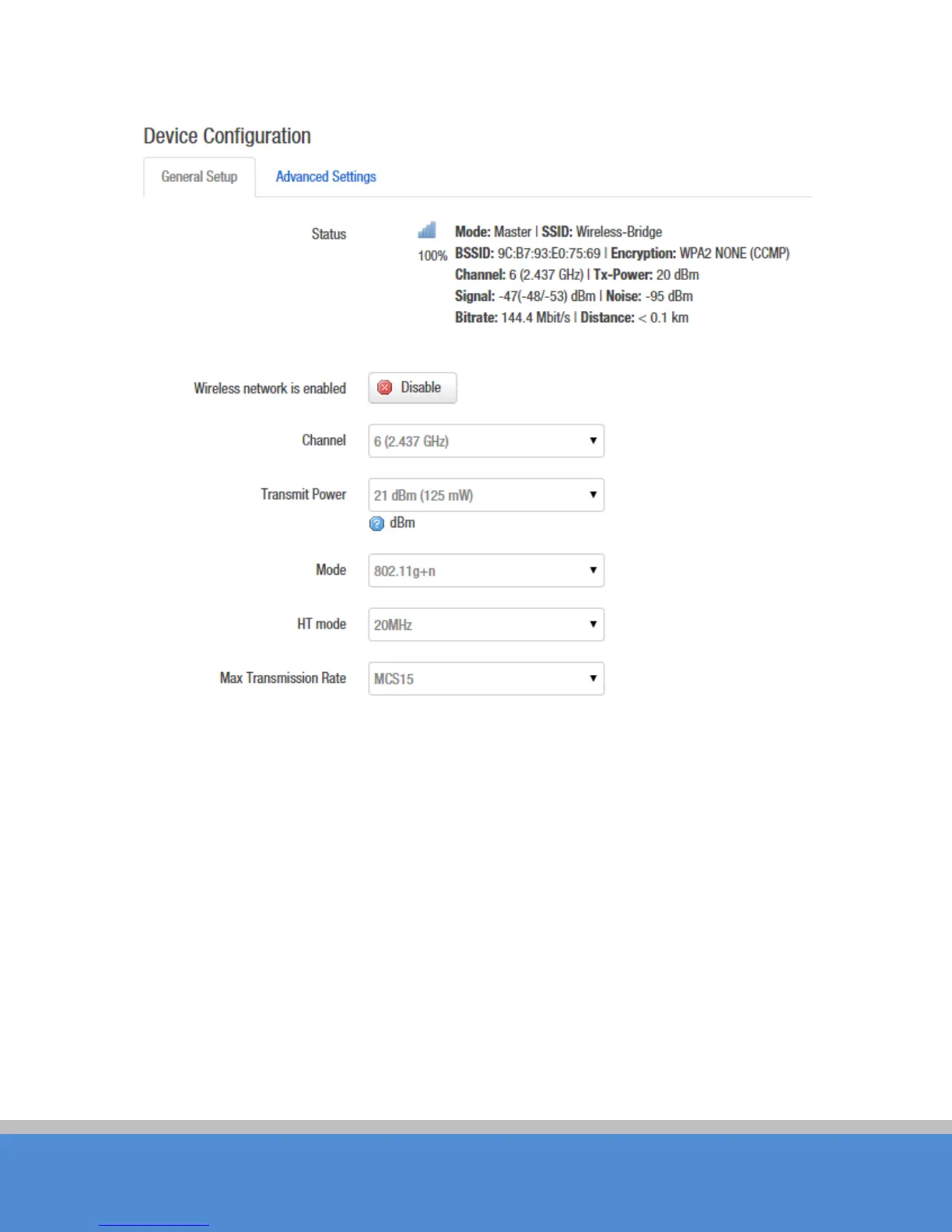
Fig ure 7-20 G eneral Setup
C hannel:The channel can be modified when the device is configured to Access Point
mode or WDS Access Point mode. The device can only work on one channel at the same
tim e .
Transmit Power:The device output power. When the output power is increased, the
sig nal d is tanc e and s ig nal s treng th will b e im p ro ve d .
Mode: You can keep the default 802.11g+n mode to guarantee optimal transmission rate.
HT Mode: C hannel width selection, the device supports 20/40+/40-MHz bandwidth. In
general, the wider the bandwidth is, the greater the data throughput rate.
Max Transmission Rate: it can be used to limit the max transmission rate of a device.



 To Next Page