User Manual
C O PYRIG HT ©2016 C reatComm Technology
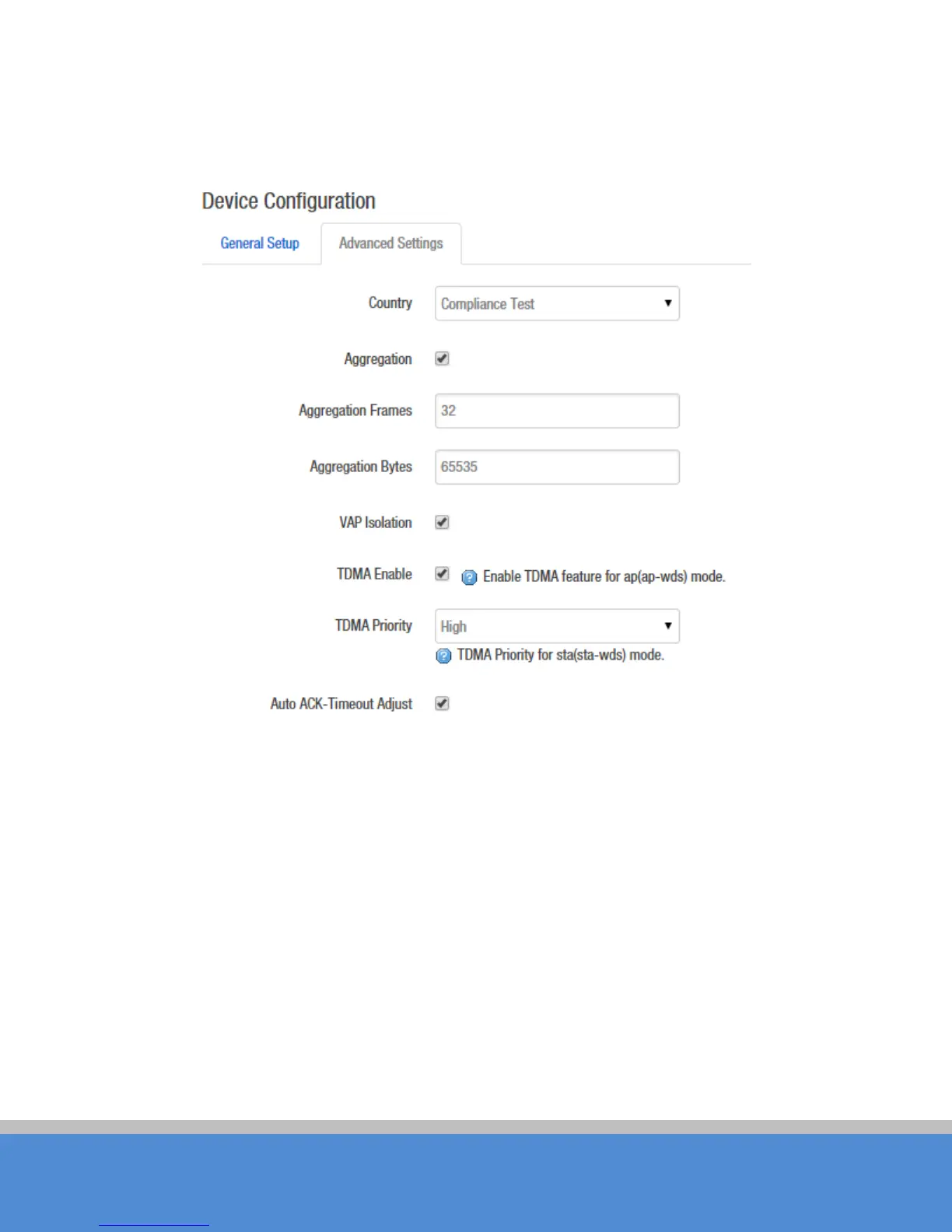
C lic k o n D e vic e C o nfig uratio n->Advanced Settings, you can configure the advanced
se tting s o f the d e vic e in this se c tio n.
Fig ure 7-21 Advanced S ettings
C ountry C ode:Different countries allows different channels, you can choose the country
c o d e to allo w th e d e vic e wo rks at the c hanne ls o nly p e rmitte d in the p artic ular c o untry.
When you set C ompliance Test mode, the frequency will extend to 2312-2732MHz.
Aggregation: It enables several data frames of 802.11 to be aggregated and transmitted
out, thus improve the throughput. The larger the set value, the higher the throughput.
V A P Is o latio n: The device supports multiple VAP; if this feature is enabled, and when the
c lie nt1 is c o nne c te d to V A P 1 , the c lient1 will no t b e ab le to c o m m unic ate the c lie nt2
which is connected to VAP2.
TDMA:



 To Next Page