Configuration Guide – DOC. 7991A CCS-UC-1: Secure SIP Endpoint with Cisco UCM 11.0
19
3. Configure a
Secure SIP Trunk Profile-Crestron was used in this example.
4. Configure
: Encrypted.
5. Configure
: TLS.
6. Configure
: TLS.
7. Configure
: as the FQDN of the Cisco UBE.
crestronrtr.skypelabsj.local was used in this example.
8. Configure
: 5061 was used in the example.
9. Check the
check box.
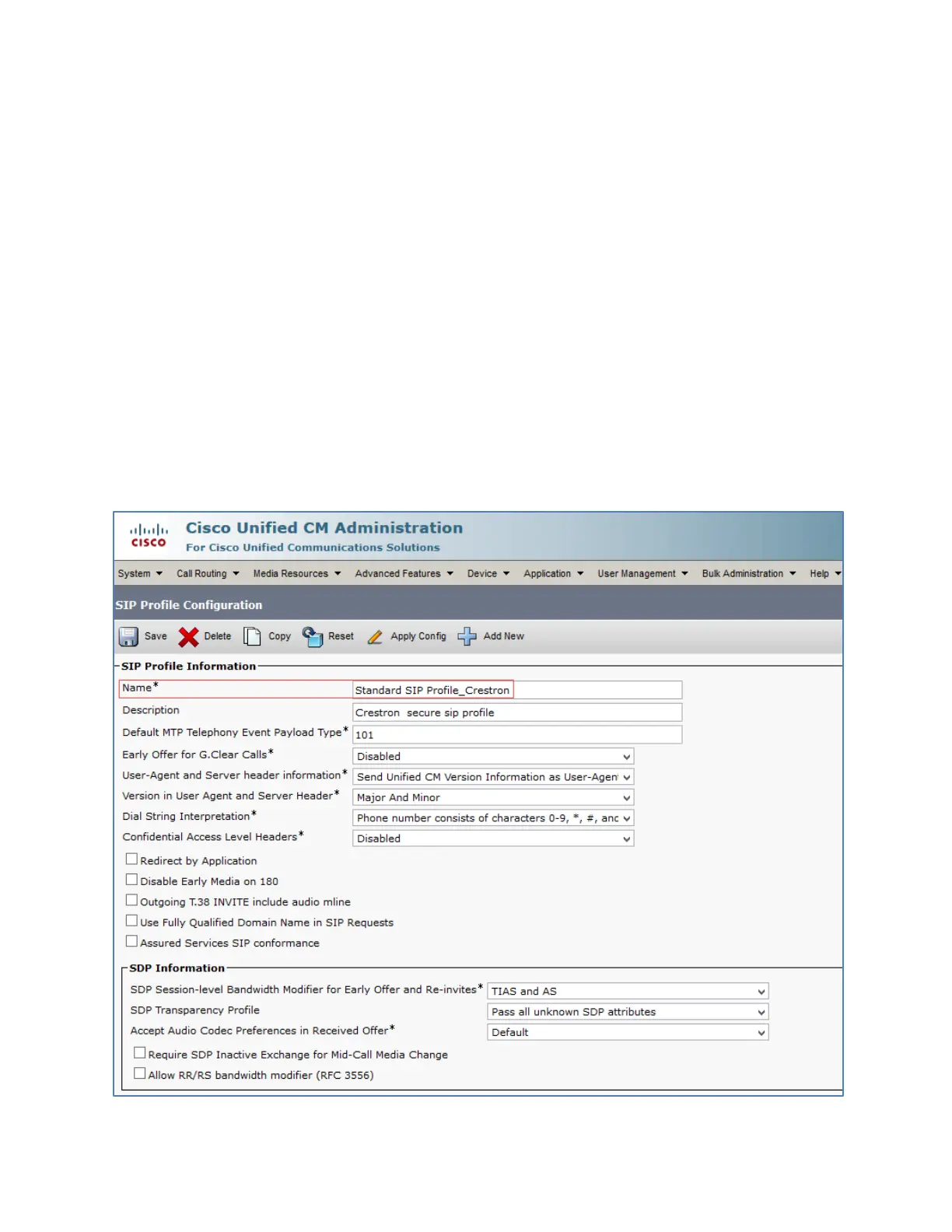
Configure a Secure SIP Profile for Trunk
For the example, a new SIP Profile
Standard SIP Profile_Crestron
was configured and
assigned to the trunk used for PSTN calls.
To add a new SIP Profile, follow this procedure:
1. Navigate to
>
>
.
Cisco UCM: Trunk Secure SIP Profile Configuration (1/4)















 To Next Page