Configuration Guide – DOC. 7991A CCS-UC-1: Secure SIP Endpoint with Cisco UCM 11.0
27
Configure Phone Security Profile
To configure phones on the Cisco UCM in secure mode, each phone type requires its own
Phone Security Profile. For the example, separate phone security profiles were configured
for the Crestron Mercury device, and the 8945 and 8961 phone-types used.
To configure the Phone Security Profile for the Crestron Mercury device, follow this
procedure:
1. Navigate to
>
>
.
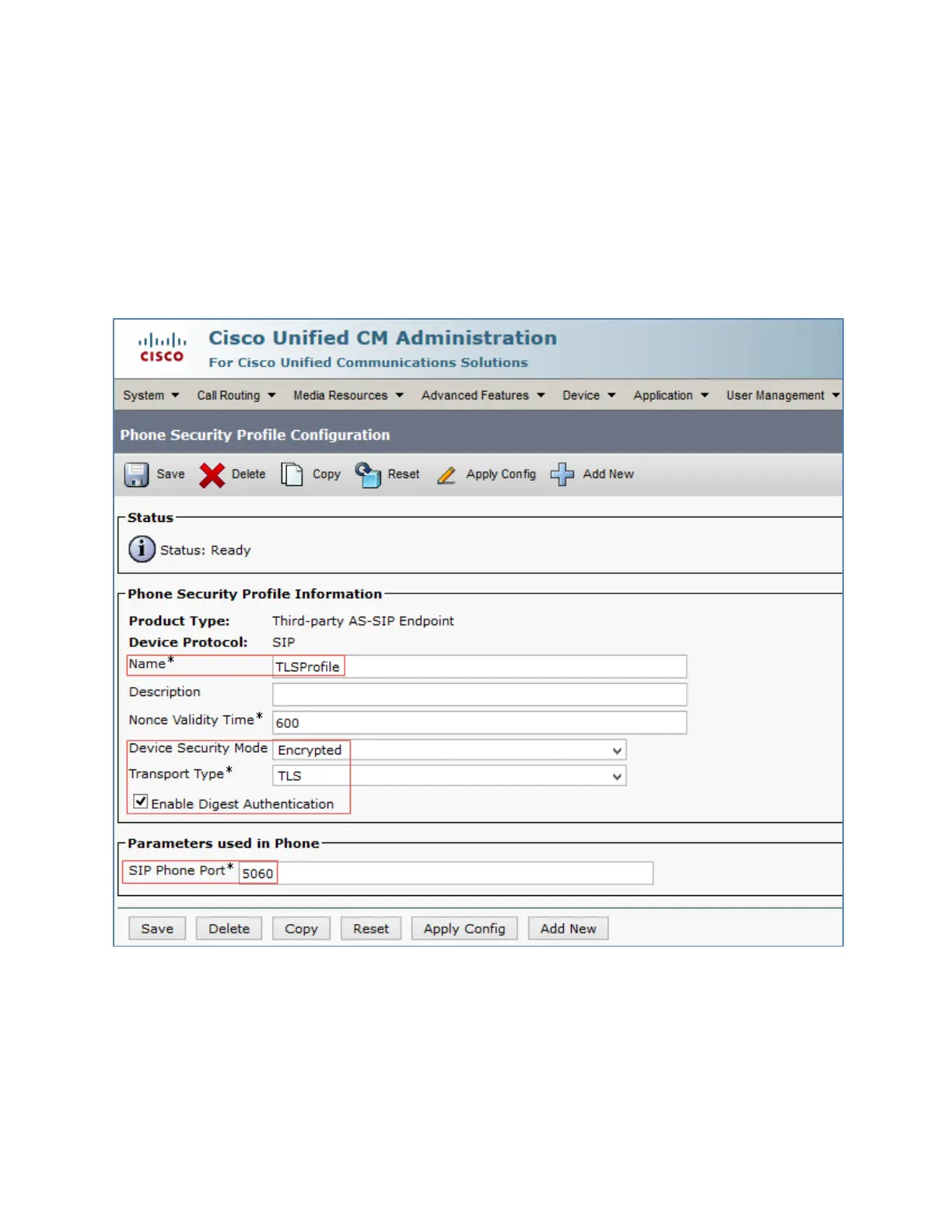
Cisco UCM: Phone Security Profile Configuration for Crestron Mercury
2. Click
.
3. Select
Product Type: Third party AS-SIP Endpoint
.
4. Configure a
: TLS profile was used in this example.
5. Configure
Encrypted
6. Configure
: TLS
7. Check the
Enable Digest Authentication
check box.















 To Next Page