14
CCS-UC-1: Secure SIP Endpoint with Cisco UCM 11.0 Configuration Guide – DOC. 7991A
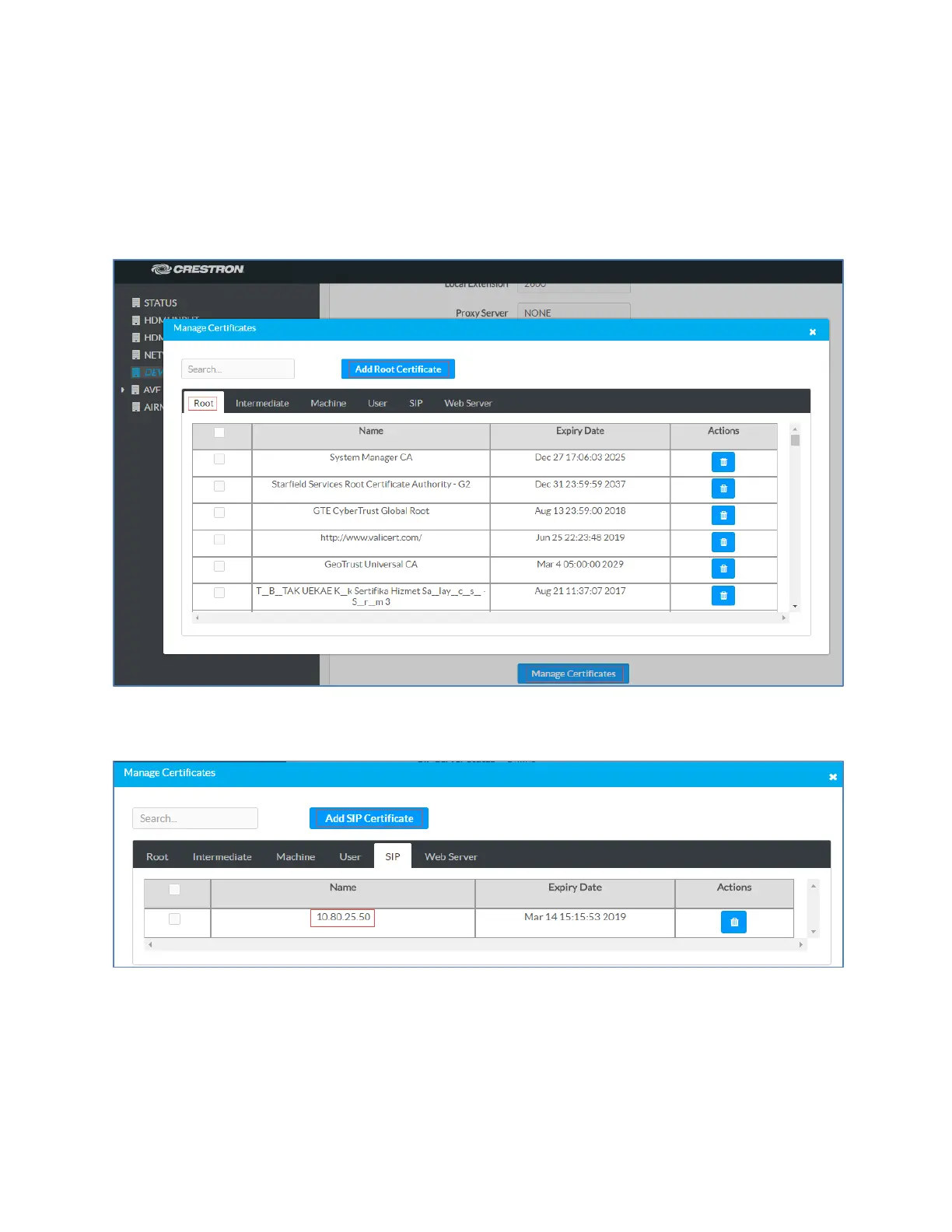
To add a SIP certificate, follow this procedure:
1. On the web GUI, navigate to
>
.
2. Click
.
Crestron Mercury Configuration: Manage Certificates
3. Click the
tab.
Crestron Mercury Configuration: Manage Certificates: Add SIP Certificate
4. Click
.
5. In the
window, click
.
6. Select the sip_cert file that needs to be uploaded, and click
.
7. Enter the password that was used when exporting this certificate on the CA.















 To Next Page